Comparison
Microsoft Dynamics Alternative: Customermates Compared
Dynamics 365 Sales starts at $65 per user per month, paid yearly, and Copilot begins one plan up. Customermates bills monthly, keeps Outlook, LinkedIn and WhatsApp conversations on the client from Pro, and Mate drafts the reply. Checked 8 October 2026.
✓ No credit card required ✓ First 14 days free
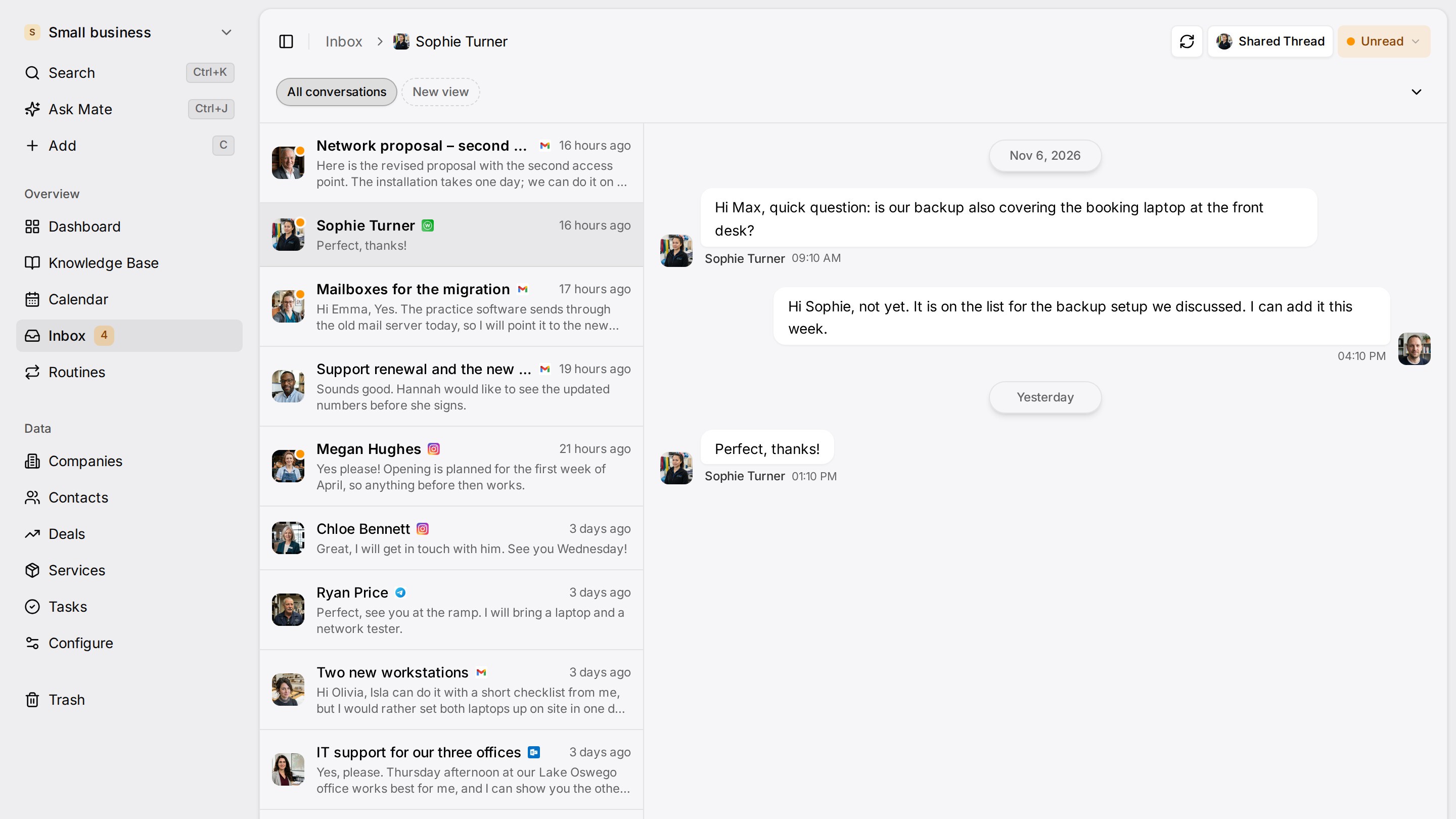
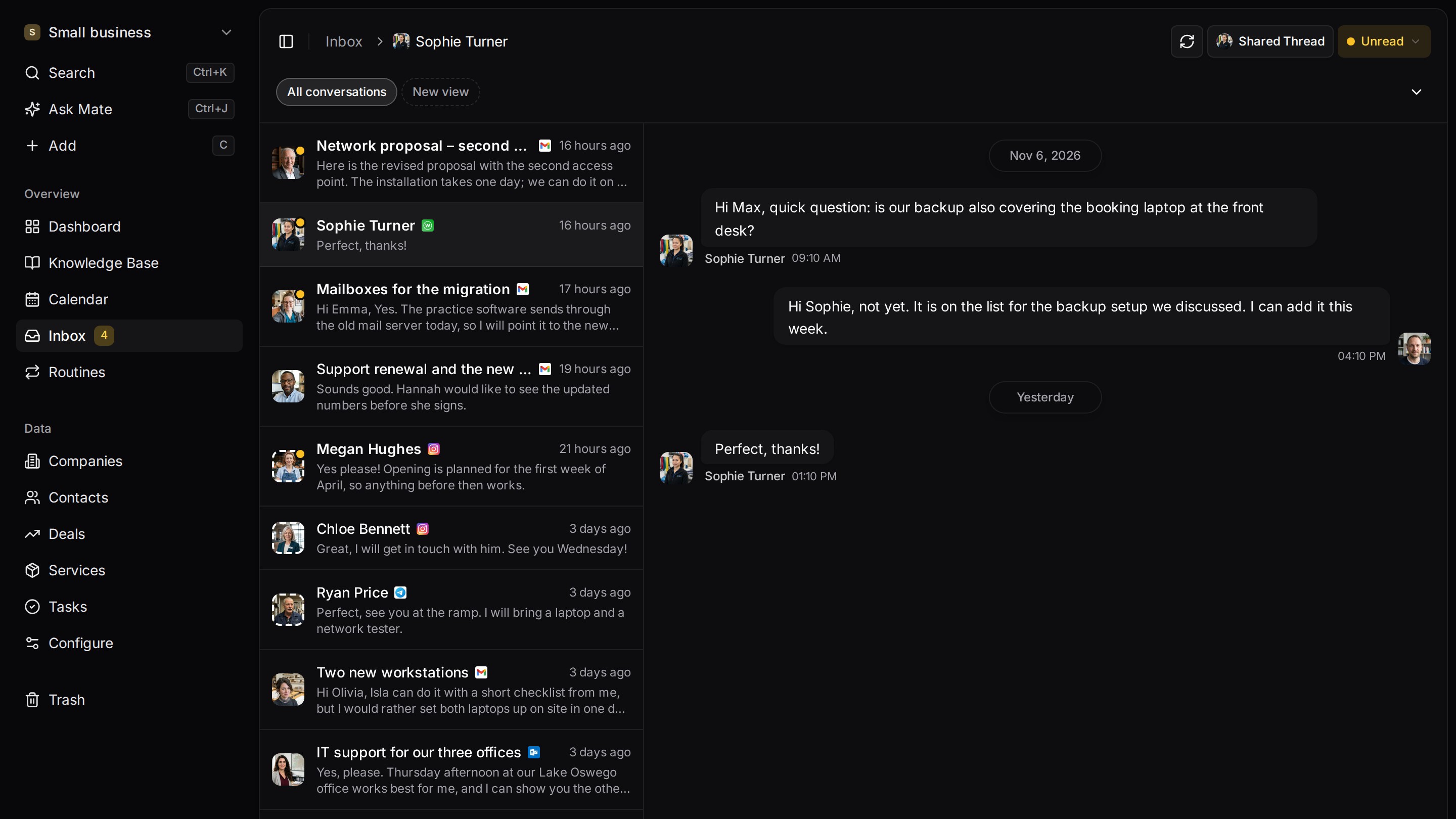
Every client conversation from email, LinkedIn and WhatsApp in one place. Mate sets up your workspace and drafts the follow-up, you review and send. Works with Claude, ChatGPT or any agent that speaks MCP.
Why teams switch
Why teams switch to Customermates.
Outlook stays, and the client gets the conversations
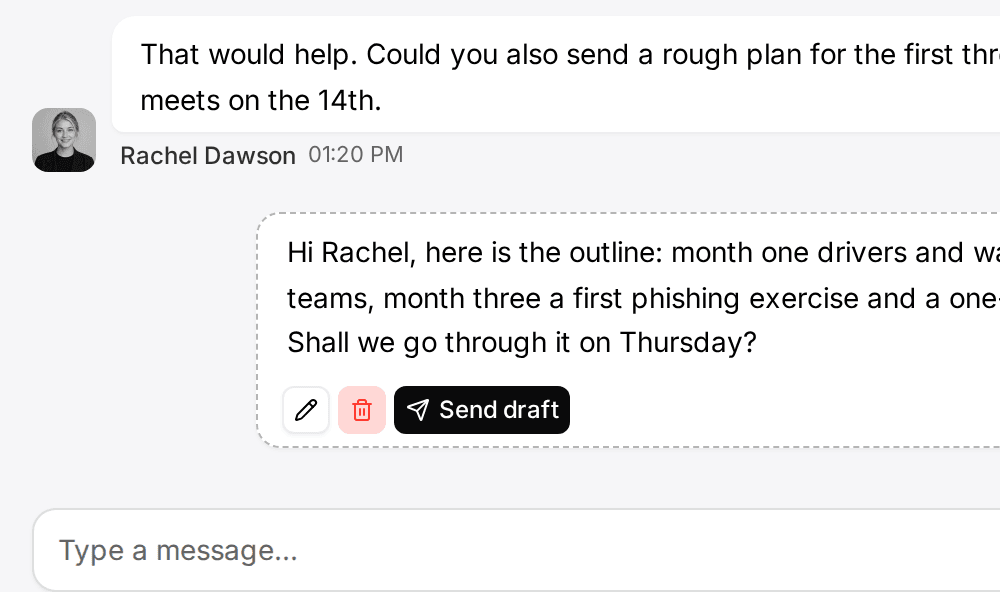
From Pro, you connect an Outlook mailbox, or Gmail, IMAP, LinkedIn, WhatsApp, Instagram or Telegram, and the unified inbox shows every conversation in one list, linked to the client.
AI drafting without a plan step
In Customermates Cloud, Mate is part of every paid plan, within a monthly allowance of hosted AI credits. It drafts the reply, summarizes the thread and updates the record.
Open source, with a hosting choice
The AGPL-3.0 core runs on your own server with Docker Compose and PostgreSQL 16, including REST, webhooks and MCP. In the cloud, the database is configured in Frankfurt.
Start from one description
One description. A workspace your agent built.
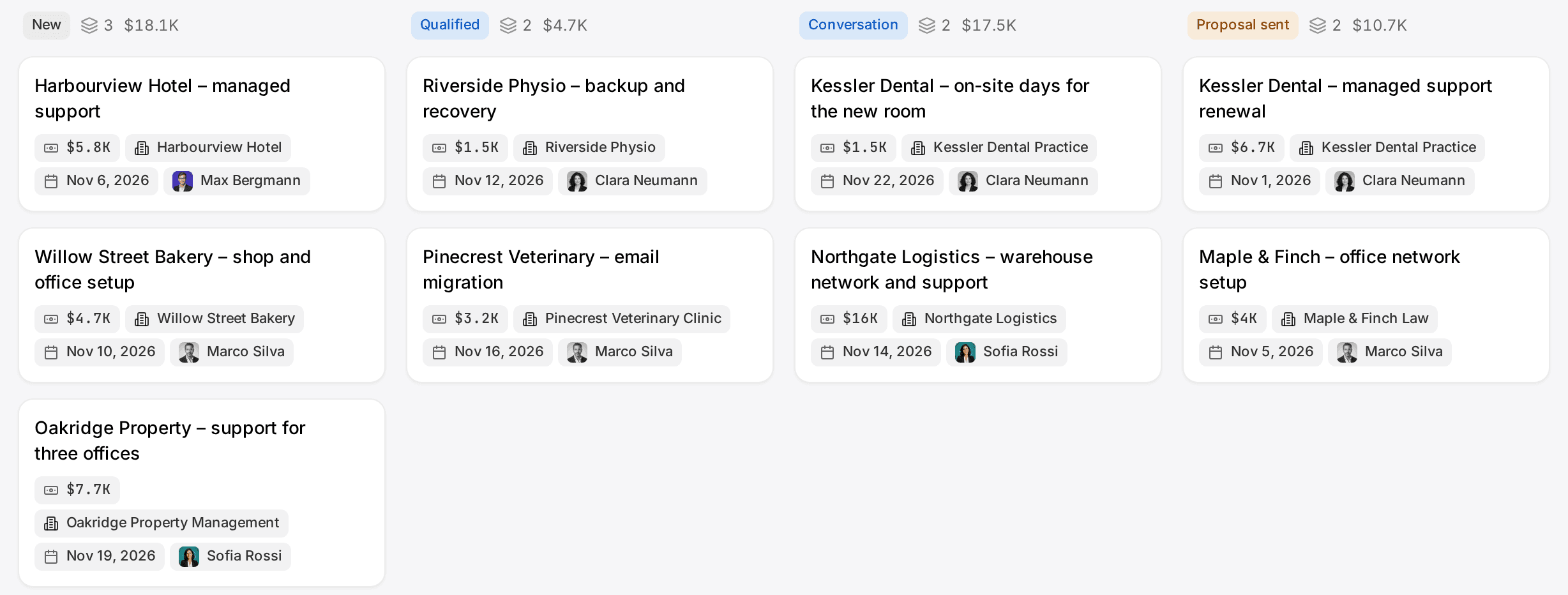
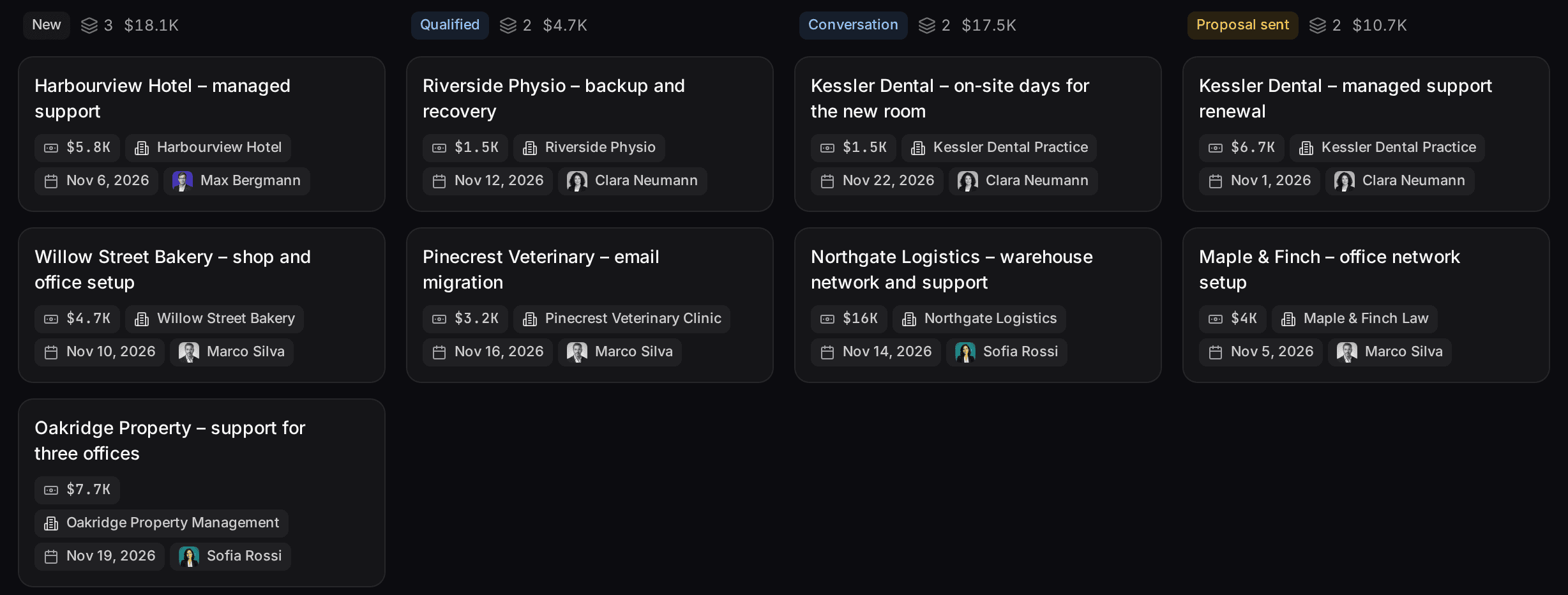
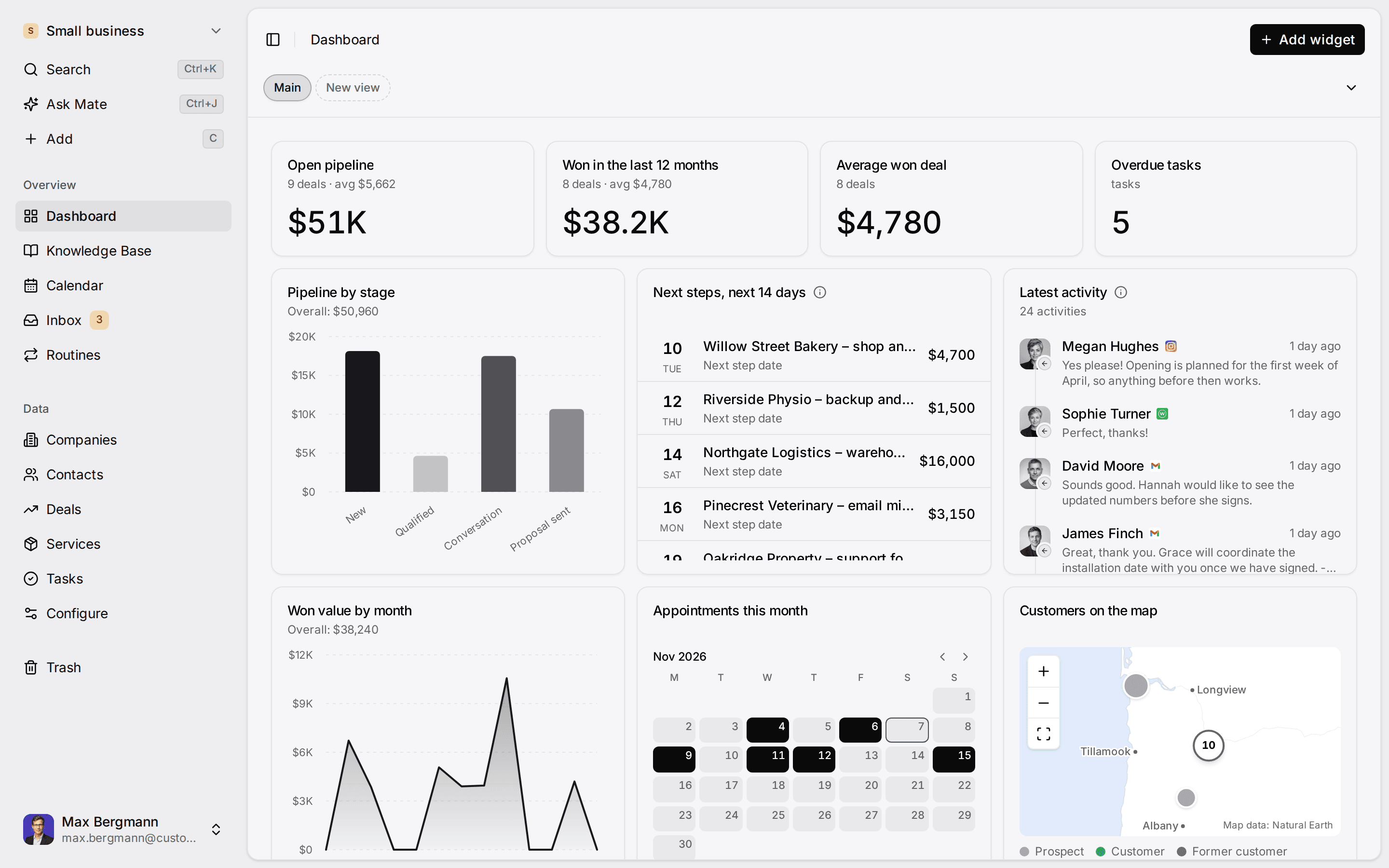
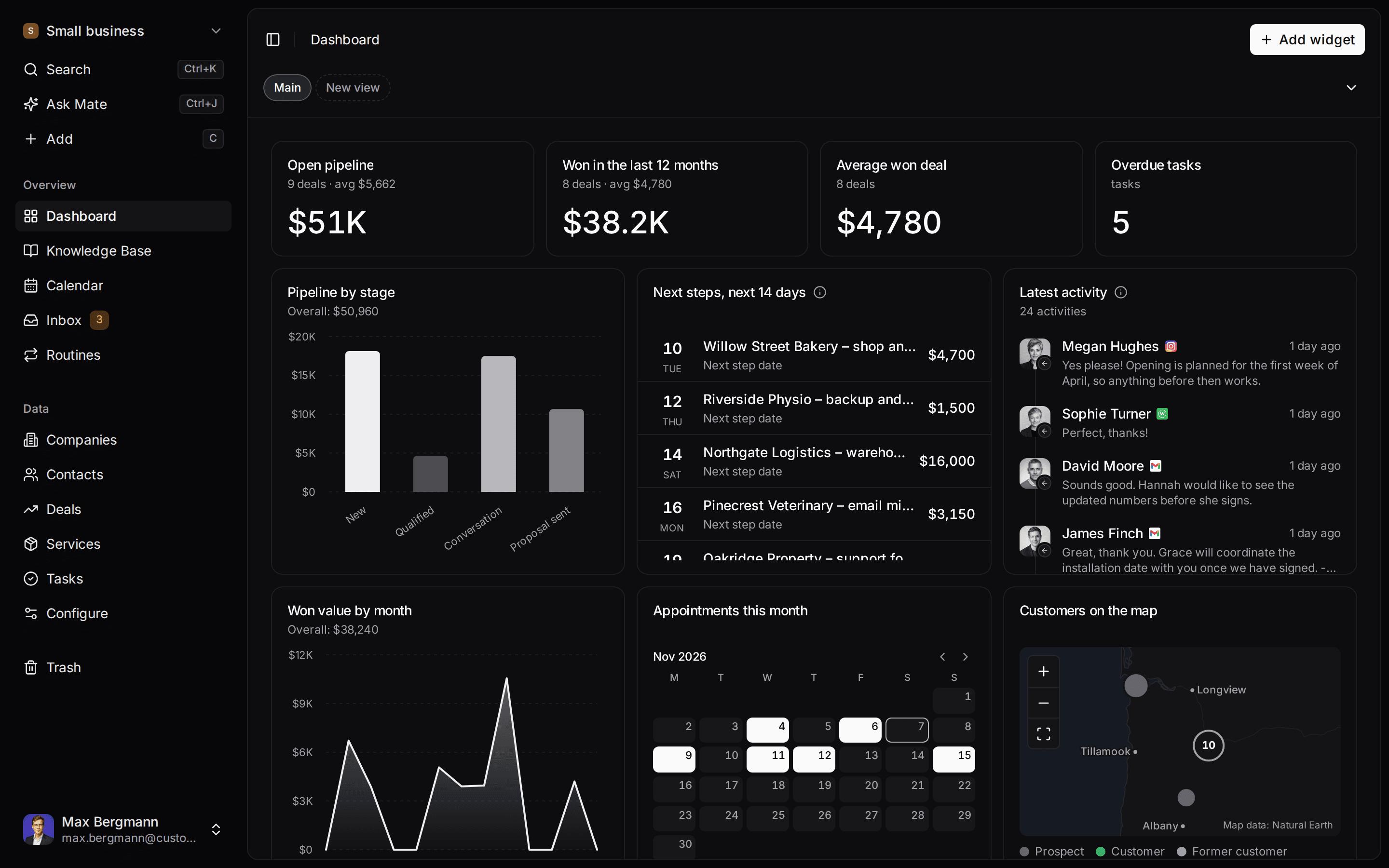
This is what setup builds from one sentence. Sample data, the real product.
Describe your business
One sentence about your team, your clients and how you sell.
Mate builds it
It asks a few questions, then creates the lists, pipeline, dashboard and playbook.
Work in it
Connect LinkedIn and email. Click through a finished example below.
We're a four-person strategy consultancy. Track clients, engagements and proposals, and help us follow up with prospects on LinkedIn.
- Mate
- Claude
- ChatGPT
- Cursor

 Mate
 Claude
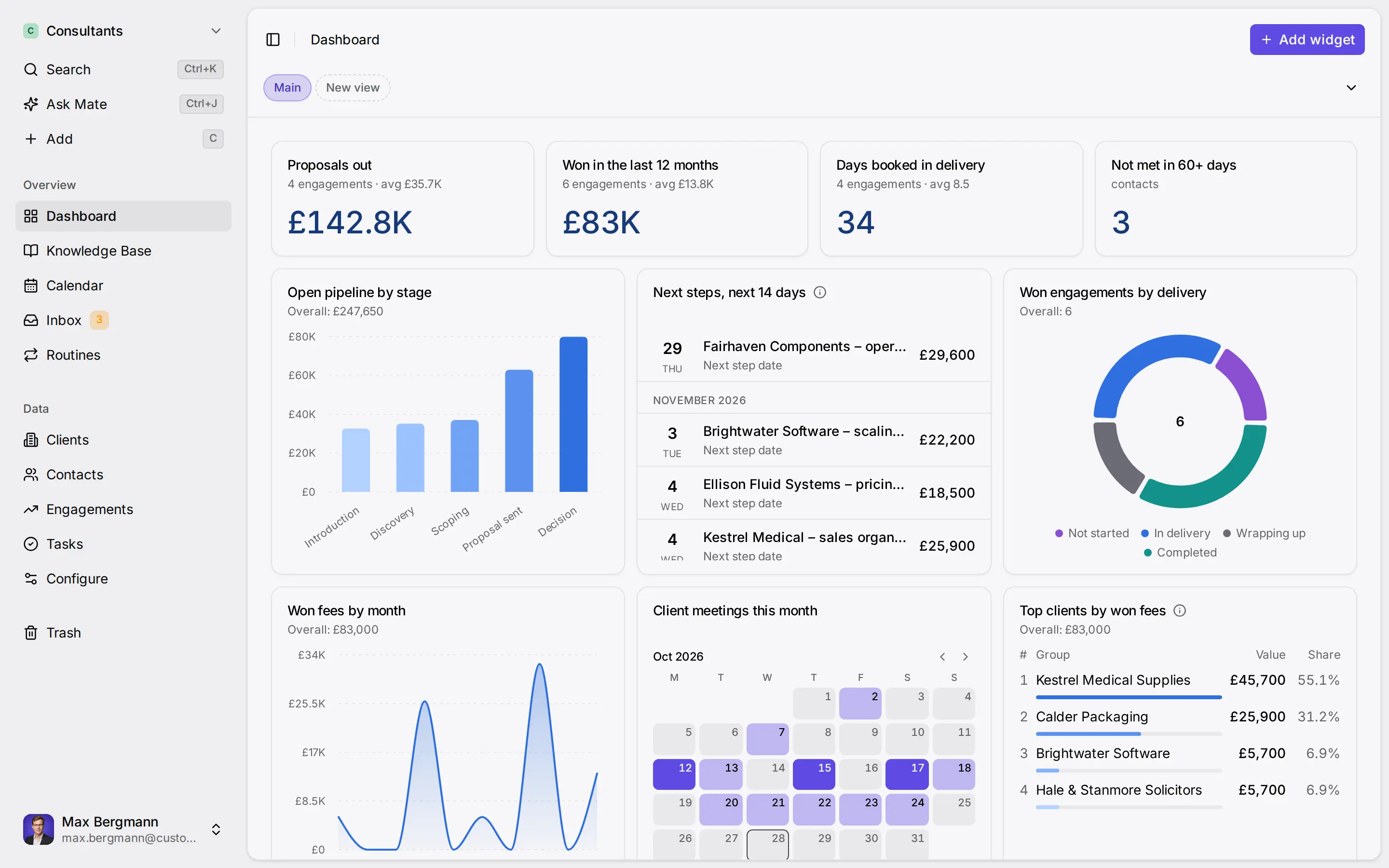
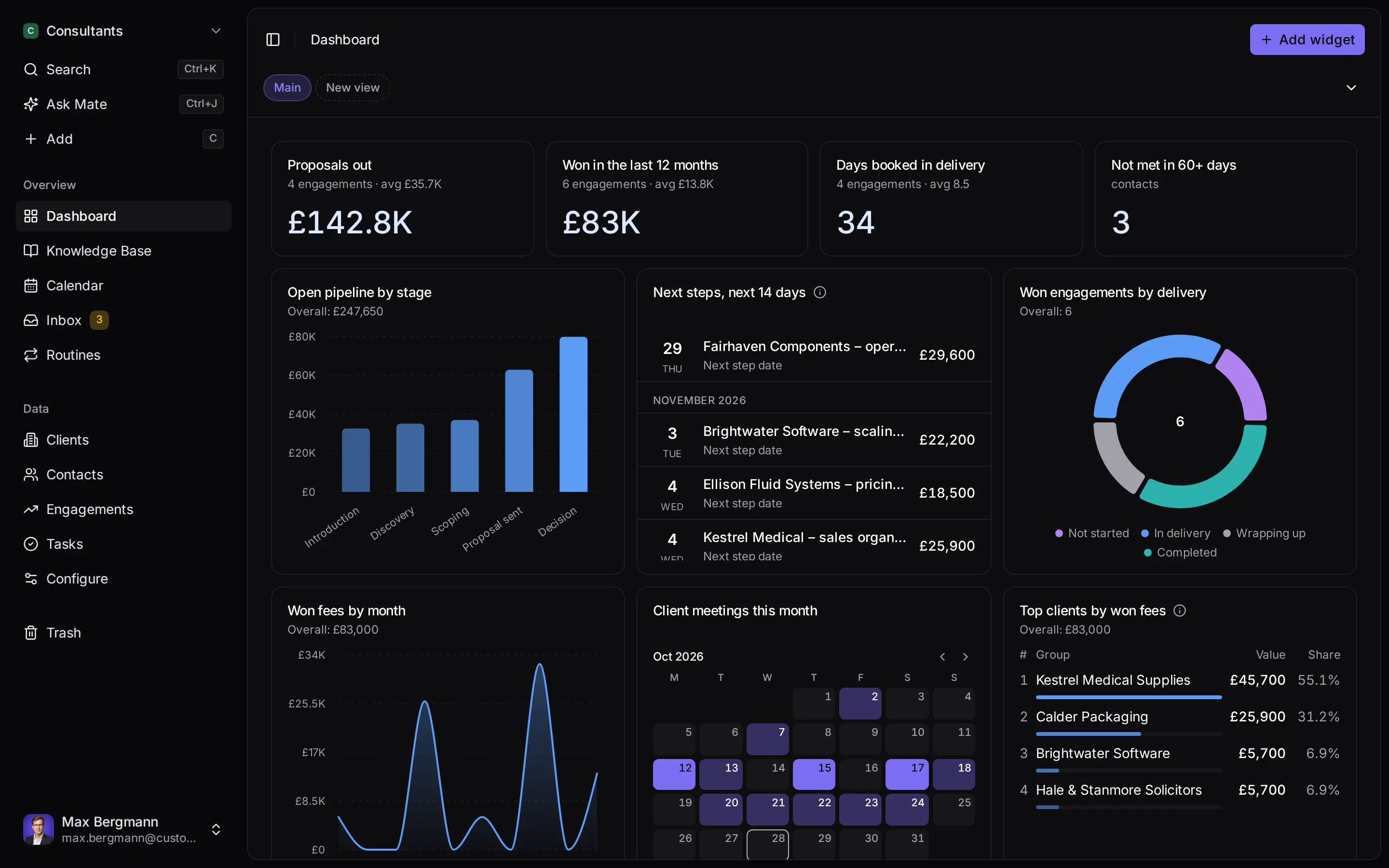
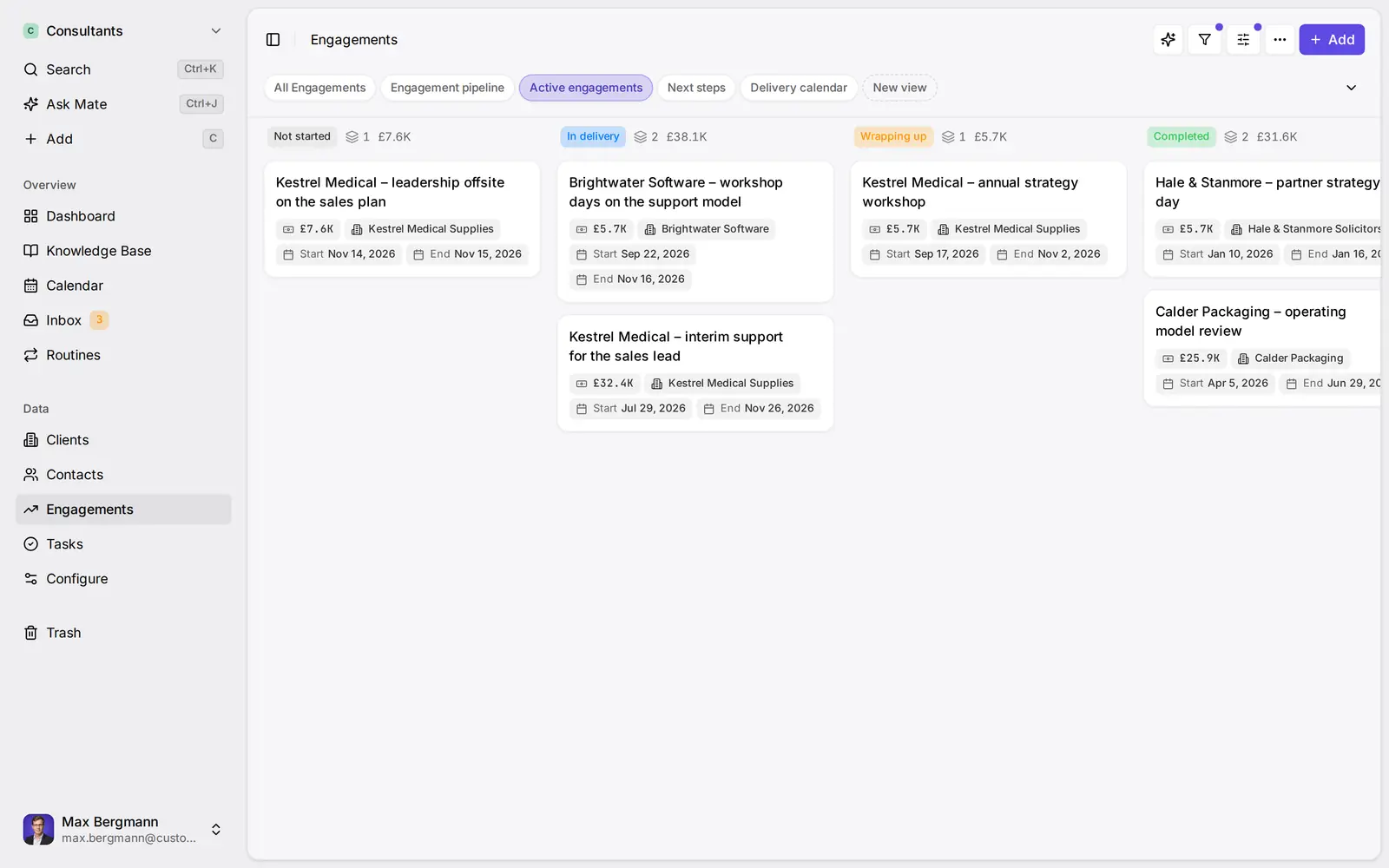
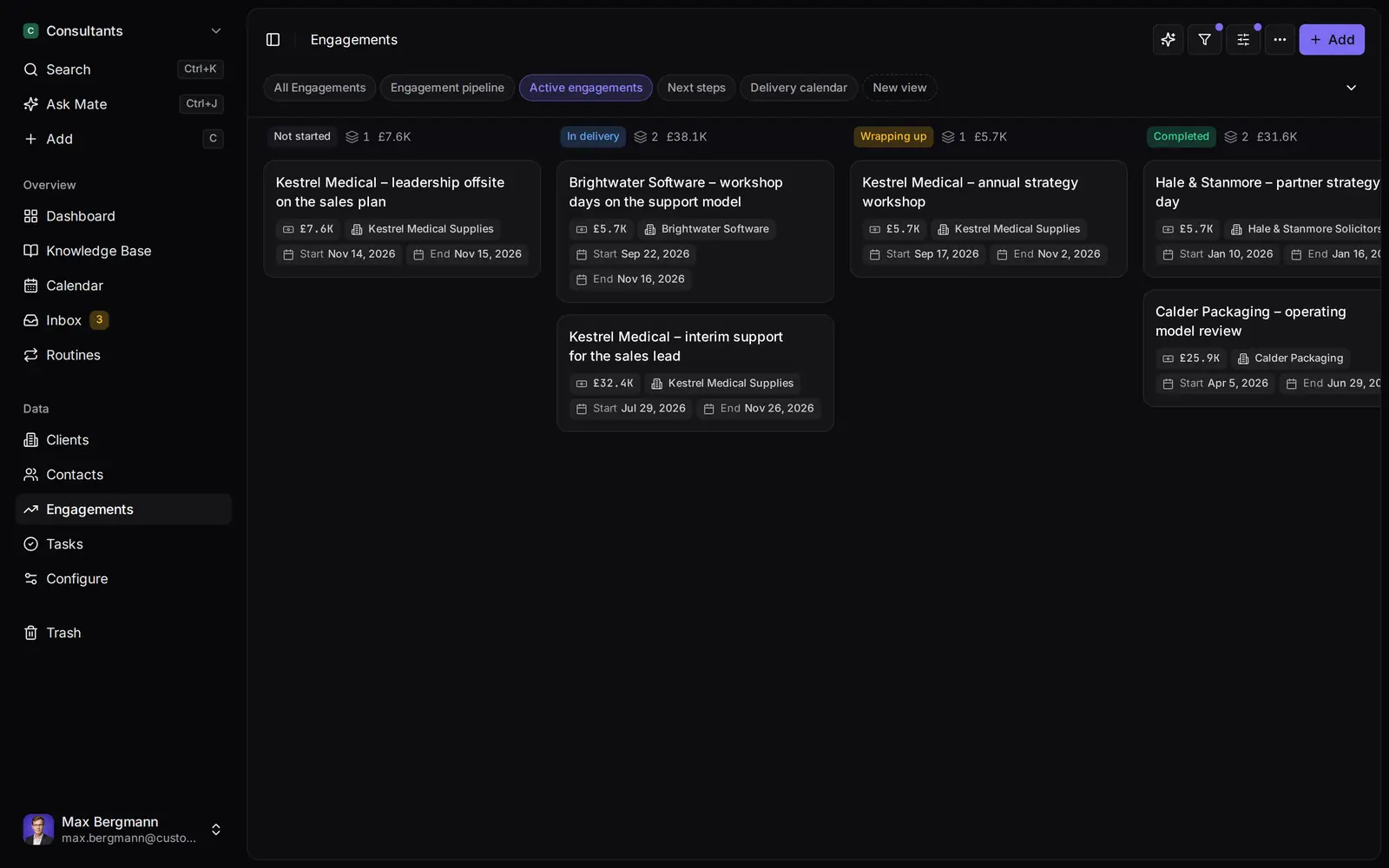
Widgets built from the workspace's own lists and fields
Side by side
Customermates vs. Dynamics 365 Sales: Feature Comparison
Pricing & Plans
Price per user / month
- Customermates
- Starter €12, Pro €29, Business €69
- Microsoft Dynamics
- Professional $65, Enterprise $105, Premium $150 (US list prices)
Billing
- Customermates
- Monthly
- Microsoft Dynamics
- Paid yearly
Free trial
- Customermates
- 14 days, no credit card
- Microsoft Dynamics
- 30 days, Microsoft work account and card details
LinkedIn Sales Navigator
- Customermates
- In the unified inbox from Pro
- Microsoft Dynamics
- Bundled in Microsoft Relationship Sales, 10-seat minimum
Data Model & Sales Features
Record types
- Customermates
- Contacts, organizations, deals, services, tasks, plus your own lists
- Microsoft Dynamics
- Leads, opportunities, accounts, contacts, products; custom apps from Enterprise
Customization
- Customermates
- Custom fields of fifteen types and calculated fields on every plan
- Microsoft Dynamics
- Limited on Professional, full from Enterprise
Quotes, orders and invoices
- Customermates
- Microsoft Dynamics
Forecasting and territory management
- Customermates
- No; weighted pipeline from stage probabilities only
- Microsoft Dynamics
- From Enterprise
Native mobile app
- Customermates
- No; responsive web app
- Microsoft Dynamics
Email & Conversations
Outlook
- Customermates
- Outlook mailbox in the unified inbox, read-only calendar (Pro+)
- Microsoft Dynamics
- Microsoft 365 interoperation; Copilot in Outlook from Enterprise
LinkedIn, WhatsApp, Instagram, Telegram
- Customermates
- Unified inbox (Pro+)
- Microsoft Dynamics
- Not part of the Sales plans
Conversation intelligence
- Customermates
- Microsoft Dynamics
- Included capacity from Enterprise
AI & Automation
In-app AI
- Customermates
- Mate (Customermates Cloud, hosted AI credits)
- Microsoft Dynamics
- Copilot from Enterprise; prebuilt sales agents
AI credits
- Customermates
- Monthly allowance per active user, see pricing
- Microsoft Dynamics
- Agents need Copilot Credits: 1,000 per user / month in Premium, otherwise bought separately
MCP server
- Customermates
- Every plan and self-hosted, 59 tools, model calls on your own AI provider
- Microsoft Dynamics
- Sales MCP Server; tools use Copilot Studio credits; Claude Desktop not supported
Workflow automation
- Customermates
- Routines (Customermates Cloud), webhooks, REST, n8n (runs separately)
- Microsoft Dynamics
- Power Automate, additional licences required
Licence & Hosting
Open-source licence
- Customermates
- AGPL-3.0 core
- Microsoft Dynamics
Run on your own server
- Customermates
- Docker Compose, core CRM without inbox or Mate
- Microsoft Dynamics
- Customer Engagement (on-premises) v9.1, mainstream support to January 2029
Cloud data location
- Customermates
- Database configured in the AWS Frankfurt region; DPA and subprocessor list
- Microsoft Dynamics
- EU Data Boundary when tenant, environments and billing address are in the EU or EFTA
  | Microsoft Dynamics | |
|---|---|---|
| Pricing & Plans | ||
| Price per user / month | Starter €12, Pro €29, Business €69 | Professional $65, Enterprise $105, Premium $150 (US list prices) |
| Billing | Monthly | Paid yearly |
| Free trial | 14 days, no credit card | 30 days, Microsoft work account and card details |
| LinkedIn Sales Navigator | In the unified inbox from Pro | Bundled in Microsoft Relationship Sales, 10-seat minimum |
| Data Model & Sales Features | ||
| Record types | Contacts, organizations, deals, services, tasks, plus your own lists | Leads, opportunities, accounts, contacts, products; custom apps from Enterprise |
| Customization | Custom fields of fifteen types and calculated fields on every plan | Limited on Professional, full from Enterprise |
| Quotes, orders and invoices | ||
| Forecasting and territory management | No; weighted pipeline from stage probabilities only | From Enterprise |
| Native mobile app | No; responsive web app | |
| Email & Conversations | ||
| Outlook | Outlook mailbox in the unified inbox, read-only calendar (Pro+) | Microsoft 365 interoperation; Copilot in Outlook from Enterprise |
| LinkedIn, WhatsApp, Instagram, Telegram | Unified inbox (Pro+) | Not part of the Sales plans |
| Conversation intelligence | Included capacity from Enterprise | |
| AI & Automation | ||
| In-app AI | Mate (Customermates Cloud, hosted AI credits) | Copilot from Enterprise; prebuilt sales agents |
| AI credits | Monthly allowance per active user, see pricing | Agents need Copilot Credits: 1,000 per user / month in Premium, otherwise bought separately |
| MCP server | Every plan and self-hosted, 59 tools, model calls on your own AI provider | Sales MCP Server; tools use Copilot Studio credits; Claude Desktop not supported |
| Workflow automation | Routines (Customermates Cloud), webhooks, REST, n8n (runs separately) | Power Automate, additional licences required |
| Licence & Hosting | ||
| Open-source licence | AGPL-3.0 core | |
| Run on your own server | Docker Compose, core CRM without inbox or Mate | Customer Engagement (on-premises) v9.1, mainstream support to January 2029 |
| Cloud data location | Database configured in the AWS Frankfurt region; DPA and subprocessor list | EU Data Boundary when tenant, environments and billing address are in the EU or EFTA |
Switching over
How to switch.
- 01
Import your spreadsheet
Export contacts and deals from your current CRM as Excel or CSV, then use Add from file, one list at a time.
- 02
Connect LinkedIn and email
From Pro, connect LinkedIn, Gmail, Outlook or WhatsApp under Settings, Channels & calendars. Each conversation shows on the linked contact.
- 03
Let Mate draft
In Customermates Cloud, ask Mate for drafts. It writes the reply and the next step, and you review and send it. Your own AI agent can draft through MCP too.
Ways you can use it
Pick the job. The workspace follows.
- Follow up on LinkedIn conversationsLinkedIn and email threads sit on the client. Mate drafts the reply and dates the next step, and you review and send it in the conversation.See LinkedIn in the inbox
- Follow up on every proposal after the callClients, engagements and proposals with the conversations behind them, and a dated next step on each.CRM for consultants
- Keep client next steps on one dashboardEvery client gets a dated next step, and your dashboard shows what is due across all of them.See follow-up
- Let your own Claude or ChatGPT work in your CRMConnect Claude, ChatGPT, Cursor or another MCP client. It reads and updates your workspace within your permissions.Connect your agent

A Microsoft Dynamics alternative makes sense when a small team needs a CRM, not a business platform. Dynamics 365 Sales starts at $65 per user per month, paid yearly, and Copilot, custom apps and forecasting begin one plan up, at $105. Customermates bills monthly, keeps Outlook, LinkedIn, WhatsApp, Instagram and Telegram conversations next to your deals from Pro, and has an open-source core you can host yourself. If you also run Business Central or Finance, or quote and invoice from the CRM, stay with Dynamics or look at the suites further down. Customermates publishes this comparison; every Microsoft detail comes from microsoft.com or learn.microsoft.com and was checked on 8 October 2026.
Which one fits your team
| Your situation | Better fit | Why |
|---|---|---|
| You run Business Central or Finance and want CRM from the same vendor | Dynamics 365 | Microsoft sells its CRM and ERP apps as one family on Dataverse |
| You quote, take orders and invoice from the CRM | Dynamics 365 Sales | Quotes, orders and invoices are in every Sales plan; Customermates has none |
| You need a native mobile app, territories or call analysis | Dynamics 365 Sales | Customermates has no mobile app, no territories and no telephony |
| You must run the CRM on your own servers with vendor support | Dynamics 365 Customer Engagement (on-premises) | Microsoft supports version 9 until January 2029 |
| A small team works its clients by email, LinkedIn and WhatsApp | Customermates Pro or Business | All of those channels sit in one inbox next to contacts and deals |
| You want Claude or ChatGPT to work in the CRM | Customermates | The MCP server is on every plan and runs on your own AI provider |
| You want to pay month by month | Customermates | Every Dynamics 365 Sales plan is paid yearly |
Who Dynamics 365 Sales is a good choice for
Dynamics 365 is a family of business apps. Microsoft lists Sales, Customer Insights, Customer Service and Contact Center as CRM, and Business Central, Finance, Supply Chain Management, Commerce, Project Operations and Human Resources as ERP. Sales and Customer Service keep their data in Microsoft Dataverse, so Power Apps and Power BI can work on the same tables. If your finance team already lives in Business Central, that alone is a strong reason to stay.
Sales Professional is broad for an entry plan: lead, opportunity, account and contact management, product and price lists, quotes, orders and invoices, a mobile app, Microsoft 365 interoperation, reports and dashboards. Enterprise adds custom apps, full customization, forecasting and territory management, a base capacity of conversation intelligence, and Copilot in Dynamics, Outlook and Teams. Premium adds Sales Insights, AI-powered recommended actions and data enrichment, plus 1,000 Copilot Credits per user per month. Microsoft Relationship Sales bundles Enterprise with LinkedIn Sales Navigator, from 10 seats.
Microsoft also commits to storing and processing Dynamics 365 customer data inside its EU Data Boundary, with documented exceptions, when the tenant and every environment sit in the "European Union and EFTA" region and the billing address is in an EU Data Boundary country. Both conditions are required.
Why teams look for a Microsoft Dynamics alternative
Every plan is paid yearly. Professional costs $65, Enterprise $105 and Premium $150 per user per month, paid yearly. In Germany the same plans list at €56.30, €91.00 and €130.00 before VAT. Premium and Relationship Sales are sold through Microsoft's sales team.
Copilot, custom apps and forecasting start one plan up. Professional has limited customization, no custom apps and no Copilot. Moving to Enterprise for those costs $40 more per user per month. Automation runs on Power Automate and custom apps on Power Apps, and Microsoft's footnotes say both need additional licences. The Copilot features in Teams do too.
AI is metered in Copilot Credits. The Qualification, Opportunity, Research and Close agents are available on every plan, but they run on Copilot Credits, which only Premium includes. The Dynamics 365 Sales MCP Server needs admin permissions in Dynamics and in Copilot Studio, consumes Copilot Studio credits per tool, and, in Microsoft's words, "Claude Desktop isn't supported at this time."
The trial expects a Microsoft tenant. The 30-day trial signs up with a Microsoft work account and asks for credit card details. Without a work account, Microsoft sends you to a Microsoft 365 trial first.
On-premises has an end date. Dynamics 365 Customer Engagement (on-premises) version 9.1 has mainstream support until 13 January 2029 and extended support until 10 January 2031, and Microsoft encourages those customers to consider its cloud. If you still run Dynamics CRM on your own servers, the choice is the Microsoft cloud or another CRM.
What five users pay per month
Prices checked on 8 October 2026 from Microsoft's US and German pricing pages, before VAT. Customermates bills monthly, in euros.
| Plan | Per user per month | Five users per month | Billing |
|---|---|---|---|
| Dynamics 365 Sales Professional | $65 (Germany €56.30) | $325 (€281.50) | Paid yearly |
| Dynamics 365 Sales Enterprise | $105 (€91.00) | $525 (€455.00) | Paid yearly |
| Dynamics 365 Sales Premium | $150 (€130.00), through sales | $750 (€650.00) | Paid yearly |
| Customermates Starter | €12 | €60 | Monthly |
| Customermates Pro | €29 | €145 | Monthly |
| Customermates Business | €69 | €345 | Monthly |
The rows do not buy the same things:
- Professional and Customermates Pro are the closest pair. Both connect the CRM to Outlook. Professional adds a mobile app, price lists, quotes and invoices. Pro adds LinkedIn, WhatsApp, Instagram and Telegram in the same inbox, with 1 connected account per user, plus Mate and an MCP server.
- Starter has no inbox. It is the CRM with Mate and MCP, but no connected mailbox, so compare it with Dynamics only if nobody needs email in the CRM.
- Business is for several channels per person. It includes 3 accounts per user and lets you share a whole account, such as a sales@ mailbox, with the team.
- Partner fees are not in the table. If a Microsoft partner configures Dynamics for you, their fees come on top of the licences.
Where Customermates fits
A small team that needs to follow up with clients does not need a business platform for it. From Pro, Customermates keeps Outlook as your mailbox, adds LinkedIn, WhatsApp, Instagram and Telegram, and lets Mate or your own AI agent draft the reply and the next step. You review, edit and send.
Outlook stays, and the CRM gets the conversations. From Pro, you connect an Outlook mailbox, or Gmail, IMAP, LinkedIn, WhatsApp, Instagram or Telegram, and the unified inbox shows every conversation in one list. You reply on the original channel. Link a participant to a contact once and the conversation shows on that contact. Calendar events from the connected account appear read-only. Teams is not an inbox channel.
AI that does the CRM work. In Customermates Cloud, Mate summarizes threads, drafts replies and updates records. It uses hosted AI credits: every paid plan includes a monthly allowance per active user, listed on the pricing page. Mate asks for a fresh approval before it deletes anything, but when you ask it to send a message, it sends, so tell it to save drafts if you want to read them first. Routines run a saved instruction on a schedule or when a record changes, as their owner: 1 per user on Starter, 5 on Pro, unlimited on Business.
Prefer Claude, ChatGPT or another client you already pay for? Connect it to the MCP server with an API key or OAuth. It offers 59 tools on every plan and on self-hosted installs, and its model calls run on your own AI provider.
Open source, with a hosting choice. The AGPL-3.0 core runs on your own server with Docker Compose and PostgreSQL 16, including REST, webhooks and MCP. A self-hosted install has no inbox, no Mate and no hosted credits. In Customermates Cloud the database is configured in the AWS Frankfurt region, a DPA is available, and the subprocessors, including US providers, are listed. Customermates holds no compliance certification.
Where Customermates is the wrong choice
- One vendor for CRM and ERP. Customermates has no accounting, quotes or invoices. If Dynamics also runs your finance, read how CRM and ERP fit together before you split them.
- Currency conversion. Each money field has its own currency, and nothing converts between currencies: totals that mix currencies show a mismatch instead of a sum.
- Fine-grained security. Roles set permissions per list and action. There is no field-level security and no SSO.
- Contact Center or Customer Service. Microsoft sells both as separate Dynamics 365 apps. Customermates has no telephony, cases or tickets.
- Bundled sales tooling. No mobile app, call recording, data enrichment, lead scoring, email sequences or bulk email. The weighted pipeline is arithmetic on stage probabilities, not a forecast.
- A large free plan. Free covers 1 person and 250 records, without the inbox, Mate or routines; more needs a paid plan after the 14-day trial.
A worked setup: a consulting firm leaving Sales Professional
Take a five-person consulting firm on Sales Professional. Three partners work clients by Outlook; two associates also talk to clients on LinkedIn.
| In Dynamics 365 Sales | In Customermates |
|---|---|
| Accounts | Organizations, renamed "Accounts" in Data model |
| Contacts | Contacts |
| Leads | Contacts with a Single choice field "Lead status": New, Contacted, Qualified, Disqualified |
| Opportunities | Deals, renamed "Opportunities" |
| Products and price lists | Services, renamed "Products", each with a name and a price |
| Tasks | Tasks with assignees; add a date field "Due date", because tasks have none built in |
| Email in Outlook | The connected Outlook mailbox in the unified inbox |
Stages are not preset: add a Stage single choice field to your opportunities list in Data model (in the cloud, AI setup can create it), with one option per Dynamics stage and a Probability % on each. Customermates multiplies each opportunity's value by its stage probability, and a chart widget on the Dashboard sums the weighted values.
With one account each, the team runs on Pro at €145 a month. If an associate needs Outlook and LinkedIn side by side, the workspace moves to Business at €345. Each person saves a board of open opportunities grouped by stage; the managing partner keeps a table grouped by assigned user.
Each partner owns one routine in Customermates Cloud. It runs as its owner, sees that person's opportunities, uses their channels and spends hosted AI credits:
Every Monday at 8:00, find my opportunities in Proposal where the contact has not written in ten days. Save a short follow-up draft in my latest conversation with each contact. Do not send anything. List the opportunities in the run summary.
Switching from Dynamics 365 in five steps
Export your views to Excel
In Dynamics, open a table such as Accounts, pick a view with every column you want to keep, and choose Export to Excel on the command bar. You get an .xlsx workbook. If an export times out, Microsoft suggests smaller batches with tighter filters or fewer columns.Prepare the workspace
In Data model, rename the lists (Accounts, Opportunities, Products) under General, set the stages and their probabilities, and create custom fields for the columns you keep.Import one list at a time
Open More actions on each list, then Add from file: accounts first, then contacts, then opportunities, because link columns find records by name. New contacts need a first and a last name. Set any Dynamics ID column to Skip column. The records guide lists the file limits.Connect Outlook
On Pro or during the trial, connect your mailbox under Settings, Channels & calendars, and link participants to contacts as conversations come in.Add views and AI
Save your boards and tables, then set up a routine for Mate or connect your own AI client through MCP. Activity history does not come across, so keep Dynamics read-only until the licence term ends.
Other Microsoft Dynamics alternatives worth a look
Customermates publishes this list. Plans and prices come from each vendor's pricing page, checked on 8 October 2026.
- Salesforce Sales Cloud is the nearest match for enterprise depth. There is a Free Suite; Starter Suite costs $25 per user per month, billed monthly or annually; Pro Suite at $100, Core, Advanced and Max are billed annually. See the Salesforce comparison.
- HubSpot Sales Hub has a free plan for up to two users with no credit card. Professional and Enterprise carry a required one-time onboarding fee of $1,500 and $3,500.
- Zoho CRM has a free edition for up to three users and four paid editions, Standard to Ultimate; yearly billing saves up to 34%.
- Odoo fits a team that wants CRM and accounting together, as Dynamics does with Business Central. One App Free covers one app for unlimited users. Standard, with all apps, costs €24.90 per user per month on monthly billing, or €19.90 when paid once a year, and Custom adds on-premise hosting. See Odoo compared with Customermates.
Frequently asked questions
Is Microsoft Dynamics a CRM or an ERP?
Both, as separate apps. Microsoft lists Sales, Customer Insights, Customer Service and Contact Center as CRM, and Business Central, Finance, Supply Chain Management, Commerce, Project Operations and Human Resources as ERP. Customermates replaces only the CRM side.
Is Microsoft Dynamics ending?
No. Dynamics 365 is Microsoft's current line of cloud apps, and apps such as Sales and Customer Service are where Dynamics CRM continues in the cloud. The on-premises CRM has an end date: Dynamics 365 Customer Engagement (on-premises) version 9.1 has mainstream support until 13 January 2029 and extended support until 10 January 2031.
Is Dynamics 365 the same as Dataverse?
No. Dataverse is the data platform underneath. Dynamics 365 Sales and Customer Service store their data there, which is why Power Apps and Power Automate can work on the same tables.
Is there a free alternative to Microsoft Dynamics 365?
Salesforce (Free Suite), HubSpot, Zoho CRM and Odoo each have a free plan with limits on users, features or apps. Customermates has a free plan for 1 person and 250 records, without the inbox, Mate or routines, a 14-day trial, and its open-source core costs no licence fee if you host it yourself, without the inbox and Mate.
Does Customermates work with Outlook and Microsoft 365?
Yes, from Pro. You connect an Outlook mailbox, its conversations appear in the unified inbox next to your contacts, and calendar events show read-only. Customermates does not sync Outlook contacts, does not write calendar events and does not connect to Teams. The Outlook integration page has the details.
Can CRM data stay in the EU with either product?
Yes, in different ways. Microsoft's EU Data Boundary covers Dynamics 365 when the tenant, every environment and the billing address are in the EU or EFTA, with documented exceptions. Customermates Cloud has its database configured in the AWS Frankfurt region and lists its subprocessors, including US providers; self-hosting puts the data on your own server.
Competitor details checked on 8 October 2026 against Microsoft's Dynamics 365 Sales pricing page and its German version, the Dynamics 365 overview, the trial guide, the Sales MCP Server guide, the Dataverse overview, the EU Data Boundary overview, the Excel export guide and the on-premises support lifecycle (checked on 15 November 2026), and against the pricing pages of Salesforce, HubSpot, Zoho CRM and Odoo.
Related pages
Salesforce alternative
Salesforce alternatives for small teams: what Sales Cloud costs, which CRM fits which reason to leave, and how to move accounts and opportunities.
Outlook Integration
Follow up on Outlook email from your CRM: threads on the matching contact, drafts from Mate, folder moves that reach your mailbox. No add-in. Pro or higher.
CRM vs ERP: Differences and How They Work Together
CRM runs customer and sales work, ERP runs orders, stock and finance. See who owns which record, when you need both, and where invoicing tools fit.
Self-Hosted CRM
Run the Customermates CRM application and PostgreSQL on your infrastructure with Docker Compose. AGPL core, MCP, REST and webhooks are included.
Customermates
Leaving Dynamics 365 Sales?
Start a trial, export one Dynamics view to Excel and import it as accounts or opportunities. Connect your Outlook mailbox and see whether your data and conversations fit Customermates before you move the rest.
✓ No credit card required ✓ First 14 days free