

WhatsApp chats next to the customer record
For small teams whose customers write on WhatsApp: connect a WhatsApp account through our messaging provider, answer chats in the CRM inbox and match each contact by phone number. This is not the official WhatsApp Business API, so there are no templates, broadcasts or chatbots. Customermates Cloud from Pro, not Starter or self-hosted.
Cloud only • Pro or above • Not the WhatsApp Business API
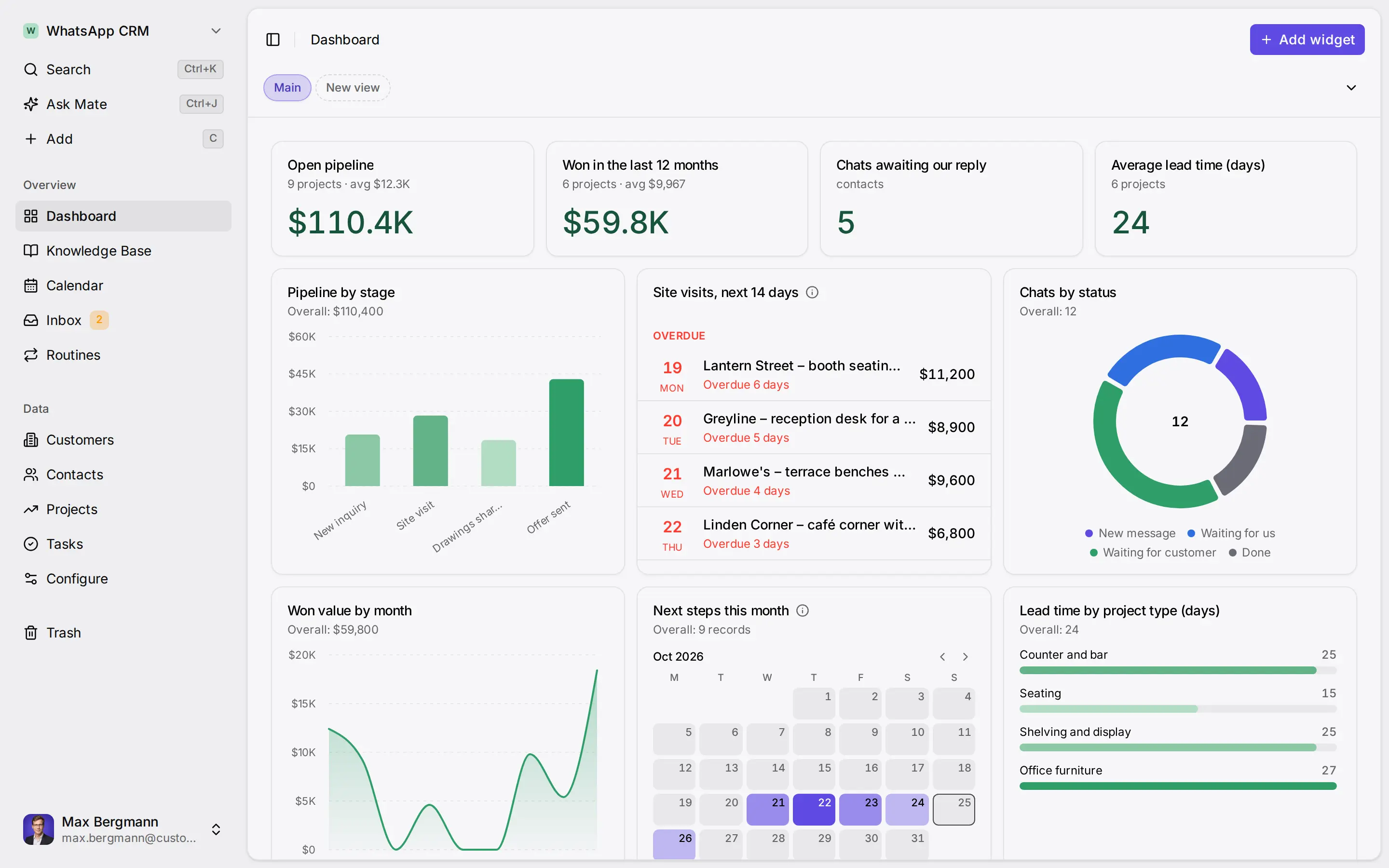
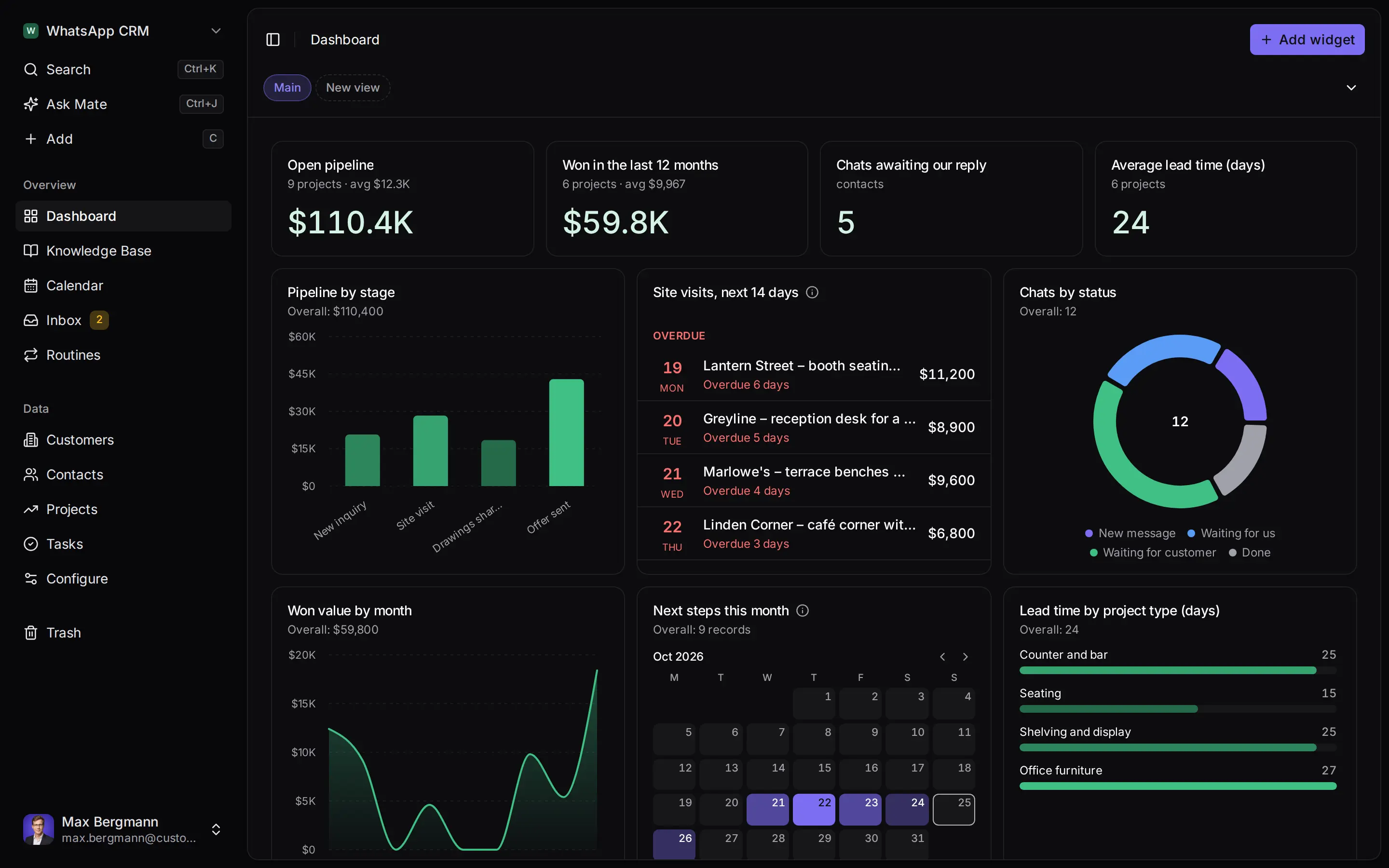
Widgets built from the workspace's own lists and fields
Many small businesses agree appointments, quotes and changes with customers on WhatsApp, while the customer record lives somewhere else. A WhatsApp CRM integration in Customermates puts those chats into the unified inbox on Customermates Cloud, next to the contact they belong to. You connect a WhatsApp account through our messaging provider by QR code. It is not the official WhatsApp Business API, and it is built for individual conversations, not for campaigns or automated messaging.
At a glance
- What connects
One WhatsApp account per connected-account slot, linked by QR code through the messaging provider. Individual and group chats come into the inbox.
- Plan
Customermates Cloud from Pro. Pro includes 1 connected account per user. Starter and self-hosted installations have no connected messaging accounts.
- CRM context
Contacts are matched by the phone number in their Contact details field. Linking a chat to a deal or organization is an explicit step by a user or agent.
- Not included
No official WhatsApp Business API, message templates, campaigns, broadcasts, sequences, chatbots, bulk sending or automation.
The example workspace: WhatsApp customer contact with sample data
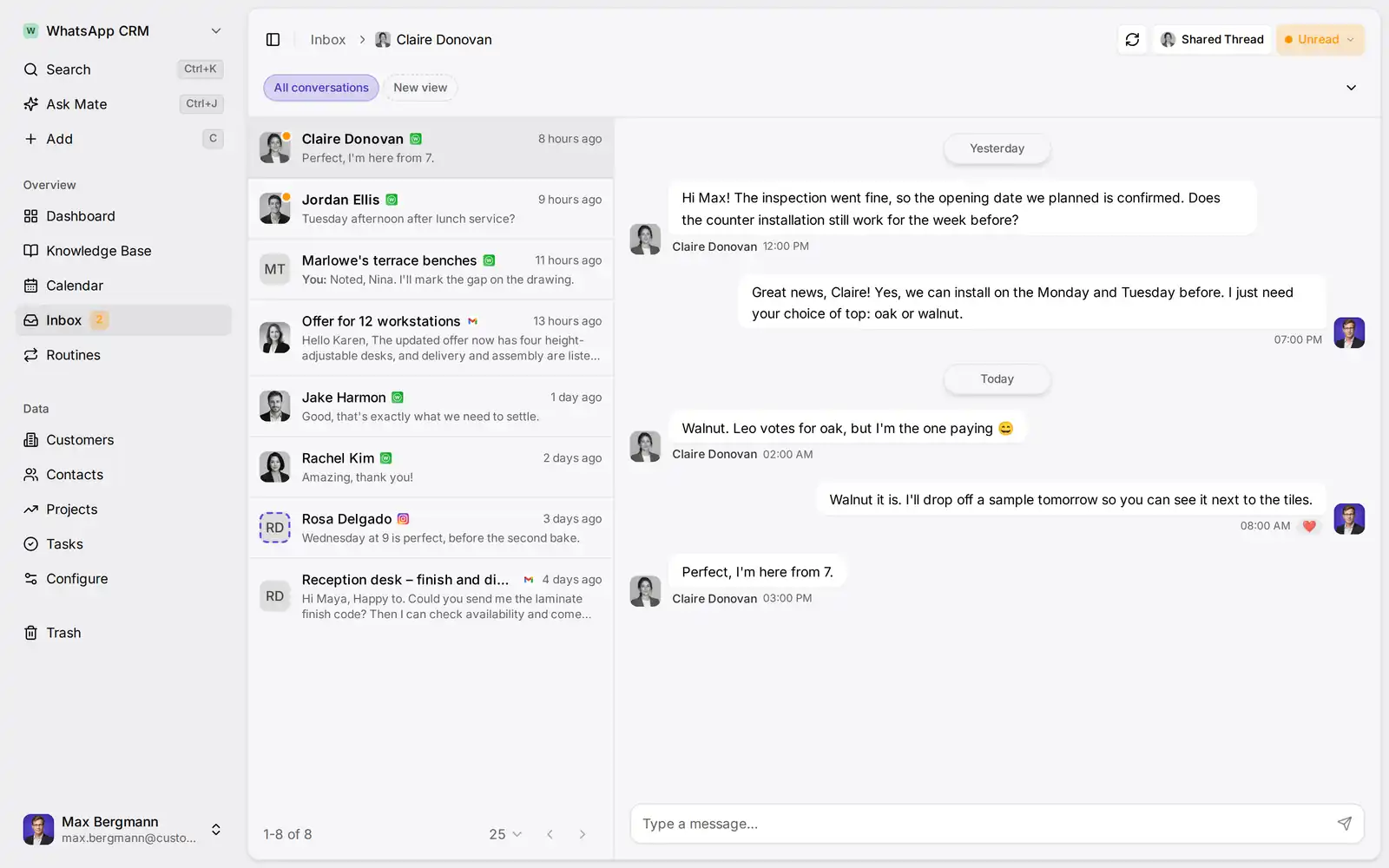
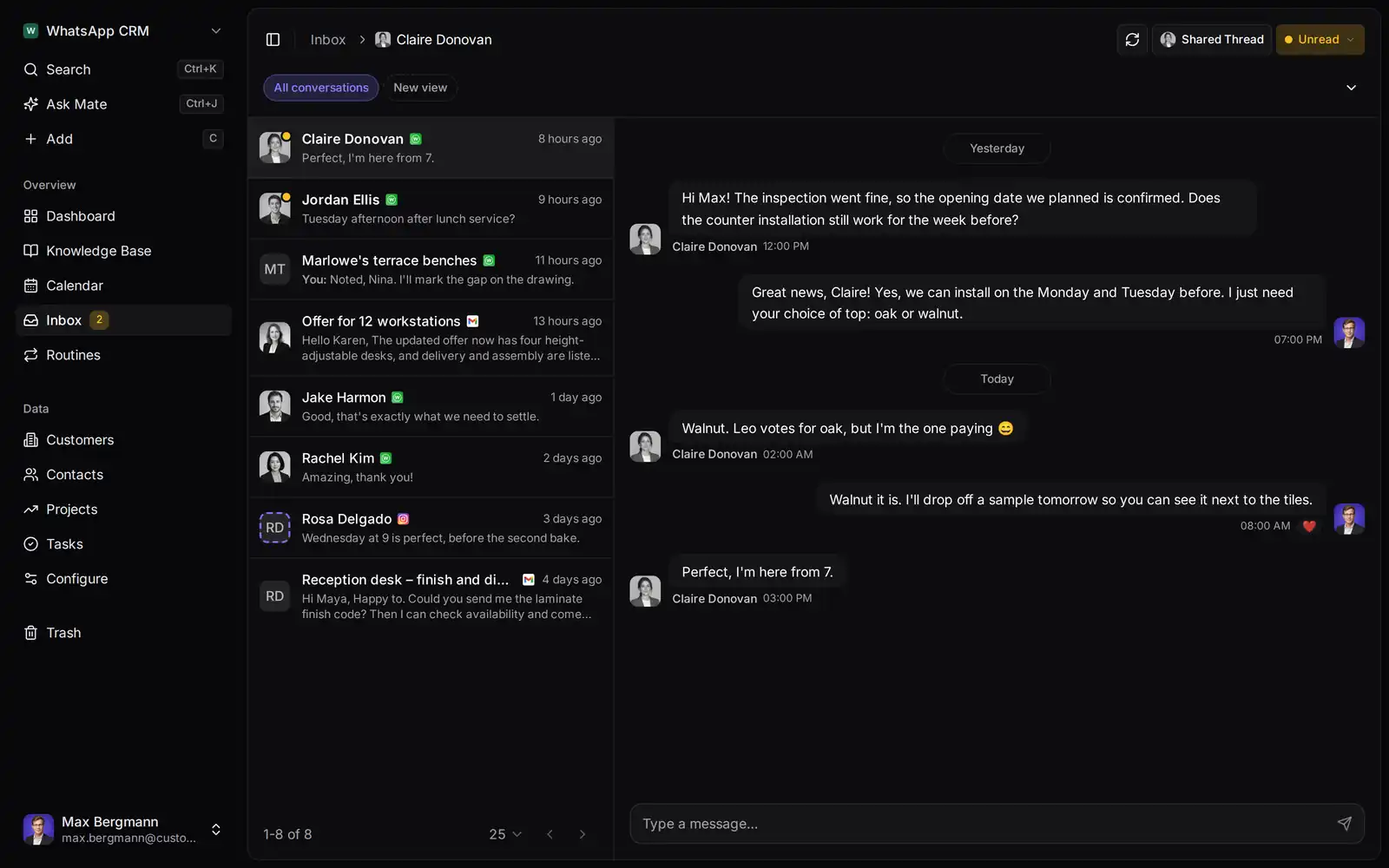
The demo above and the example workspace use sample data, not a customer. The workspace has lists for customers, contacts, projects and tasks. In the inbox, a WhatsApp chat sits beside the customer's contact record: the contact was matched by the phone number in its Contact details field, and the chat was linked to an open project under Conversation records, on purpose and by hand. A Chat status field on each contact, set by hand, feeds a board of the chats still waiting for an answer. Projects keep the site photos, drawings and the offer in a File field and carry a site visit date and time; the dashboard lists the site visits of the coming 14 days, and a calendar view shows the installations by week.
These lists are an example. A new workspace starts without lists: on Customermates Cloud the AI workspace setup can build lists, stages, a dashboard and Knowledge Base pages from your description, once at onboarding and within its credit cap, or you skip it with Start with an empty workspace. Otherwise people with Configure rights create the lists and fields in Configure and import existing contacts from an Excel workbook. To match WhatsApp chats, the contacts list needs the Contact details field.
What the WhatsApp connection does
Chats in the inbox. After you connect, individual and group chats of the WhatsApp account are imported and new messages keep arriving. They appear in the same list as email, LinkedIn, Instagram and Telegram conversations, newest activity first.
Read and reply. Open a chat, read the history and reply in the same chat. Attachments work where the provider connection supports them. You can keep a draft on an existing chat and send it later.
Start a chat from a phone number. Start a new chat from a contact's phone number in international format, for example +49 followed by the number without the leading zero.
Contacts matched by phone number. A phone number in a record's Contact details field connects that record to the WhatsApp chats with that number. The same number can also be called from the record. For a sender who has no record yet, open Thread settings and link the number to an existing contact or create one.
State kept in Customermates. Mark a chat unread, open, closed or spam to organize the inbox. This state lives only in Customermates: closing a chat here does not archive or change it in WhatsApp.
Check the plan
Use Customermates Cloud on Pro or above, or a trial. Your role needs Create on Inbox messages to connect a channel.
Connect WhatsApp
Open Settings › Channels, choose Connect channel and WhatsApp, then scan the QR code with the WhatsApp app on your phone.
Match your contacts
Add each customer's WhatsApp number to the Contact details field of their contact record, or link the sender from the chat's Thread settings.
Link the chat to a deal
When a chat belongs to an open deal or organization, use Link record under Conversation records. Customermates does not do this for you.
Reply and triage
Answer in the chat, keep a draft if you need to check something first, and set the state to open or closed as the conversation moves on.
What this WhatsApp CRM is not
The connection goes through a messaging provider that links your WhatsApp account, similar to linking WhatsApp on a second device. That keeps setup simple, and it also sets clear limits.
| You might expect | In Customermates |
|---|---|
| Official WhatsApp Business API or Cloud API | Not used; the account connects through the messaging provider |
| Message templates, campaigns, broadcasts, newsletters | Not available |
| Sequences, chatbots or automated replies | Not available |
| Bulk sending to many numbers | Not available; every message is sent individually |
| Chat state synced back to WhatsApp | No; unread, open, closed and spam stay in Customermates |
| Chats logged to deals automatically | No; a user or agent links a chat explicitly |
| Guaranteed delivery or guaranteed message retention | No guarantee; delivery and history depend on WhatsApp and the provider |
Providers limit how fast messages can be read and sent, and new chats have their own budget. Customermates applies a conservative request budget per channel and pauses before WhatsApp would push back; the current numbers are in messaging rate limits. Disconnecting the channel permanently deletes the chats and messages Customermates imported from it. Your WhatsApp account and WhatsApp's own terms stay yours. The messaging provider is listed on the subprocessors page.
Who sees which chats
A new channel is private: only you see its chats, and no role, Admin included, can read a teammate's private conversations. On Pro you work with your own accounts and can share individual chats with teammates. Sharing a whole connected account, for example a team WhatsApp number one person connected, needs Business, Max or Enterprise.
| Plan | Connected accounts per user | Inbox sharing |
|---|---|---|
| Starter or self-hosted | None | No inbox |
| Pro | 1 | Your own accounts plus individually shared chats |
| Business | 3 | Whole connected accounts can be shared |
| Max | 10 | Whole connected accounts can be shared |
| Enterprise | unlimited under fair-use terms | Whole connected accounts can be shared |
The allowance is one shared pool across email, LinkedIn, WhatsApp, Instagram and Telegram. If one person needs WhatsApp and an email inbox, that person needs more than the Pro allowance. Current prices are on the pricing page; billing is monthly.
AI on your WhatsApp chats
Mate, in Customermates Cloud. Mate can summarize a chat or draft a reply when you ask, within your plan's hosted AI credits. Mate sends a message as soon as you ask it to send, so say "draft" when you only want a draft. Mate is not available in self-hosted installations.
Your own AI client, through MCP. Claude, ChatGPT and other MCP clients can read chats and save drafts through the MCP server, using your own AI provider. Whether the client asks before it sends depends on the client, so check its confirmation behavior before you allow sending.
Frequently asked questions
Is this the official WhatsApp Business API?
No. Customermates connects a WhatsApp account through its messaging provider by QR code. It does not use the WhatsApp Business API or Cloud API, and it offers none of the API features such as approved templates.
Can I send broadcasts, templates or campaigns?
No. There are no broadcasts, newsletters, templates, campaigns, sequences or bulk sending. Every message is written and sent in one chat.
Which plans include WhatsApp?
Customermates Cloud from Pro, and the trial. Pro includes 1 connected account per user. Starter has no connected messaging accounts.
Does WhatsApp work in self-hosted Customermates?
No. Self-hosted installations use the Starter feature set: no connected messaging accounts, no inbox and no Mate. MCP with your own AI client still works for the core CRM records.
Are WhatsApp chats linked to deals automatically?
No. The contact is matched by the phone number in its Contact details field. Linking a chat to a deal or organization is an explicit step under Conversation records, taken by a user or an agent.
If I close a chat in Customermates, does it change in WhatsApp?
No. Unread, open, closed and spam are Customermates states. They are not synced back to the WhatsApp app.
Does it handle group chats?
Yes. Individual and group chats of the connected account come into the inbox, and you can read and reply in them.
Does Customermates guarantee delivery or keep every message?
No. Delivery depends on WhatsApp and the messaging provider, and Customermates does not guarantee message retention. Disconnecting the channel deletes the chats imported from it.
Related pages
Unified CRM Inbox
Manage Gmail, Outlook, IMAP, LinkedIn, WhatsApp, Instagram and Telegram conversations in one CRM inbox. Available in Customermates Cloud from Pro.
Customermates CRM Inbox: Threads and Replies
The Inbox puts email, LinkedIn, WhatsApp, Instagram and Telegram conversations in one list: read, reply, triage, share and match them to records.
LinkedIn CRM Integration
Connect supported LinkedIn conversations to contacts and opportunities in the cloud inbox from Pro. Explore the workflow and check plan limits. No CRM Sync.
Contact Management
Contact and client management software for small teams: connect clients, contacts, opportunities and supported conversations. From €12 per user a month.
Customermates
Check WhatsApp against your own customer conversations
Explore the example WhatsApp workspace, then connect your WhatsApp account in a Pro trial and see whether your chats and contacts line up the way your team works.
WhatsApp in the inbox requires Customermates Cloud Pro or above. Starter and self-hosted have no connected messaging accounts.