

Sales CRM
Sales tracking for small teams: every open deal with its next step
Track value, stage, owner and a dated next step on every deal and review the same few numbers each week. From Pro, LinkedIn and email threads sit on the contact, and Mate drafts the follow-up for you to review and send.
✓ No credit card required ✓ First 14 days free
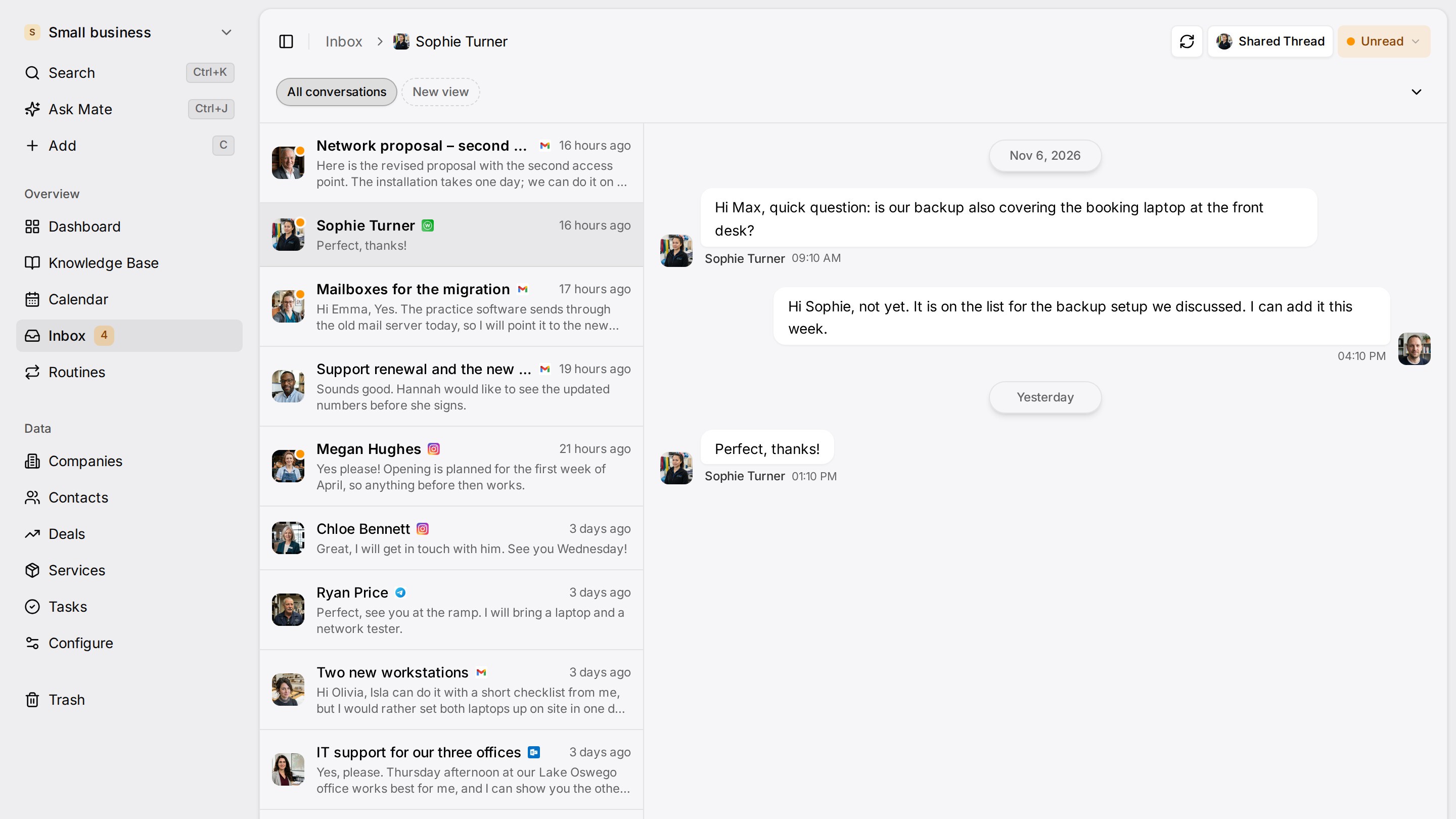
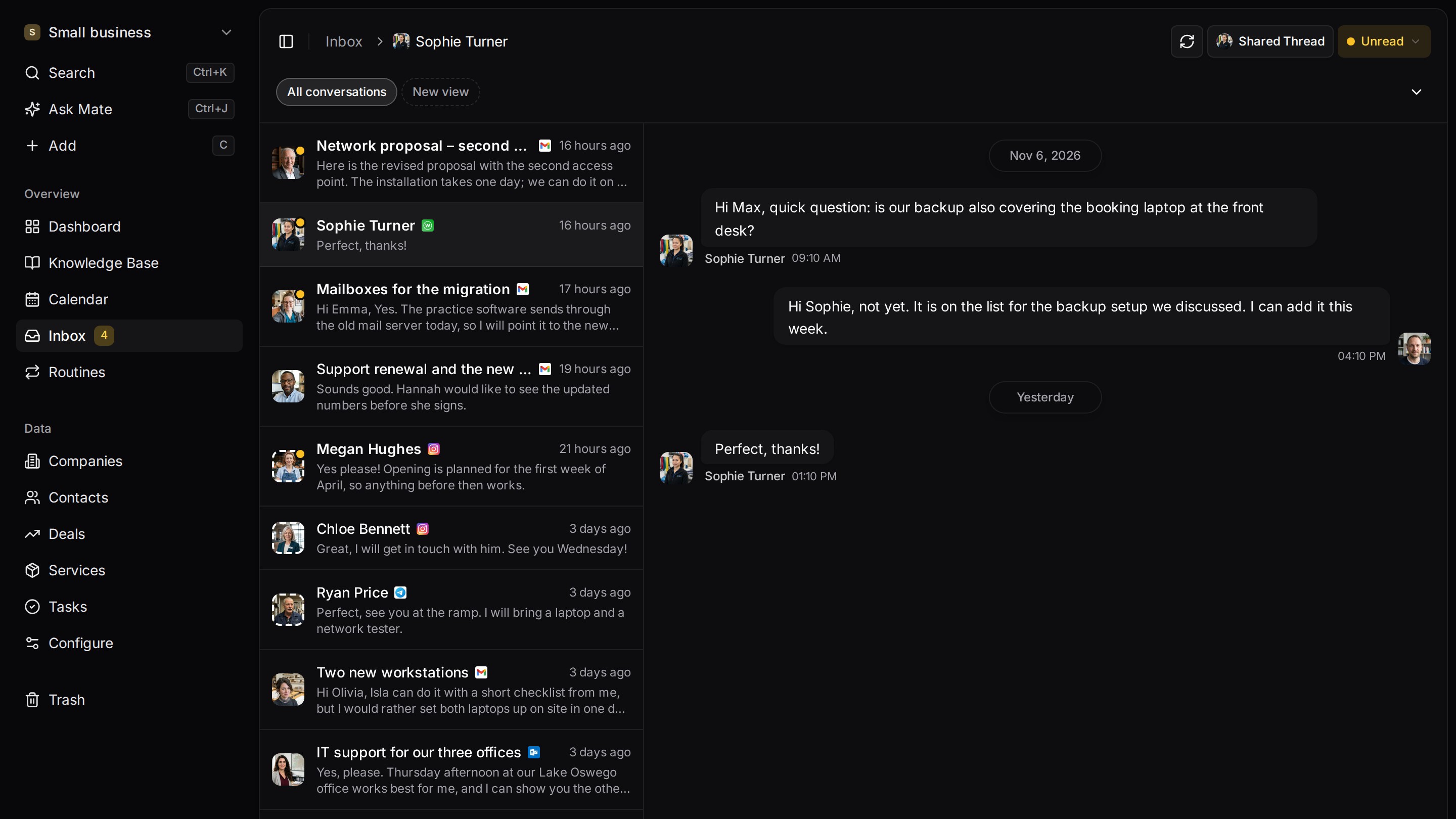
Every client conversation from email, LinkedIn and WhatsApp in one place. Mate sets up your workspace and drafts the follow-up, you review and send. Works with Claude, ChatGPT or any agent that speaks MCP.
Start from one description
One description. A workspace your agent built.
This is what setup builds from one sentence. Sample data, the real product.
Describe your business
One sentence about your team, your clients and how you sell.
Mate builds it
It asks a few questions, then creates the lists, pipeline, dashboard and playbook.
Work in it
Connect LinkedIn and email. Click through a finished example below.
We're a four-person strategy consultancy. Track clients, engagements and proposals, and help us follow up with prospects on LinkedIn.
- Mate
- Claude
- ChatGPT
- Cursor

 Mate
 Claude
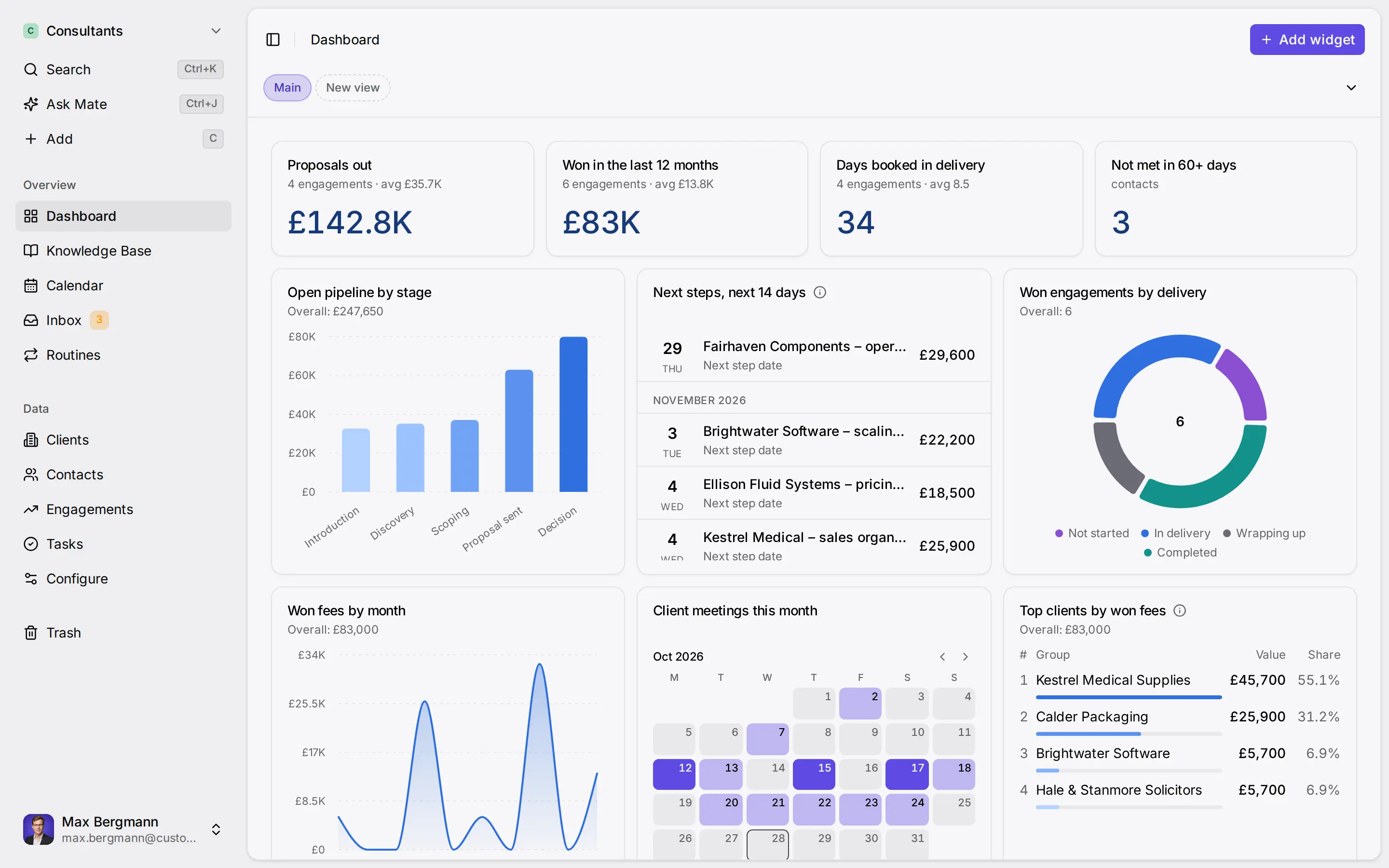
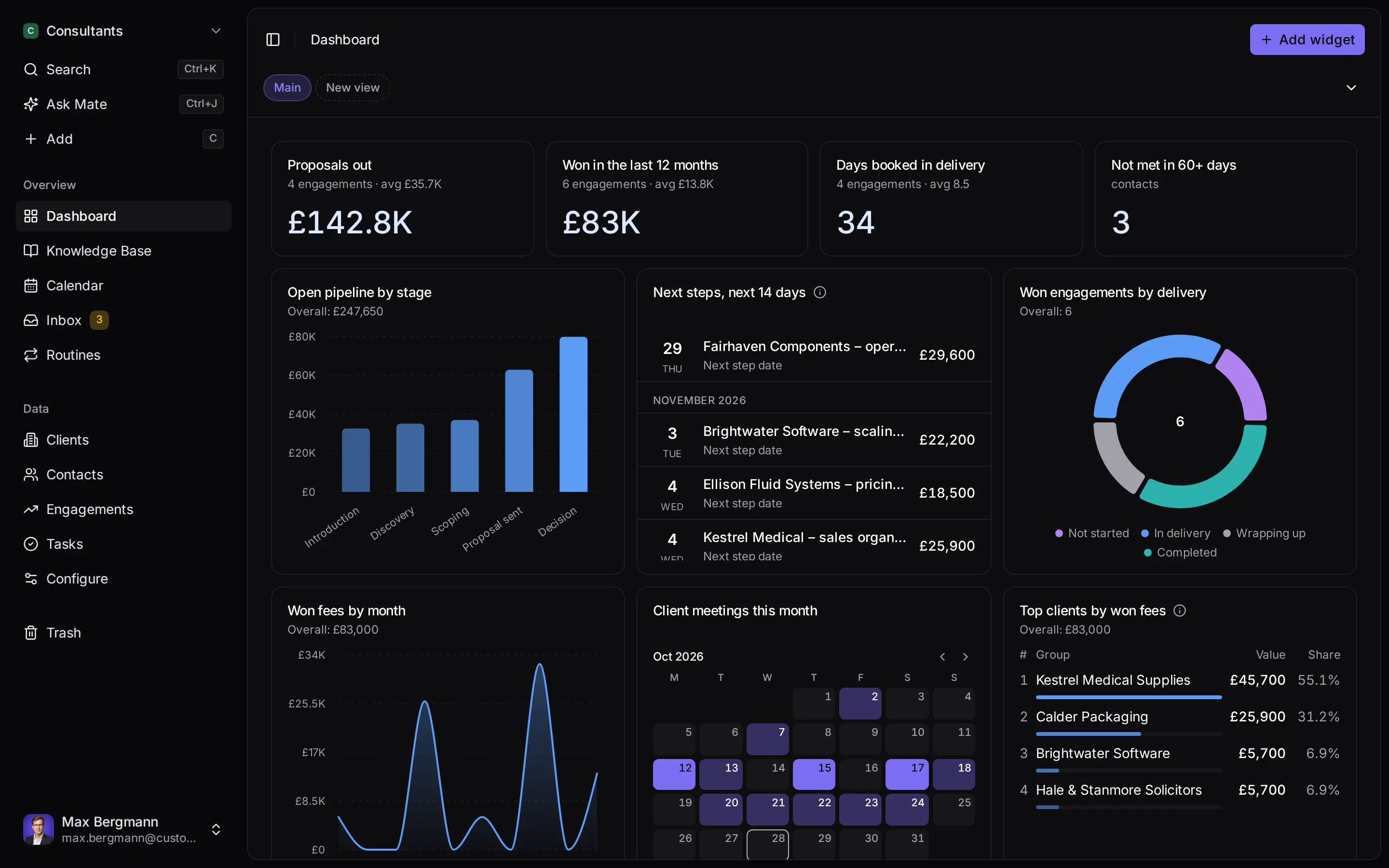
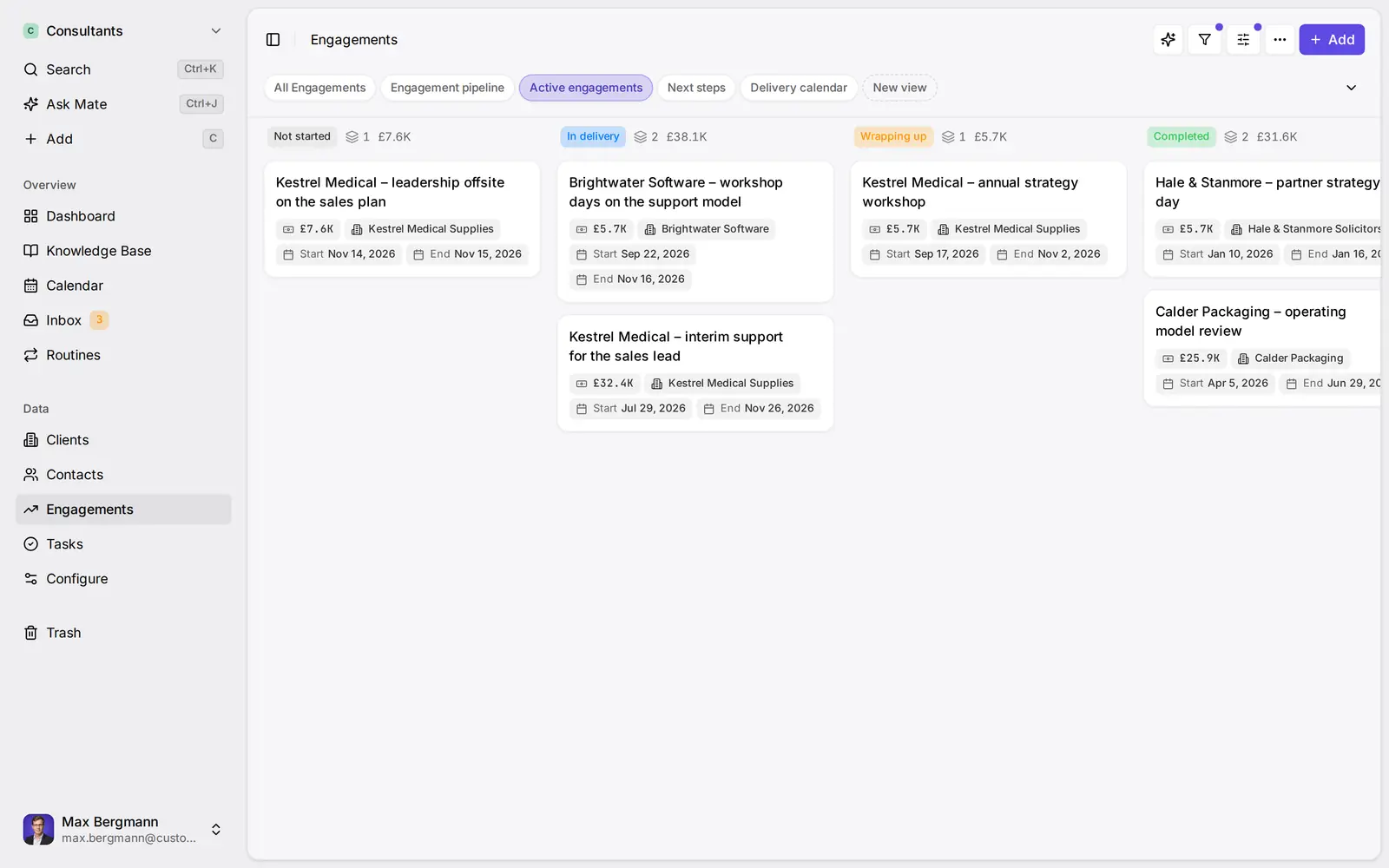
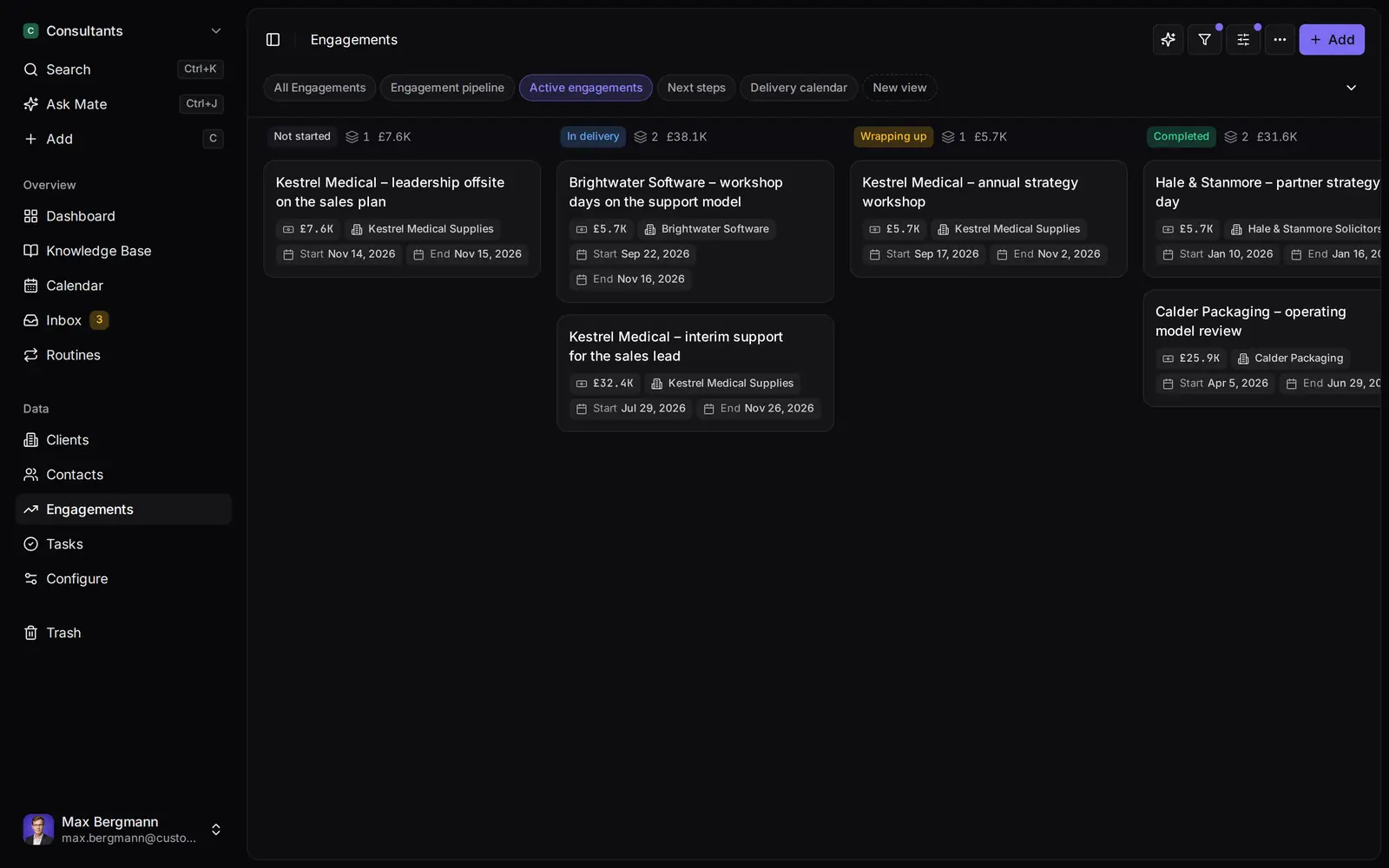
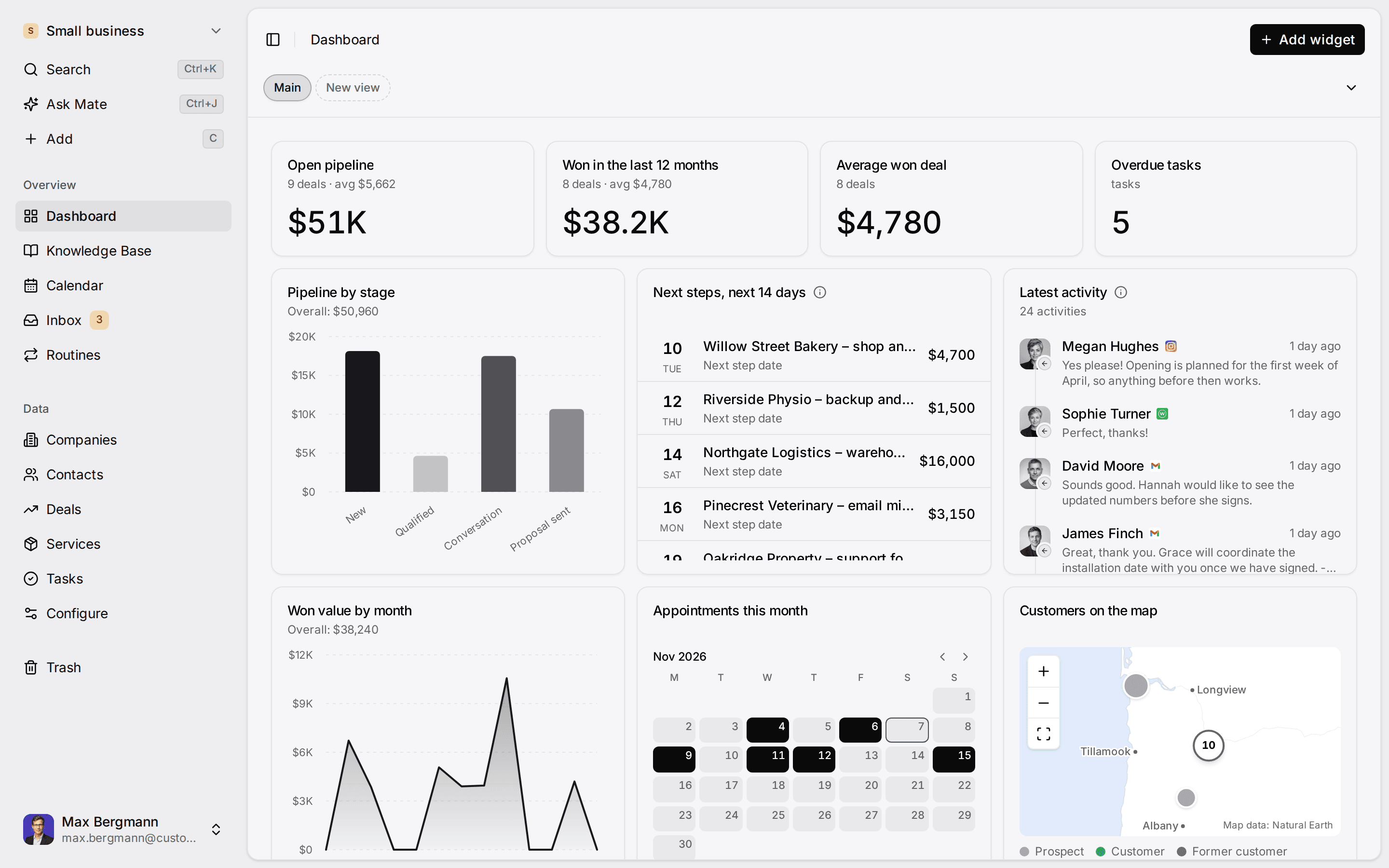
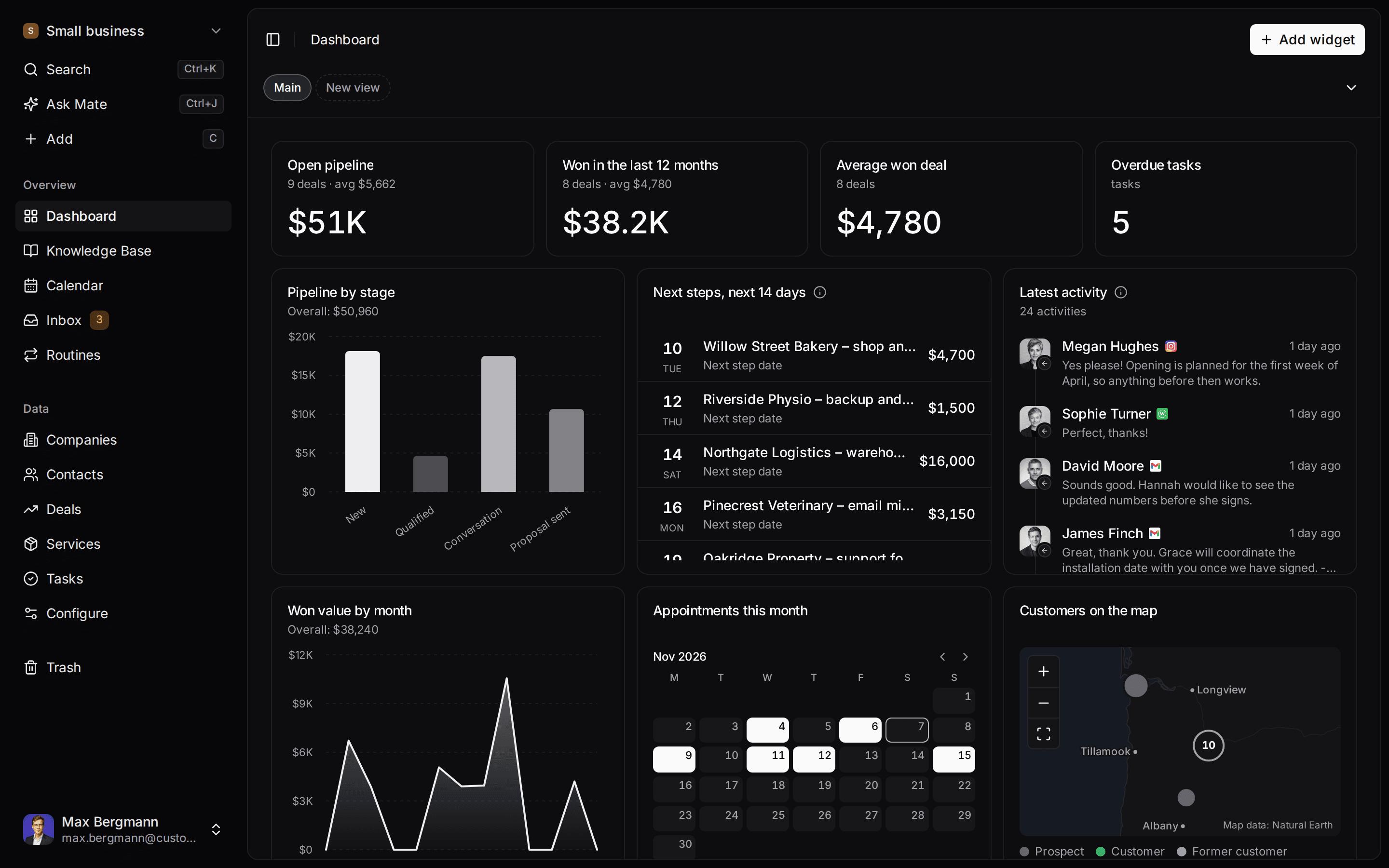
Widgets built from the workspace's own lists and fields
Ways you can use it
Pick the job. The workspace follows.
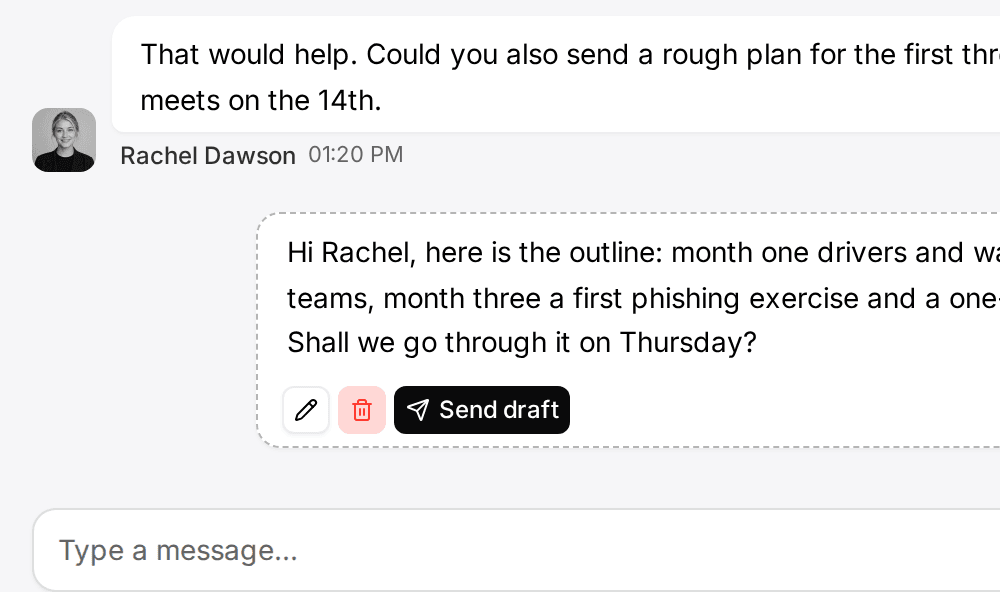
- Follow up on LinkedIn conversationsLinkedIn and email threads sit on the client. Mate drafts the reply and dates the next step, and you review and send it in the conversation.See LinkedIn in the inbox
- Follow up on every proposal after the callClients, engagements and proposals with the conversations behind them, and a dated next step on each.CRM for consultants
- Keep client next steps on one dashboardEvery client gets a dated next step, and your dashboard shows what is due across all of them.See follow-up
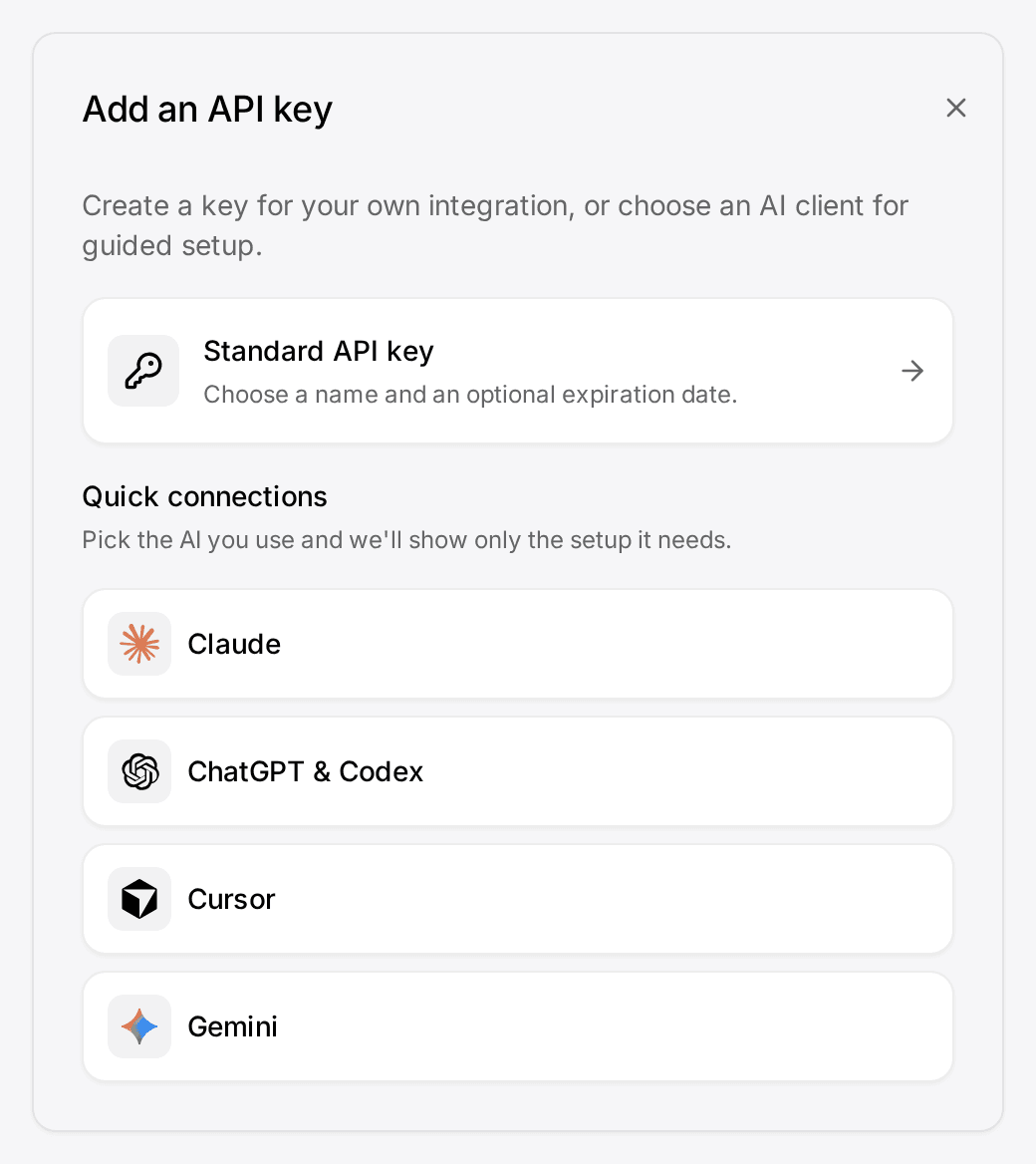
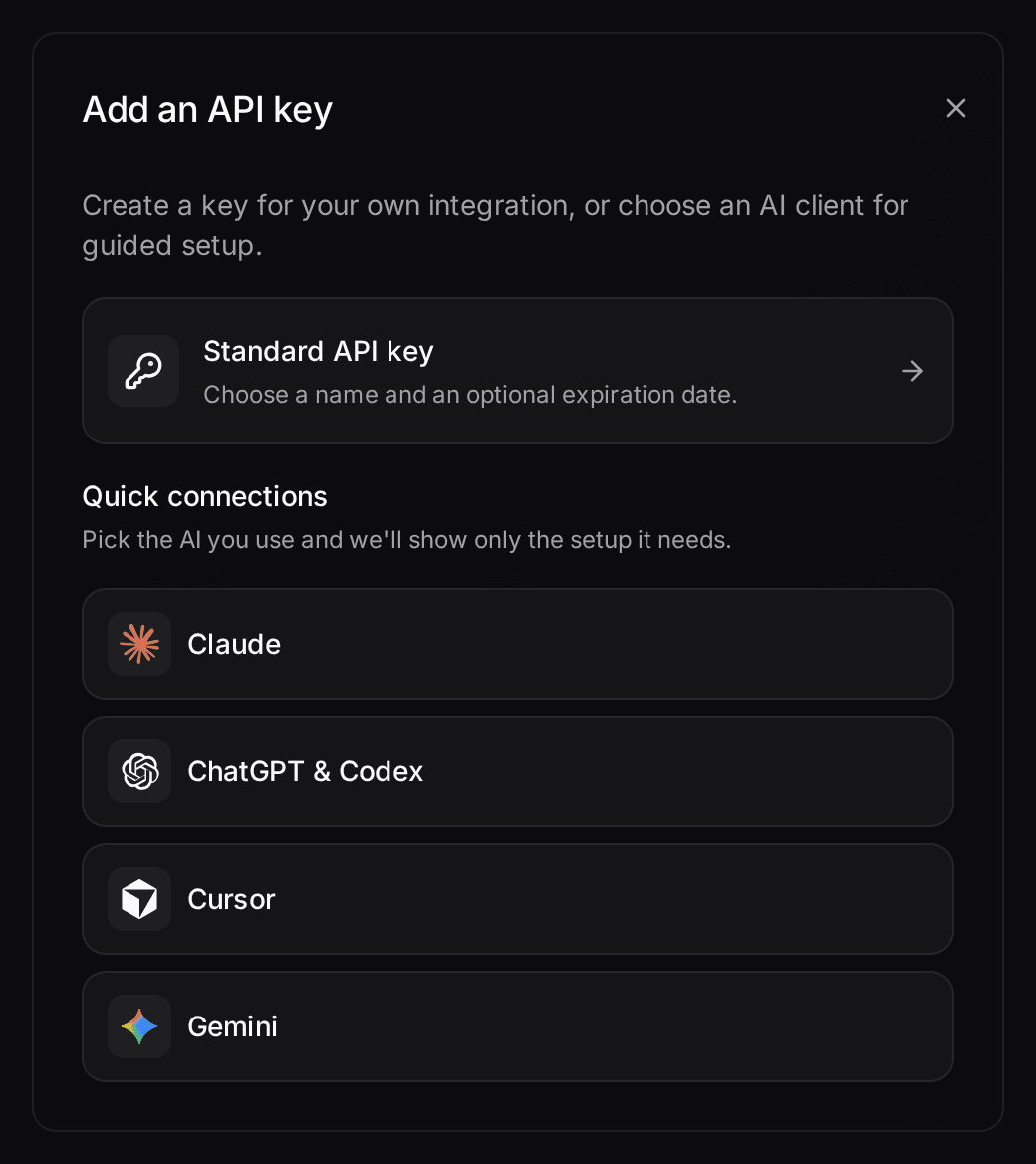
- Let your own Claude or ChatGPT work in your CRMConnect Claude, ChatGPT, Cursor or another MCP client. It reads and updates your workspace within your permissions.Connect your agent

How it works
Sales CRM in 5 steps.
- 01
Adjust the stages
In Data model, open Deals and the Stage field. Rename the options to match how you sell, for example "Discovery call" and "Proposal sent", and check each option's Probability %.
- 02
Add the tracking fields
In Data model, open Deals and use Add › Field for Expected close, Next step and Closed on (Date), plus Lead source and Lost reason (Single choice). Each number in the review needs one of them.
- 03
Import what you already have
Use Add from file with an Excel workbook or a CSV file, one record type at a time: organizations first, then contacts, then deals. Link columns are matched by record name, so an organization must exist before a deal can point to it.
- 04
Save the review views
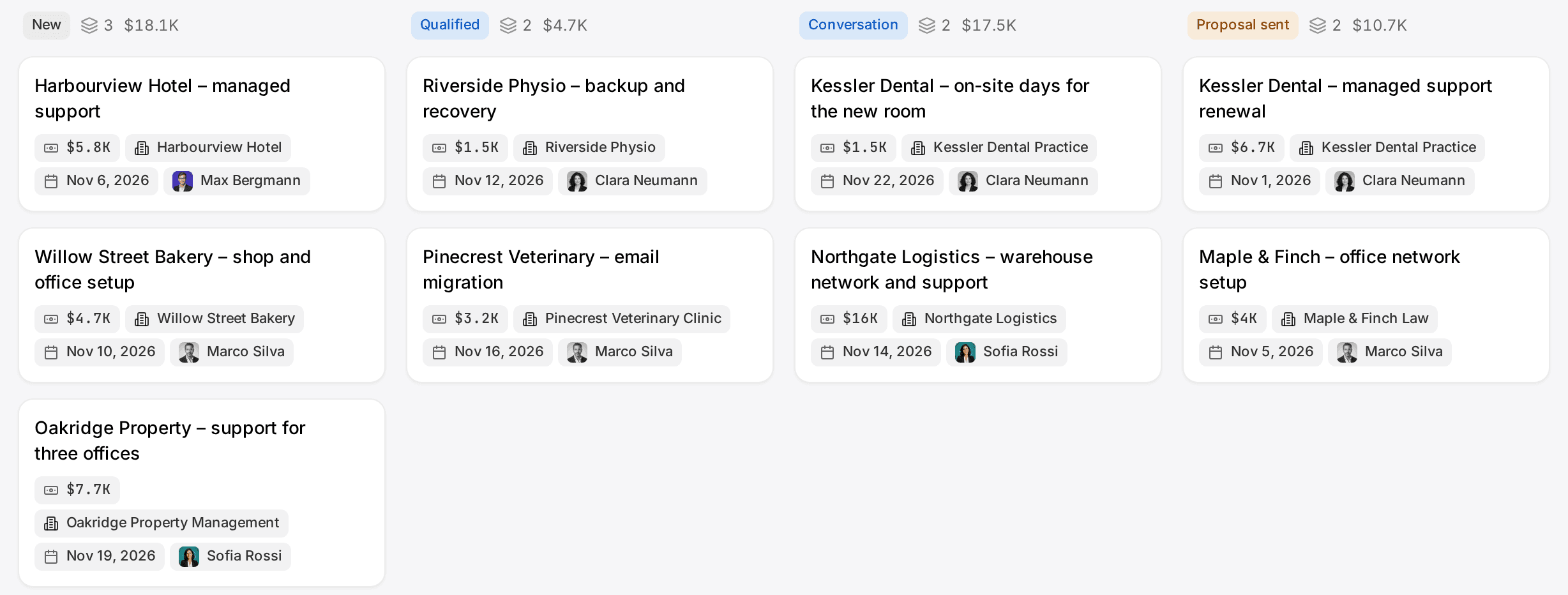
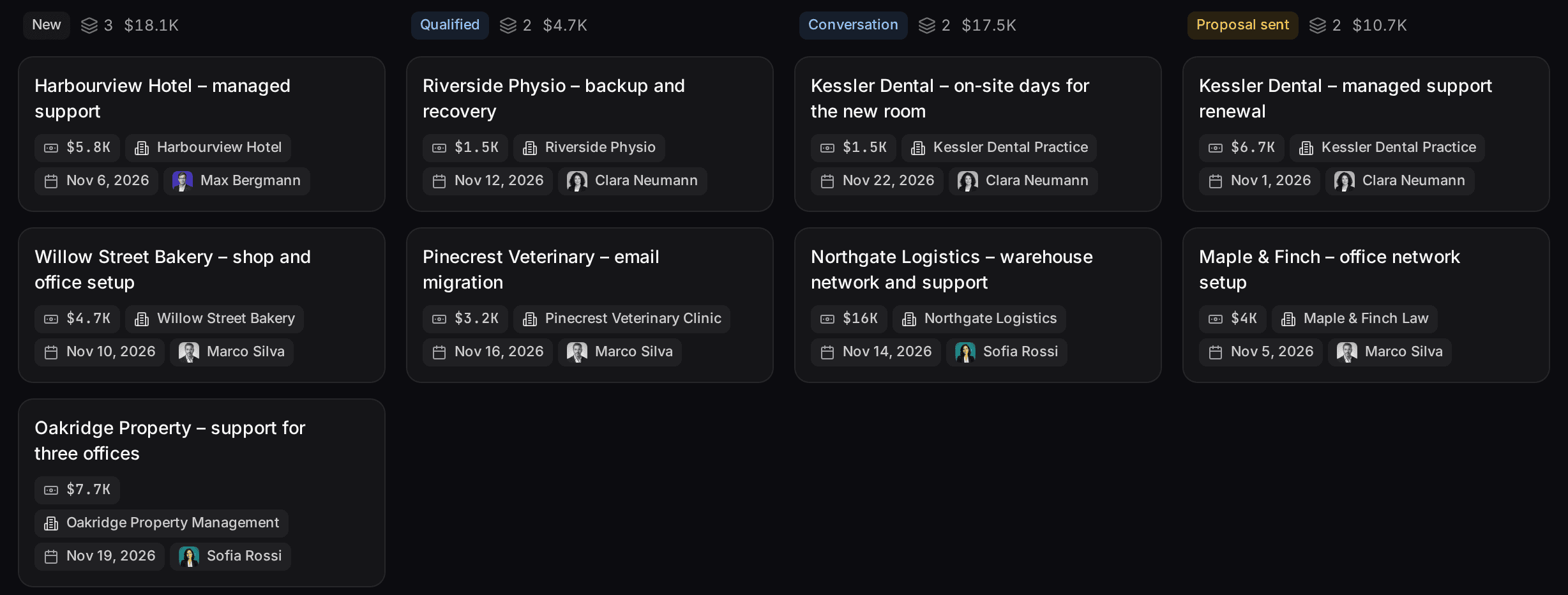
"My open deals" as a board, "Closing soon", "No next step" and "Quiet deals" (Updated at older than 14 days). Share them with the team so everyone reviews the same deals.
- 05
Connect your inbox (Pro and higher)
Under Settings › Channels, connect the mailbox or LinkedIn account you sell from.
In the product
At a glance
What you get
Deals linked to contacts, organizations, services and tasks, a stage board, a weighted pipeline, saved views you can share and dashboard widgets for the weekly numbers.
Plans
Pipeline and dashboards from Starter at €12 per user per month. The unified inbox starts on Pro at €29.
AI
In Customermates Cloud, Mate prepares summaries, reply drafts and deal updates using hosted AI credits. Your own AI client works on every plan through MCP.
Not included
No quotas or targets, no sequences or mass email, no telephony, no lead scoring, no quotes or invoices, no predictive forecasting and no mobile app.
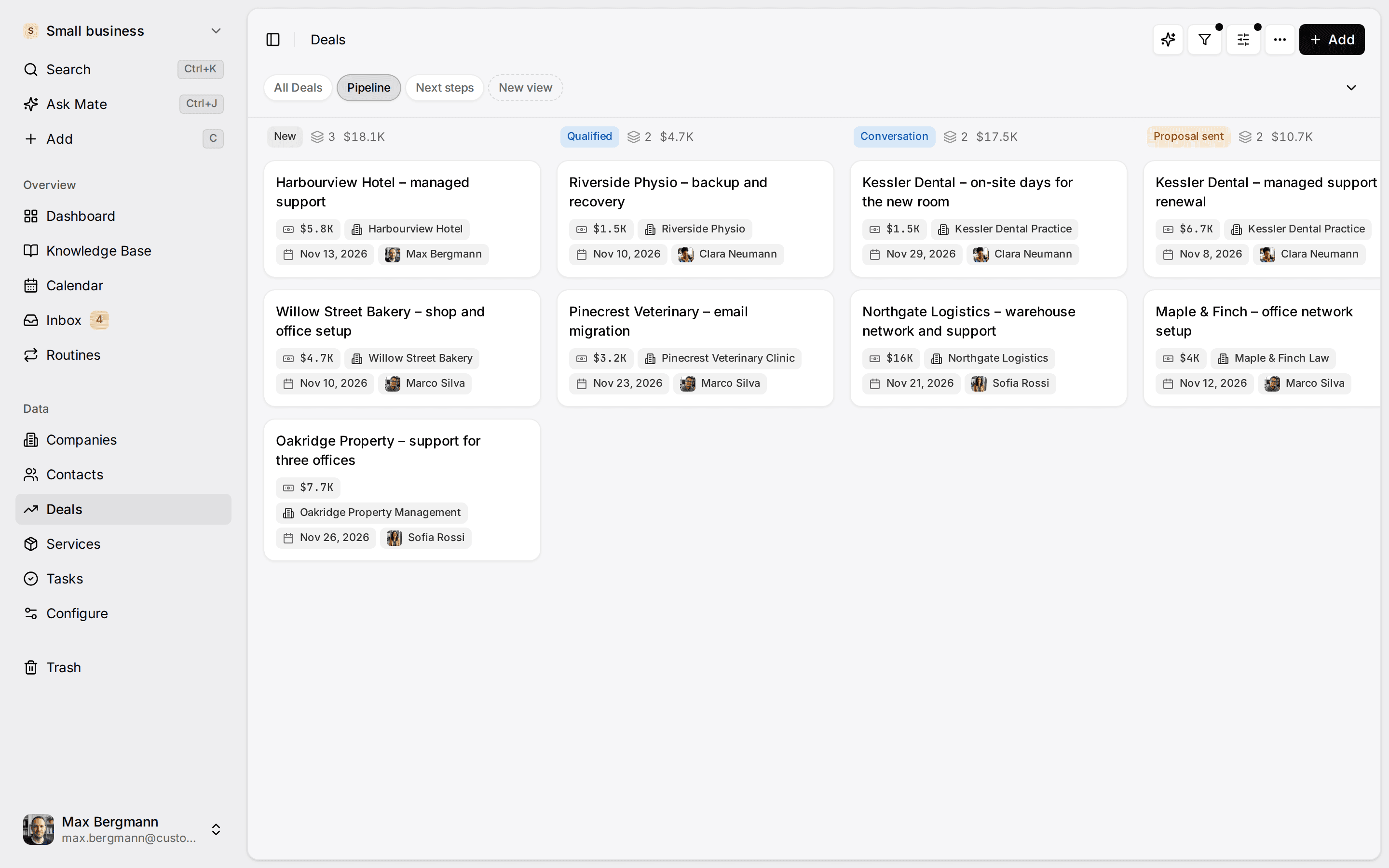
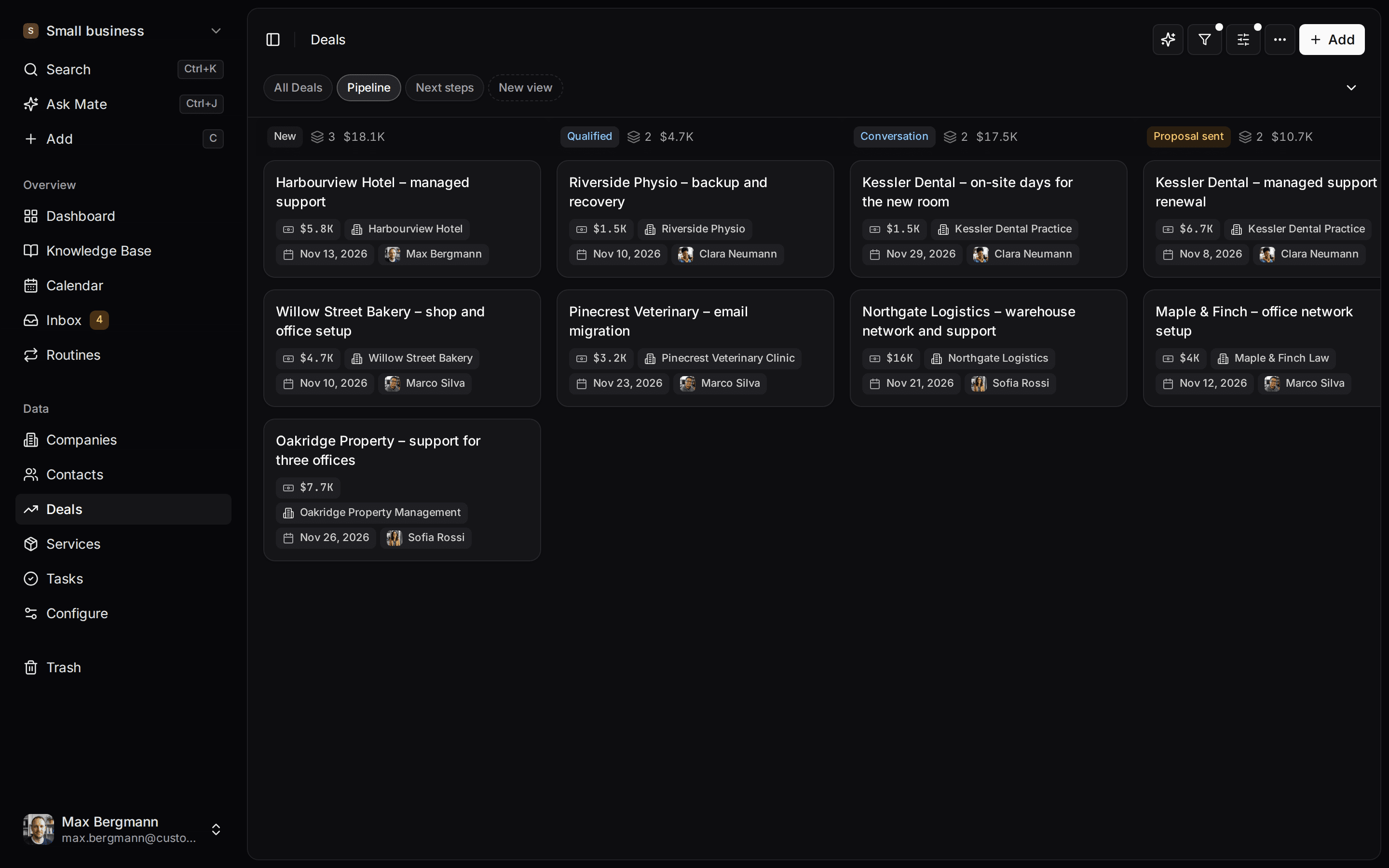
Sales tracking means recording every deal's value, stage, owner, expected close and next step in one place, then reviewing the same few numbers on a fixed day. Customermates is a CRM for small client-facing teams: consultancies, agencies, other service businesses and founders who still do the selling. Deals sit on a stage board with a win probability per stage, and on Pro and higher the client's emails and LinkedIn, WhatsApp, Instagram or Telegram messages appear on their contact. This page lists what to track, the fields and views behind each number, and a weekly review on example data.
It is not an outbound machine. If your team books meetings by volume, the table of alternatives further down is the more useful part of this page.
What should a small team track in its sales?
Twelve numbers cover most decisions of a team with a few dozen open deals: seven for the weekly review, five at month end. Each one below names how it is calculated and where it lives in Customermates.
Every week: is the pipeline healthy?
| What to track | How it is calculated | Where it lives in Customermates |
|---|---|---|
| Open pipeline value | Sum of Value on deals whose Stage is not Won or Lost | A Number widget (sum of Value, filtered on Stage), or the column totals on the stage board |
| Weighted pipeline | The same deals, sum of Weighted value: value times the stage's Probability % | The same widget with Weighted value, or a bar chart of Weighted value grouped by Stage |
| Deals per stage | Count of open deals in each stage | A Funnel chart or the board's column counts. The funnel shows today's deals, not conversion over time. |
| Closing soon | Open deals whose Expected close falls in the next 30 days | An Upcoming widget on Expected close, set to 30 days, or a saved view sorted by Expected close |
| No next step | Open deals where Next step is empty | A saved view: Next step is empty, Stage is not Won or Lost |
| Quiet deals | Open deals nobody has edited for 14 days | A saved view: Updated at older than 14 days, Stage is not Won or Lost. It sees edits to the deal, not messages. |
| Deals per person | Count, value and weighted value per owner | The deals board grouped by Assigned. It is read-only, and a deal with two owners appears under both. |
Every month: what did we win, and why?
| What to track | How it is calculated | Where it lives in Customermates |
|---|---|---|
| Won this month | Count and sum of Value for deals with Stage Won and Closed on in the month | Two Number widgets with a filter on Closed on, or an Area over time chart of Value grouped by Closed on with the interval set to month |
| Win rate | Won divided by (Won plus Lost) among the deals closed in the period | Two Number widgets, count of Won and count of Lost for the same period, divided by hand. In Customermates Cloud, Mate can calculate it. |
| Average won deal | Average of Value where Stage is Won | A Number widget with the average aggregation |
| Where wins come from | Won value by Lead source | A bar chart or Doughnut grouped by Lead source, filtered on Stage is Won |
| Why deals are lost | Count of lost deals by Lost reason | A Ranked table grouped by Lost reason, filtered on Stage is Lost |
Closed on is a date field you add yourself. Fill it when you move a deal to Won or Lost, or ask Mate or your own AI client to set it together with the stage. Win rate here counts deals; it does not weigh them by value.
What about sales activity? The Activity timeline widget lists record changes and, on Pro and higher, the messages and meetings of connected accounts, and you can filter it by related records, for example everything that happened on your five largest deals. It is a feed you read, not a counter of calls or emails per person, and there is no telephony.
Which fields does a sales tracker need?
A tracker is only as good as its columns. These are the eleven a deals list needs to produce every number above.
| Column | Field type in Customermates | Feeds |
|---|---|---|
| Deal name | Name | Every view |
| Organization and contacts | Links to your organizations and contacts | The conversations on the contact |
| Stage | Single choice, each option with a Probability % | Pipeline, weighted pipeline, funnel |
| Value | Currency, or calculated from line items: each a service times its quantity | Pipeline value, average won deal |
| Weighted value | Calculated: Value times the stage's Probability % | Weighted pipeline |
| Owner | Assigned, one or several users | Deals per person |
| Expected close | Date | Closing soon |
| Next step | Date, with a task or note that says what it is | No next step, Upcoming widget |
| Lead source | Single choice: Referral, LinkedIn, Website, Event | Where wins come from |
| Closed on | Date | Won this month, win rate |
| Lost reason | Single choice: Price, Timing, Chose a competitor, No decision | Why deals are lost |
A new workspace starts without lists. In Customermates Cloud, AI setup can build a deals list from your description; otherwise you create the fields in Data model, which is also the only way when self-hosting. Expected close, Next step, Lead source, Closed on and Lost reason are ordinary custom fields, and you rename or change their options whenever your process changes. A deal's value can be the sum of its line items: two workshop days at 1,500 plus ten coaching hours at 150 give a deal value of 4,500.
How do I set up sales tracking in Customermates?
Adjust the stages
In Data model, open Deals and the Stage field. Rename the options to match how you sell, for example "Discovery call" and "Proposal sent", and set each option's Probability %: for example Prospecting 10%, Qualification 20%, Demo 40%, Proposal 60%, Negotiation 80%, Won 100% and Lost 0%. A preview shows the effect on calculations and widgets before you save.Create your services
Add what you sell under Services, each with a price: a retainer, a workshop day, a licence. Deal line items, and so deal values, are built from these.Add the five tracking fields
On Deals, use Add › Field for Expected close, Next step and Closed on (Date), Lead source (Single choice with Referral, LinkedIn, Website and Event) and Lost reason (Single choice with Price, Timing, Chose a competitor and No decision).Import what you already have
Use Add from file with an Excel workbook or a CSV file, one record type at a time: organizations first, then contacts, then deals. Link columns are matched by record name, so an organization must exist before a deal can point to it.Save the review views
"My open deals": Assigned is you, Stage is not Won or Lost, sorted by value, shown as a board. "Closing soon": Stage is not Won or Lost, sorted by Expected close, shown as a table. "No next step" and "Quiet deals" as in the table above. Filter rules combine with AND, so one view with both rules would list only deals that are quiet and have no next step; keep them as two views. Share the views with the whole team or with selected roles.Add the dashboard widgets
A Number widget for the weighted pipeline, a bar chart of Weighted value grouped by Stage, an Upcoming widget on Next step, and a chart of won Value grouped by Lead source.Connect your inbox (Pro and higher)
Under Settings › Channels & calendars, connect the mailbox or LinkedIn account you sell from.
The records guide covers import, views and the board step by step, and the dashboard guide lists every widget and its options. The pipeline page shows the board in more detail.
What does a weekly sales review look like?
Take five open deals of a small consultancy. The numbers are invented for the example; they are not a customer's data.
| Deal | Stage (probability) | Value | Weighted value | Next step set | Closes in | Last edited |
|---|---|---|---|---|---|---|
| Nord retainer | Negotiation (80%) | 12,000 | 9,600 | Yes | 9 days | 1 day ago |
| Bauer website relaunch | Proposal (60%) | 6,000 | 3,600 | Yes | 19 days | 2 days ago |
| Lindner coaching | Proposal (60%) | 2,400 | 1,440 | No | 24 days | 16 days ago |
| Keller workshop series | Demo (40%) | 4,500 | 1,800 | No | 34 days | 19 days ago |
| Meyer brand sprint | Qualification (20%) | 3,000 | 600 | Yes | 80 days | 6 days ago |
| Total | 27,900 | 17,040 |
Read it in this order:
- Pipeline value. Open pipeline is 27,900 and the weighted pipeline is 17,040. The Nord retainer alone carries 9,600 of the weighted value, 56 percent, so one lost negotiation changes the picture. It gets the first minutes of the meeting.
- Closing soon. Nord, Bauer and Lindner are due within 30 days: 20,400 in value and 14,640 weighted. Keller, at 34 days, is outside the window.
- No next step. Lindner and Keller.
- Quiet deals. Lindner (16 days) and Keller (19 days).
- Decide. Lindner is on both lists and due in 24 days. Set a dated next step this week, move Expected close and the stage back to what is true, or close it as Lost with a reason. Keller needs a next step or a later Expected close. A deal that is quiet, has no next step and is due soon is where a pipeline total most overstates reality.
At month end, suppose four deals were won and six lost. The win rate is 4 divided by 10, or 40 percent, and the Lost reason chart shows which objection to prepare for. For the stage definitions behind the board see the sales pipeline guide, and for turning a weighted pipeline into a quarterly number see sales forecasting.
Is a spreadsheet enough for sales tracking?
For one person with a handful of deals, often yes. The question is what the sheet cannot do once more people and more conversations are involved.
| Question | Spreadsheet | Customermates |
|---|---|---|
| Who keeps it current? | The person who enters every deal | Several people, each seeing the records their role allows |
| Where do the totals come from? | Formulas you write and keep intact | Column totals on the board, and a Weighted value calculated from the stage probabilities |
| Where is the conversation? | In the inbox and in LinkedIn, away from the row | On the contact from Pro, one click from the deal |
| What changed on a deal? | You remember, or compare versions | The deal's change history |
| How do I start? | A blank sheet | Import your sheet as XLSX or CSV |
Our Excel CRM template has a checked sheet layout, and its checklist says when to move. A sheet you keep today imports into Customermates as XLSX or CSV, one record type at a time.
How do conversations and Mate fit into sales tracking?
Conversations on the contact (Pro and higher). Connect Gmail, Outlook, IMAP, LinkedIn, WhatsApp, Instagram or Telegram in the unified inbox. Once a contact carries the email address or handle, every conversation with it shows on that contact's timeline, so "what happened on this deal?" is one click from the deal. Messages link to contacts, and a single conversation can also be linked to a deal; nothing is filed to a deal automatically.
Updating deals with Mate (Customermates Cloud). After a call, paste your notes into Mate with an instruction like this one:
Here are my notes from today's call with Bauer Consulting. Update the deal "Bauer website relaunch": set the stage to Proposal, set Expected close to 30 November and append the notes. Create a task for me to send the proposal and link it to the deal. Do not send any messages.Mate makes these changes directly, and they land in the deal's history. Asked to send an email, it sends without asking again, so write "draft" when you want to read the text first. Deletions always need your approval. Mate uses hosted AI credits. Your own AI client, such as Claude or ChatGPT, runs the same request through MCP with 59 tools, on every plan and when self-hosting. For jobs on a schedule or on deal changes, see workflow automation.
Which plan do you need, and what does it cost?
| Plan | Sales tracking features | Price |
|---|---|---|
| Starter | Deals, stage board, weighted pipeline, saved views, dashboard widgets, XLSX import and export, REST, webhooks, MCP, 1 routine per user | €12 per user per month |
| Pro | Starter plus the unified inbox with 1 connected account per user, LinkedIn Sales Navigator, read-only calendar access, 5 routines per user | €29 per user per month |
| Business | Pro plus 3 connected accounts per user, shared accounts and one team-wide timeline across every channel | €69 per user per month |
| Self-hosted | The Starter feature set on your own server, without inbox, Mate or routines | No licence fee; you pay for your own infrastructure |
Billing is monthly. Each paid Cloud plan includes monthly hosted AI credits per active user for Mate; the pricing page lists the amounts. Three examples:
| Team | Plan | Per month |
|---|---|---|
| 3 people, pipeline and dashboards only | Starter | €36 |
| 5 people who sell by email and LinkedIn | Pro | €145 |
| 5 people who share client mailboxes | Business | €345 |
Over twelve months, the five-person Pro team pays €1,740.
For comparison, at list prices checked on 11 November 2026: Salesforce Starter Suite is $25 per user per month, billed monthly or annually, so five users pay $125 a month. Salesforce Pro Suite, which lists Sales Quoting and Forecasting, is $100 per user per month billed annually only. HubSpot Sales Hub Professional, the lowest HubSpot tier with forecasting, is $100 per seat per month billed monthly or $90 with an annual commitment, so $500 a month for five seats on monthly billing, plus a required one-time Professional onboarding fee of $1,500. These are list prices for seats; each vendor's pricing page shows what else applies.
What does Customermates not track, and what to use instead?
Customermates publishes this page. Vendor details were checked on 11 November 2026 on the vendors' own pages, linked at the end.
| You need | In Customermates | Where to look |
|---|---|---|
| Conversion rates over time, sales velocity, time in stage | Not available. The funnel shows today's deals per stage; in Customermates Cloud, Mate can work out a figure such as each person's win rate from your records. | Export the deals as XLSX or read them through the REST API and calculate there |
| Quotas and targets | Not available. Compare the weighted pipeline with your own target by hand. | A sales tool with goals built in |
| Revenue forecasting beyond stage weights | Not available. The weighted pipeline uses the fixed probabilities you set. | HubSpot Sales Hub Professional; Salesforce Pro Suite ("Sales Quoting and Forecasting") |
| Email sequences | Not available. Mate drafts one message in one conversation. | HubSpot Sales Hub Professional or Enterprise |
| Web forms, lead scoring, enrichment | Not available. Send form entries in through the REST API. | A CRM with forms and scoring built in |
| Calls from the CRM | No telephony or SMS | A CRM with a built-in dialer |
| Quotes and invoices | Not available | Your invoicing tool |
| A free plan | Free Cloud plan for 1 person, without the inbox or Mate; a 14-day Pro trial, or self-hosting without a licence fee | HubSpot Sales Hub Free for up to 2 users; Zoho CRM Free edition for up to 3 users |
| An app on the phone | No native mobile app; Customermates runs in the browser | A CRM with native iOS and Android apps |
Tasks have no due dates or reminders either. The Next step date on the deal and the Upcoming widget do that job, as described under follow-ups. Reporting covers every chart option.
Frequently asked questions
What is sales tracking?
Sales tracking is recording each deal's value, stage, owner, expected close, next step and outcome, then reviewing a few numbers from that record on a schedule. The record is the tracker and the review is what turns it into decisions. In Customermates the record is a deals list, and the review runs on saved views and dashboard widgets.
What is the best way to track sales in a small business?
Keep one deals list with about a dozen fields, give every open deal a stage and a dated next step, and hold the same review every week. A spreadsheet does that for one person with a handful of deals. Once several people update the deals, or the deals live in email and LinkedIn conversations, the record and the conversation belong in one tool. Customermates is built for that second case.
How often should I review sales numbers?
Review pipeline health weekly: open and weighted pipeline, deals closing soon, deals without a next step and quiet deals. Review results monthly: won value, win rate, lead sources and lost reasons. A small team rarely closes enough deals in a week for those results to mean much.
Is there free sales tracking software?
Yes, within limits. Customermates Cloud has a free plan for 1 person and 250 records, without the inbox, Mate or routines. Your first workspace starts with Pro for 14 days without a credit card; every further workspace starts by choosing a plan. Self-hosting the open-source core has no licence fee: it runs the Starter feature set on your own server. HubSpot Sales Hub Free covers up to 2 users and Zoho CRM's free edition up to 3.
Can Customermates forecast revenue?
No, not in the predictive sense. It calculates a weighted pipeline: each deal's value times the win probability you set for its stage. That is arithmetic on your own numbers. There is no model that learns from past deals or predicts close dates.
Can I see each salesperson's pipeline?
Yes. Group the deals board by Assigned and each person gets a column with their deals, their count, total value and weighted value.
Is a sales CRM hard to set up?
Not if you keep the first version small. A deals list with a Stage field takes minutes in Data model, and in the cloud AI setup can build it for you. The real work is agreeing on stage names and the five tracking fields, then importing what sits in your spreadsheet today.
Competitor details checked on 11 November 2026 against HubSpot Sales Hub pricing, HubSpot's sequences documentation, Salesforce Sales Cloud pricing and Zoho CRM pricing.
Related pages
Sales Pipeline
Sales pipeline software for small relationship-led teams: opportunities by stage with probability, value and weighted value, with customer context close by.
CRM Reporting
CRM reporting in Customermates: dashboard charts over deals, contacts and tasks, a weighted pipeline and record analysis by Mate. Setup, plans and limits.
Unified CRM Inbox
One CRM inbox for Gmail, Outlook, IMAP, LinkedIn, WhatsApp, Instagram and Telegram: each conversation on its client, replies drafted. Cloud from Pro.
Workflow Automation
Automate CRM workflows with AI routines, webhooks, n8n or MCP. Four worked examples with steps, plan limits and what Customermates does not automate.
Customermates
Set up your sales tracking during the trial
Rename the stages, add the tracking fields, import your open deals and save the weekly review views, so every deal has its next step and its conversation next to it. Plans start at €12 per user per month, billed monthly.
✓ No credit card required ✓ First 14 days free