Comparison
Copper Alternative: Customermates and Copper Compared
Copper CRM builds on Google Workspace with a Chrome extension in Gmail and LinkedIn profile capture, from $29 per seat per month. Customermates is open source, has a Free plan and puts LinkedIn conversations next to email on the client. Copper details checked 10 November 2026.
✓ No credit card required ✓ First 14 days free
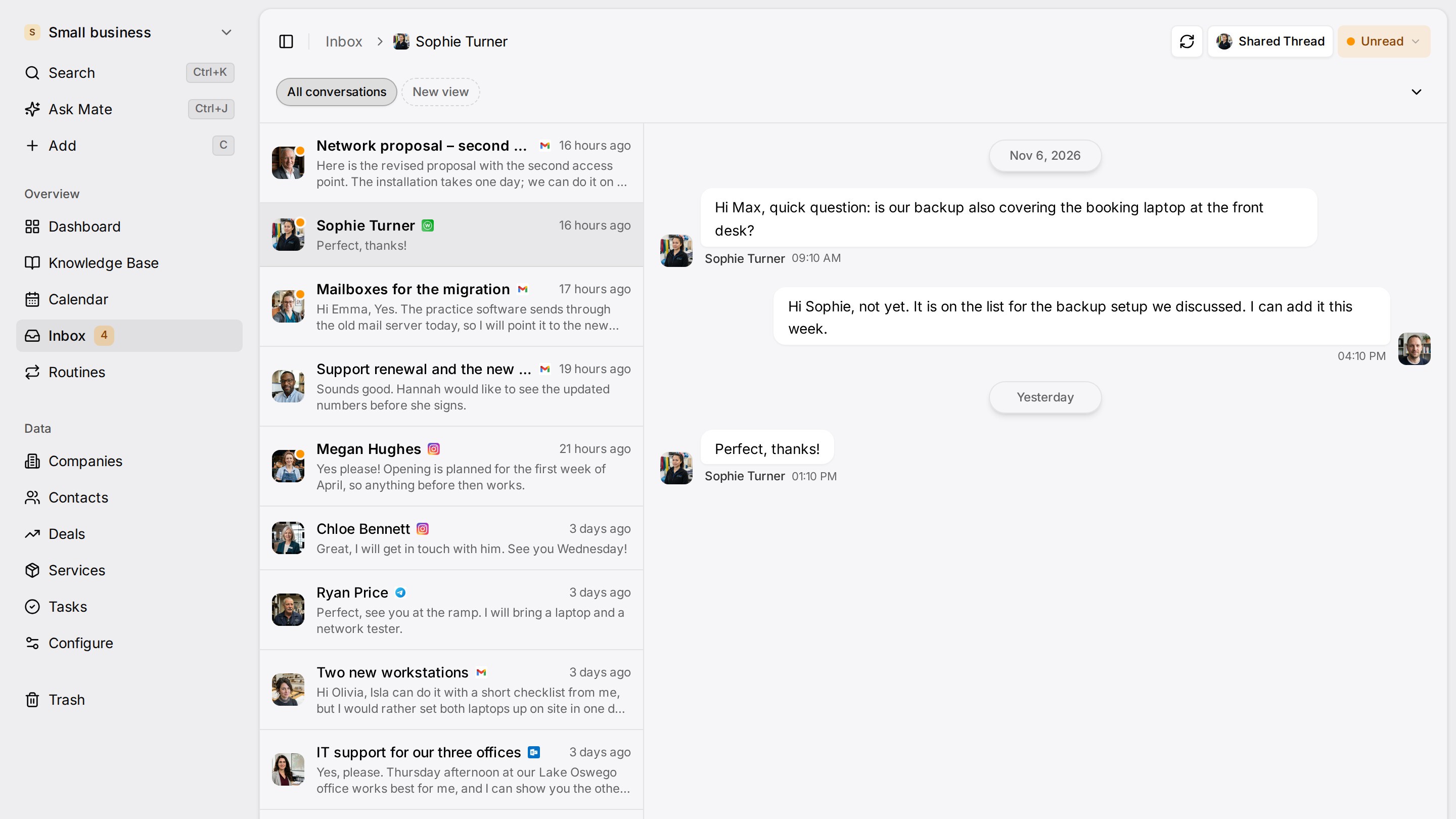
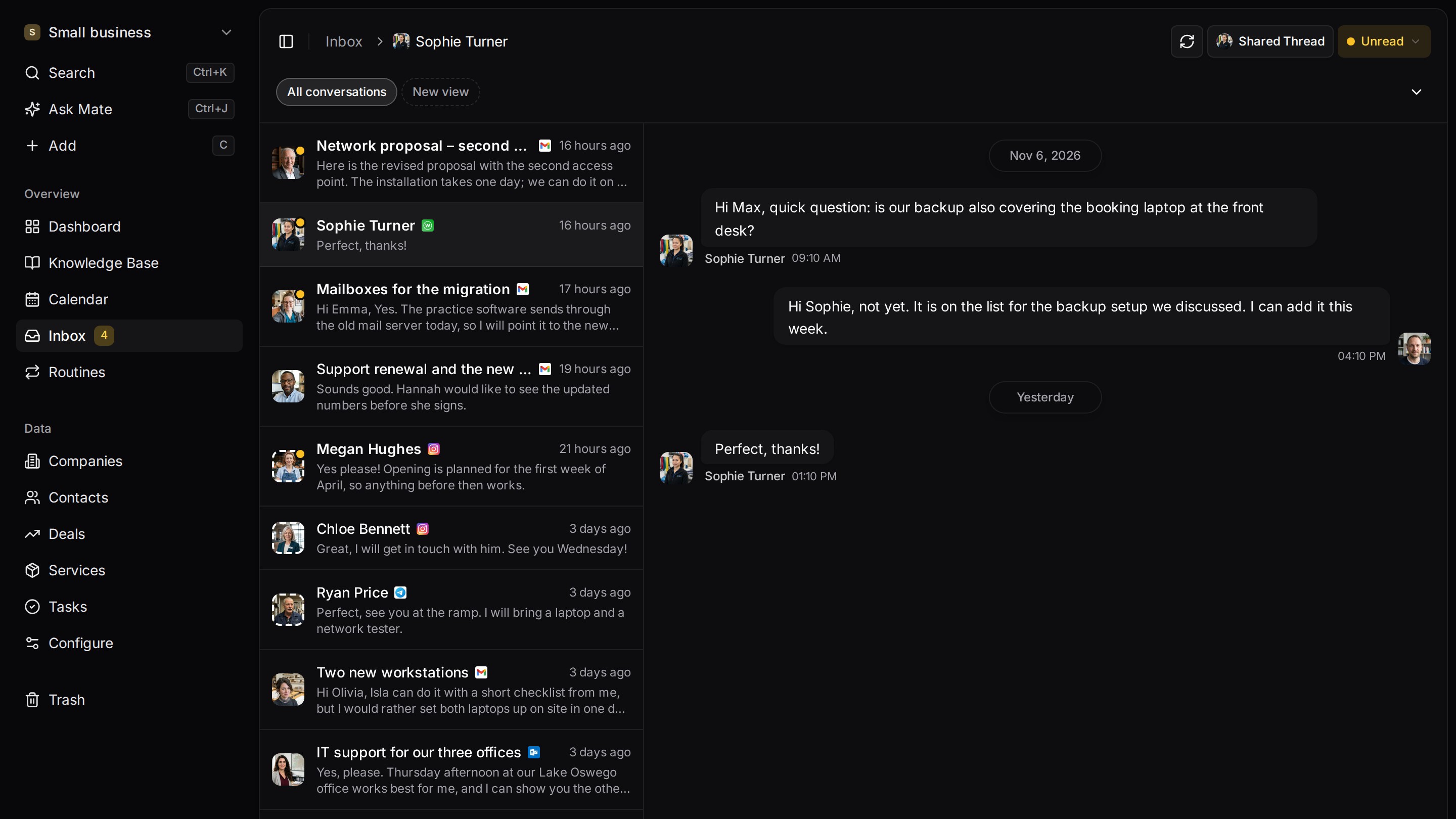
Every client conversation from email, LinkedIn and WhatsApp in one place. Mate sets up your workspace and drafts the follow-up, you review and send. Works with Claude, ChatGPT or any agent that speaks MCP.
Why teams switch
Why teams switch to Customermates.
LinkedIn conversations beside email
From Pro, LinkedIn chats (including Sales Navigator and Recruiter InMail) sit on the client next to Gmail. Copper's LinkedIn page describes profile capture and lists LinkedIn message sync as coming soon.
A Free plan after the trial
Customermates has a Free plan for 1 person and 250 records, plus a 14-day trial of Pro with no credit card. Copper's pricing page lists a free start, not a free plan.
Open source, with a choice of hosting
The Customermates core is AGPL-3.0 and runs on your own server. In the cloud, the database is configured in the AWS Frankfurt region. Copper's privacy policy says its servers are in the United States.
Start from one description
One description. A workspace your agent built.
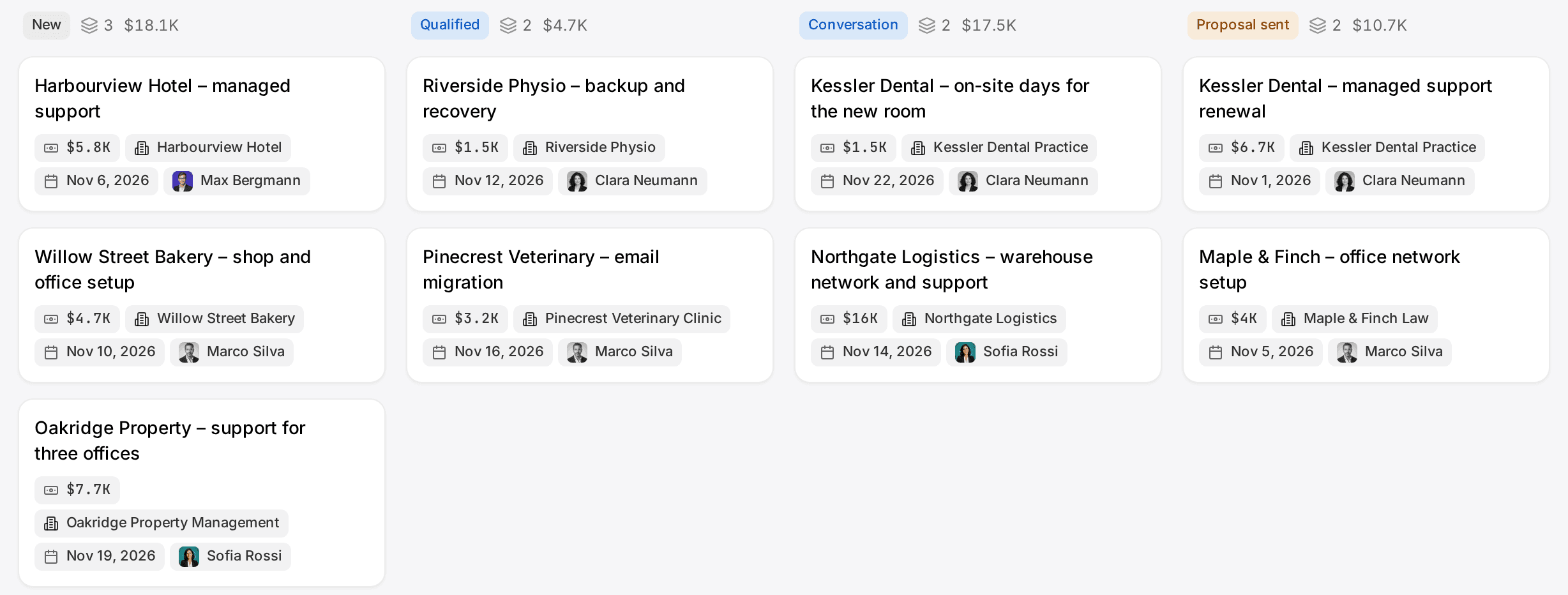
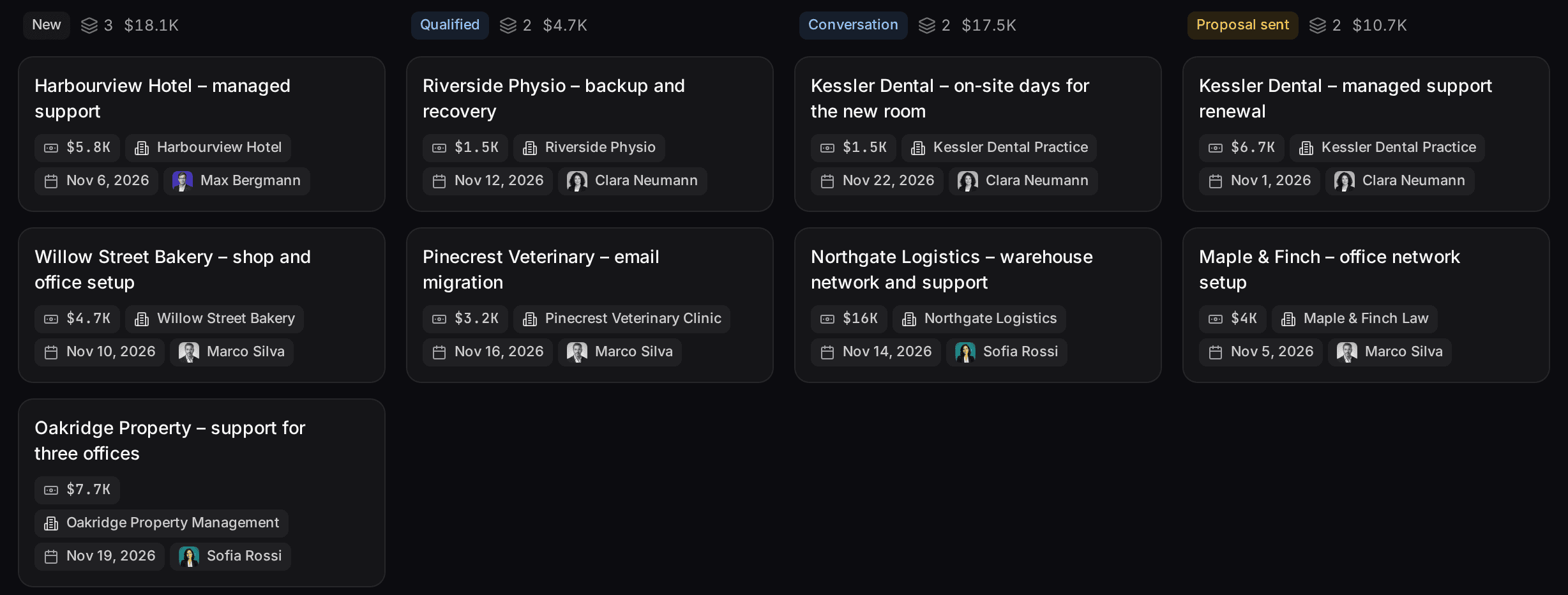
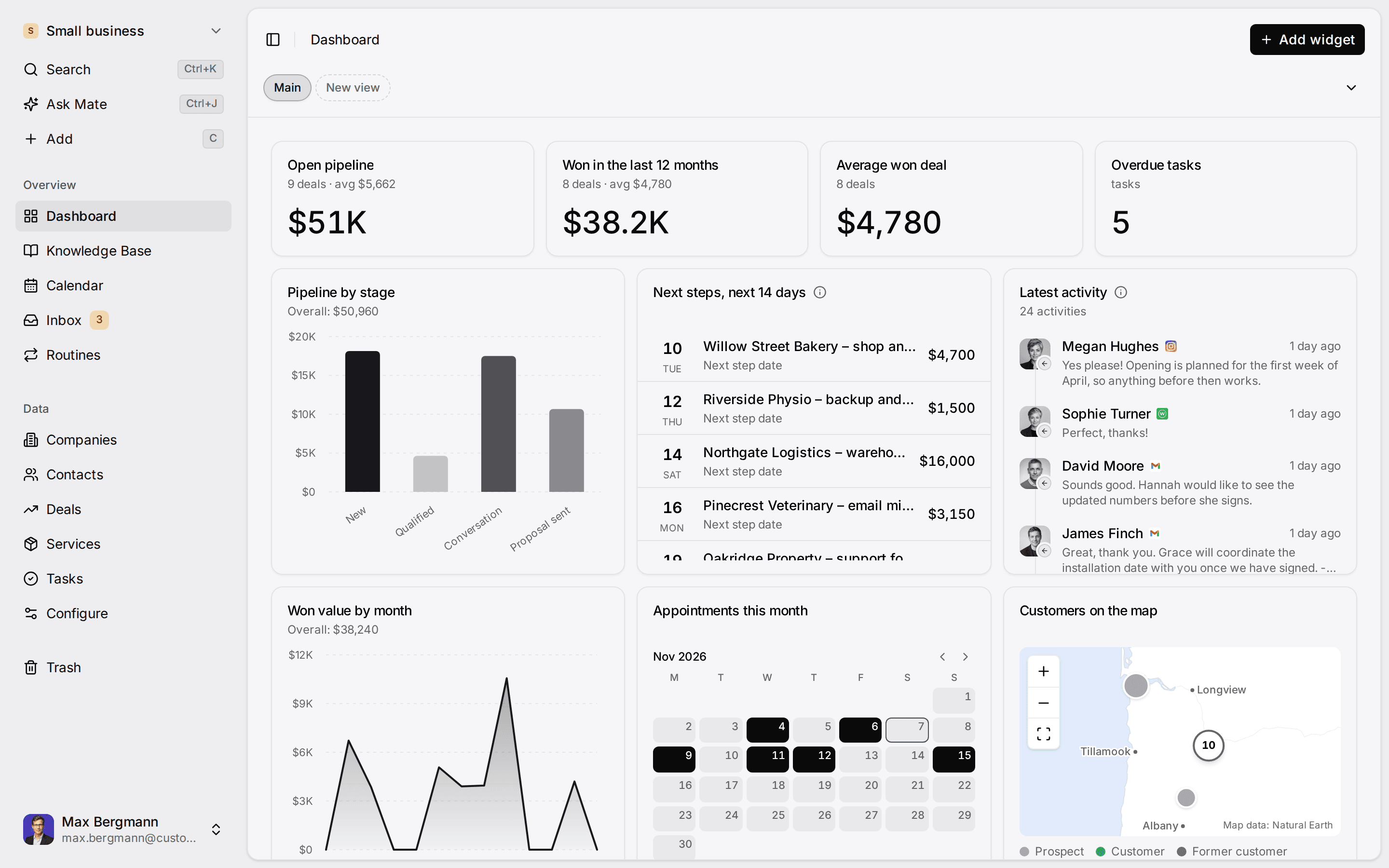
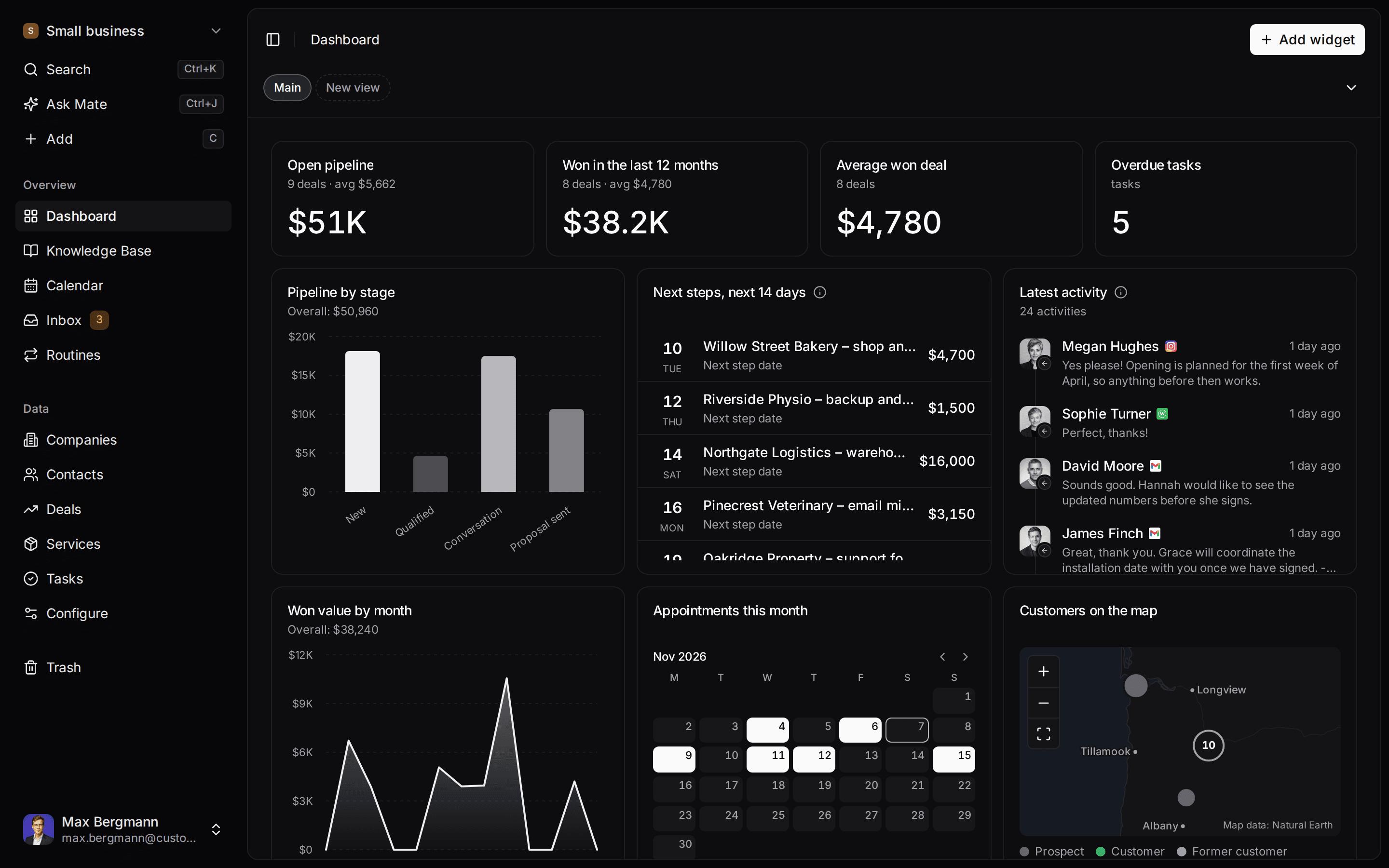
This is what setup builds from one sentence. Sample data, the real product.
Describe your business
One sentence about your team, your clients and how you sell.
Mate builds it
It asks a few questions, then creates the lists, pipeline, dashboard and playbook.
Work in it
Connect LinkedIn and email. Click through a finished example below.
We're a four-person strategy consultancy. Track clients, engagements and proposals, and help us follow up with prospects on LinkedIn.
- Mate
- Claude
- ChatGPT
- Cursor

 Mate
 Claude
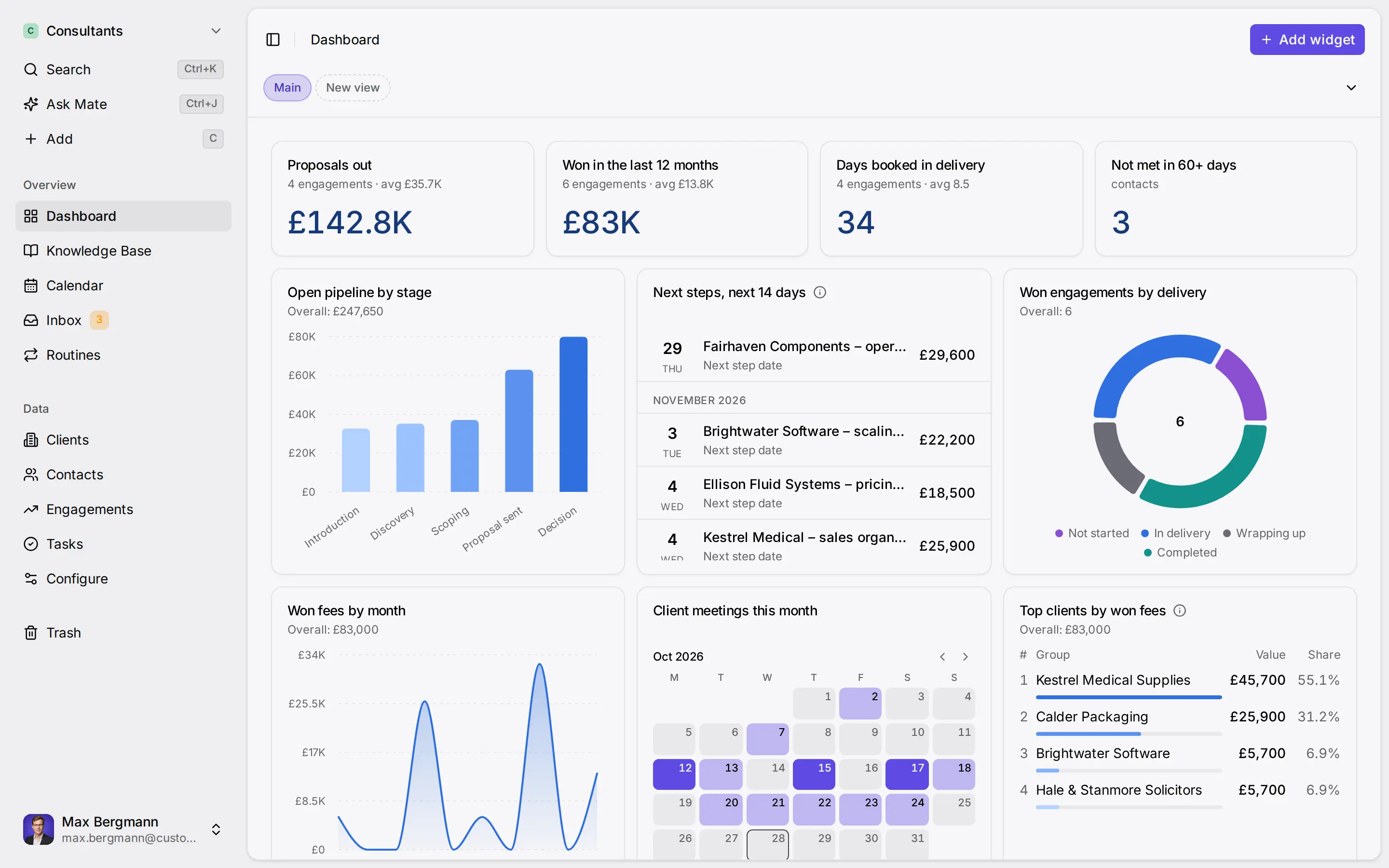
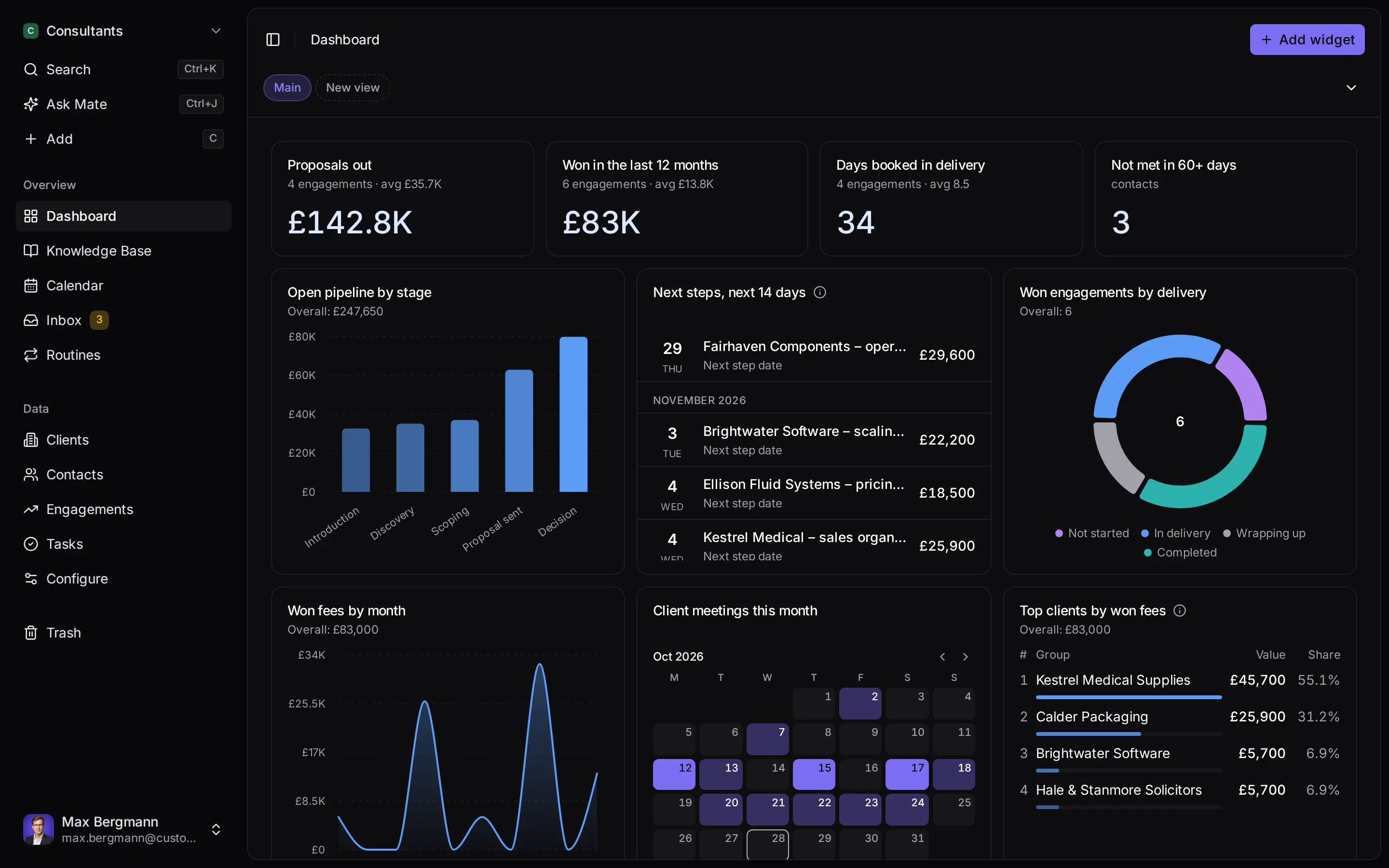
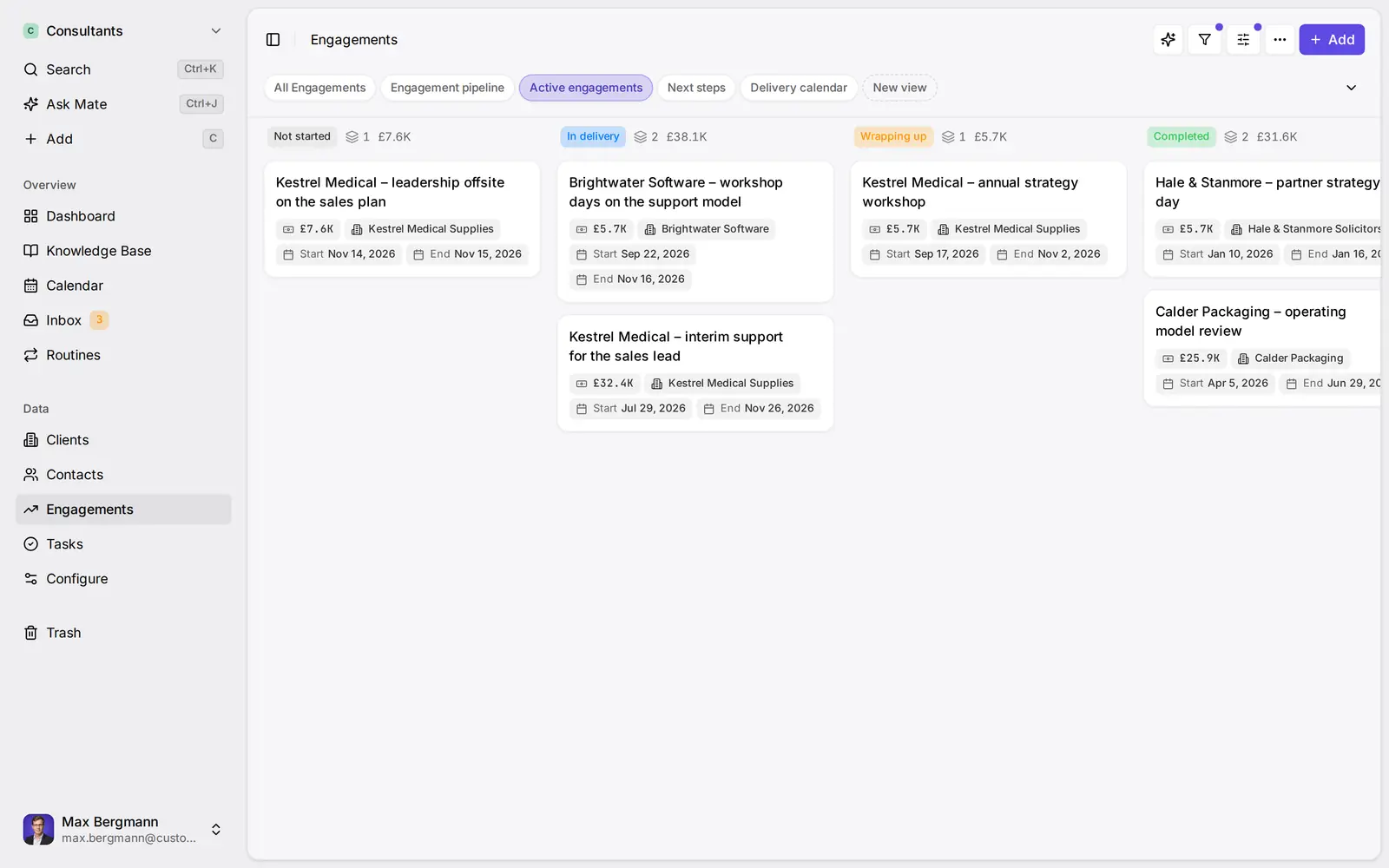
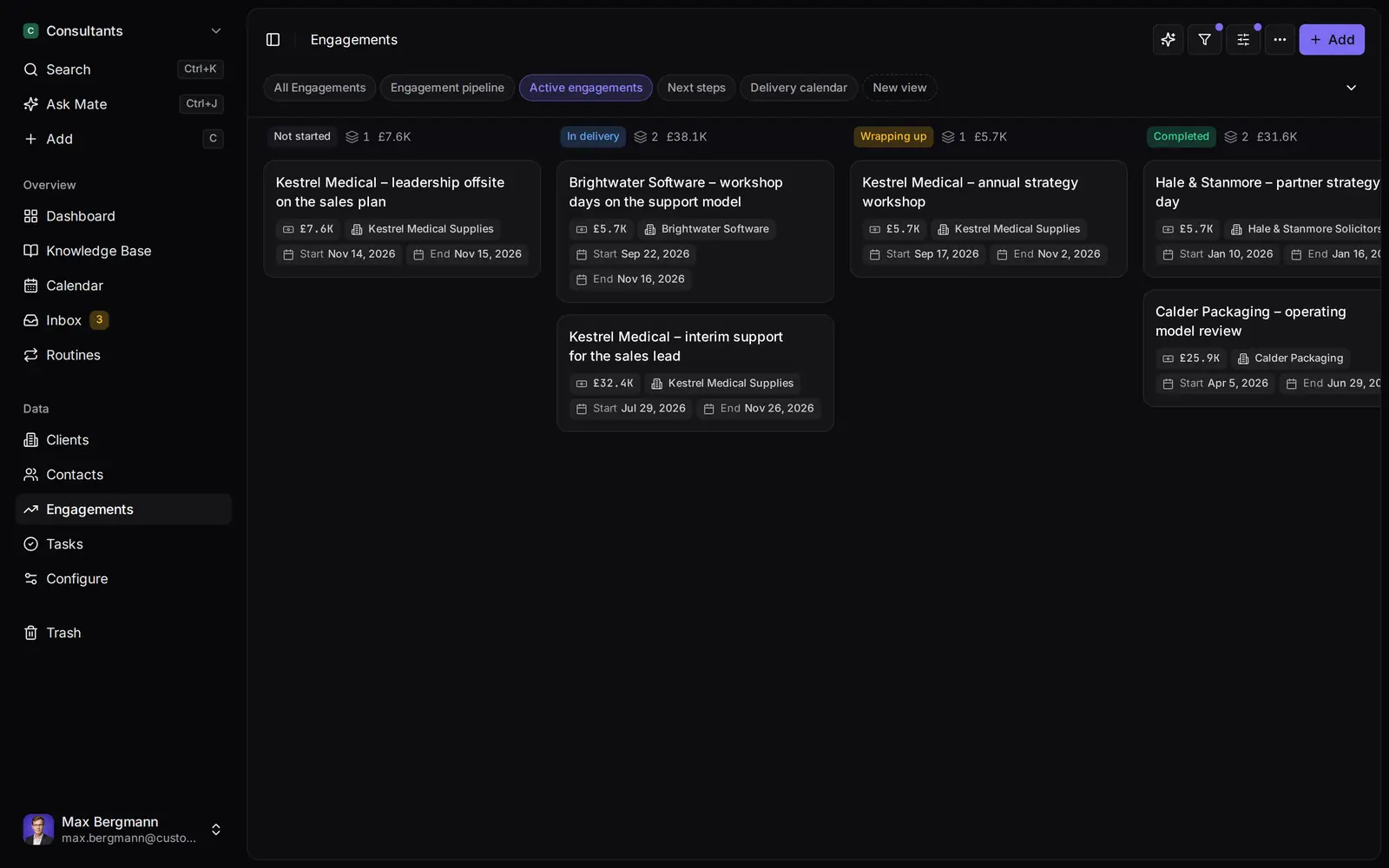
Widgets built from the workspace's own lists and fields
Side by side
Customermates vs. Copper: Feature Comparison
Pricing & Plans
Price per user / month, monthly billing
- Customermates
- Starter €12, Pro €29, Business €69
- Copper
- Basic $29, Professional $69, Business $134 per seat
Billed yearly
- Customermates
- Monthly billing only
- Copper
- $23, $59 and $99 per seat per month, paid annually (up to 26% off)
Free plan
- Customermates
- 1 person, 250 records, no inbox or Mate
- Copper
- None listed on the pricing page
Free trial
- Customermates
- 14 days, no credit card
- Copper
- No credit card; its LinkedIn page names 14 days
Record limit
- Customermates
- 250 records on Free; see the pricing page for paid plans
- Copper
- Contacts: 2,500 on Basic, 15,000 on Professional, unlimited on Business
Conversations
Gmail
- Customermates
- A channel of the unified inbox (Pro+); no Gmail sidebar or Chrome extension
- Copper
- Chrome extension in Gmail and Google Calendar, plus Gmail email, contact and file sync on every plan
Outlook and IMAP
- Customermates
- In the same inbox as Gmail (Pro+)
- Copper
- Gmail focus; its partner page says no native Microsoft 365 integration
Email history on a record
- Customermates
- History imports in the background when you connect the account
- Copper
- One year of email once a contact is added to Copper
Who sees synced email
- Customermates
- Private by default; share a single thread, or a whole account on Business
- Copper
- Public to the team by default; can be set to private by default
LinkedIn
- Customermates
- Chats, InMail, Sales Navigator and Recruiter threads in the inbox (Pro+); no profile capture extension
- Copper
- Chrome extension captures profiles into records; message sync is listed as coming soon
WhatsApp, Instagram, Telegram
- Customermates
- In the unified inbox (Pro+)
- Copper
- Not listed on its pricing or Google Workspace pages
Connected accounts per user
- Customermates
- Pro 1, Business 3; no inbox on Starter
- Copper
- Your Google accounts through the Google Workspace integration
Calls and SMS
- Customermates
- Copper
- Mobile app logs calls and SMS; JustCall and RingCentral integrations from Professional
AI & Automation
MCP server
- Customermates
- Every plan and self-hosted, 59 tools
- Copper
- Listed as coming soon in a support article; none documented
AI assistant
- Customermates
- Mate and Routines (Customermates Cloud, hosted AI credits)
- Copper
- Copper GPT in ChatGPT, read-only; AI email template generator and rewriter from Professional
Follow-ups and reminders
- Customermates
- No task due dates or reminders; a date field, saved views and an Upcoming widget
- Copper
- Reminders and tasks on every plan; deal recommendations that suggest next steps
Workflow automation
- Customermates
- Routines you write (Customermates Cloud)
- Copper
- Task automation on every plan, workflow automation from Professional
Bulk email and sequences
- Customermates
- Copper
- Bulk email from Professional, email series on Business
Contact enrichment
- Customermates
- Copper
- On every plan
Web forms
- Customermates
- Copper
- Forms on every plan
REST API and webhooks
- Customermates
- REST API on every plan, webhooks on paid plans and self-hosted
- Copper
- Developer API with OAuth 2.0 and webhooks; the pricing table lists the API and embedded integration SDK from Professional
Mobile apps
- Customermates
- Copper
- iOS and Android on every plan
Licence, Hosting & Access
Open-source licence
- Customermates
- AGPL-3.0 core
- Copper
- Not listed
Self-hosting
- Customermates
- Docker Compose (core CRM without inbox or Mate)
- Copper
- No self-hosted edition listed
Data location
- Customermates
- Database configured in the AWS Frankfurt region
- Copper
- Servers in the United States; Copper says it cannot store data elsewhere
Single sign-on
- Customermates
- Copper
- Okta single sign-on on Business
  | Copper | |
|---|---|---|
| Pricing & Plans | ||
| Price per user / month, monthly billing | Starter €12, Pro €29, Business €69 | Basic $29, Professional $69, Business $134 per seat |
| Billed yearly | Monthly billing only | $23, $59 and $99 per seat per month, paid annually (up to 26% off) |
| Free plan | 1 person, 250 records, no inbox or Mate | None listed on the pricing page |
| Free trial | 14 days, no credit card | No credit card; its LinkedIn page names 14 days |
| Record limit | 250 records on Free; see the pricing page for paid plans | Contacts: 2,500 on Basic, 15,000 on Professional, unlimited on Business |
| Conversations | ||
| Gmail | A channel of the unified inbox (Pro+); no Gmail sidebar or Chrome extension | Chrome extension in Gmail and Google Calendar, plus Gmail email, contact and file sync on every plan |
| Outlook and IMAP | In the same inbox as Gmail (Pro+) | Gmail focus; its partner page says no native Microsoft 365 integration |
| Email history on a record | History imports in the background when you connect the account | One year of email once a contact is added to Copper |
| Who sees synced email | Private by default; share a single thread, or a whole account on Business | Public to the team by default; can be set to private by default |
| Chats, InMail, Sales Navigator and Recruiter threads in the inbox (Pro+); no profile capture extension | Chrome extension captures profiles into records; message sync is listed as coming soon | |
| WhatsApp, Instagram, Telegram | In the unified inbox (Pro+) | Not listed on its pricing or Google Workspace pages |
| Connected accounts per user | Pro 1, Business 3; no inbox on Starter | Your Google accounts through the Google Workspace integration |
| Calls and SMS | Mobile app logs calls and SMS; JustCall and RingCentral integrations from Professional | |
| AI & Automation | ||
| MCP server | Every plan and self-hosted, 59 tools | Listed as coming soon in a support article; none documented |
| AI assistant | Mate and Routines (Customermates Cloud, hosted AI credits) | Copper GPT in ChatGPT, read-only; AI email template generator and rewriter from Professional |
| Follow-ups and reminders | No task due dates or reminders; a date field, saved views and an Upcoming widget | Reminders and tasks on every plan; deal recommendations that suggest next steps |
| Workflow automation | Routines you write (Customermates Cloud) | Task automation on every plan, workflow automation from Professional |
| Bulk email and sequences | Bulk email from Professional, email series on Business | |
| Contact enrichment | On every plan | |
| Web forms | Forms on every plan | |
| REST API and webhooks | REST API on every plan, webhooks on paid plans and self-hosted | Developer API with OAuth 2.0 and webhooks; the pricing table lists the API and embedded integration SDK from Professional |
| Mobile apps | iOS and Android on every plan | |
| Licence, Hosting & Access | ||
| Open-source licence | AGPL-3.0 core | Not listed |
| Self-hosting | Docker Compose (core CRM without inbox or Mate) | No self-hosted edition listed |
| Data location | Database configured in the AWS Frankfurt region | Servers in the United States; Copper says it cannot store data elsewhere |
| Single sign-on | Okta single sign-on on Business |
Switching over
How to switch.
- 01
Import your spreadsheet
Export contacts and deals from your current CRM as Excel or CSV, then use Add from file, one list at a time.
- 02
Connect LinkedIn and email
From Pro, connect LinkedIn, Gmail, Outlook or WhatsApp under Settings, Channels & calendars. Each conversation shows on the linked contact.
- 03
Let Mate draft
In Customermates Cloud, ask Mate for drafts. It writes the reply and the next step, and you review and send it. Your own AI agent can draft through MCP too.
Ways you can use it
Pick the job. The workspace follows.
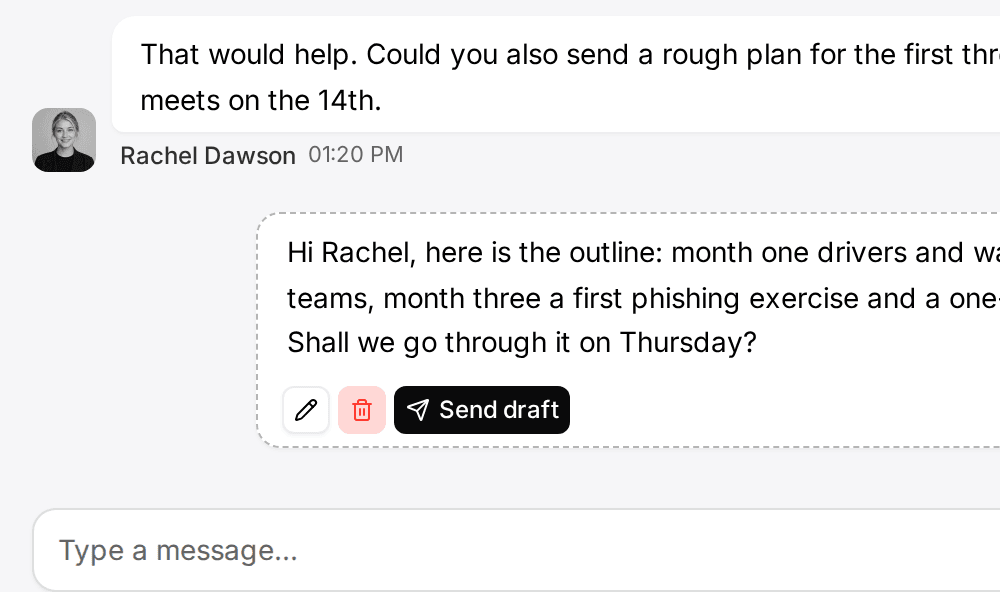
- Follow up on LinkedIn conversationsLinkedIn and email threads sit on the client. Mate drafts the reply and dates the next step, and you review and send it in the conversation.See LinkedIn in the inbox
- Follow up on every proposal after the callClients, engagements and proposals with the conversations behind them, and a dated next step on each.CRM for consultants
- Keep client next steps on one dashboardEvery client gets a dated next step, and your dashboard shows what is due across all of them.See follow-up
- Let your own Claude or ChatGPT work in your CRMConnect Claude, ChatGPT, Cursor or another MCP client. It reads and updates your workspace within your permissions.Connect your agent

The right Copper alternative depends on where you want the CRM to live: Copper CRM is the better fit when you want a Chrome extension inside Gmail and the rest of Google Workspace, while Customermates suits small teams that want LinkedIn conversations next to email on the client, a Free plan and an open-source licence. Customermates publishes this comparison; every Copper detail comes from copper.com and was checked on 10 November 2026.
Which CRM fits which team: Copper or Customermates?
| Your situation | Better fit | Why |
|---|---|---|
| You want the CRM inside Gmail: contact cards, tasks and reminders beside the inbox | Copper | Its Chrome extension brings Copper into Gmail and Google Calendar; Customermates has no Gmail sidebar and mail reaches it only through the connected account |
| You want LinkedIn conversations next to email on the client | Customermates Pro or Business | LinkedIn chats, InMail and Sales Navigator threads sit in the inbox; Copper's LinkedIn page describes profile capture and lists message sync as coming soon |
| You want contact enrichment, bulk email, email series or web forms | Copper | Enrichment and forms are on every Copper plan, bulk email from Professional and email series on Business; Customermates has none of them |
| You want a free plan after the trial | Customermates | Free covers 1 person and 250 records; Copper's pricing page lists a free start, not a free plan |
| You want Claude or ChatGPT to read and update the CRM | Customermates | The MCP server has 59 tools on every plan; Copper lists an MCP as coming soon, and its Copper GPT is read-only |
| You need an open-source licence or your own server | Customermates | The AGPL-3.0 core self-hosts with Docker Compose, without the inbox and Mate; Copper lists no self-hosted edition |
| Your team works in Outlook or Microsoft 365 as well | Customermates Pro or Business | Outlook and IMAP sit in the same inbox; Copper's partner page says it has no native Microsoft 365 integration |
| You want iOS and Android apps | Copper | Mobile apps are on every Copper plan; Customermates runs in the phone's browser |
What is Copper CRM, and who is it a good choice for?
Copper describes itself as the CRM software built into Google Workspace, and the pages we read back that up. It is a hosted CRM for relationship-driven teams, with agencies and consulting firms as the industries it names first.
- Gmail, Calendar and Drive. A Chrome extension adds Copper to Gmail and Google Calendar on desktop. Hover over a contact for conversation and activity details, see CRM reminders and tasks beside the inbox, and send or reply to email from a Copper record. Gmail email, contact and file sync, Google Calendar sync, Google Contact sync and Google Drive linking are on every plan; Google Sheets and Looker Studio reporting starts at Professional.
- Email that follows the contact. Once you add a contact to Copper, it syncs one year of email with that contact. Copper does not add contacts for you; you decide who goes in.
- Pipelines, projects and tasks. Customizable sales pipelines, project pipelines for delivery after a deal closes, tasks, reminders and a global activity feed come with every plan.
- AI. Copper's pricing table lists an AI email template generator and an AI email rewriter from Professional. Its Google Workspace page names Gemini quick replies and AI-suggested follow-ups in Gmail. Copper GPT is a read-only assistant inside ChatGPT.
- Reach beyond the desktop. iOS and Android apps, a LinkedIn Chrome extension and Zapier on every plan, and Slack, Mailchimp, DocuSign and QuickBooks integrations from Professional.
If your whole team works in Gmail and wants the CRM inside it, Copper is built for exactly that, and switching will probably cost you more than it saves.
How much does Copper cost, and is there a free plan?
Prices checked on 10 November 2026 on Copper's pricing page. Copper sells three plans in US dollars, excluding taxes and fees where applicable: Basic at $29, Professional at $69 and Business at $134 per seat per month on monthly billing. Billed annually, the same plans cost $23, $59 and $99 per seat per month, which Copper advertises as up to 26% off.
What each plan adds, from the pricing page:
- Basic: 2,500 contacts, 25 custom fields, task automation, pipelines, project management and contact enrichment.
- Professional: 15,000 contacts, 50 custom fields, workflow automation, bulk email, reporting and integrations.
- Business: unlimited contacts and custom fields, email series, custom reports, multi-currency and premium support.
The pricing page lists no free plan. It says to start free with no credit card, and its LinkedIn page names a 14-day trial. Copper prices in US dollars and Customermates bills monthly in euros; the table does not convert between them.
| Plan for five people | Monthly billing | What stands out |
|---|---|---|
| Copper Basic | $145 | Gmail sync, Chrome extension and LinkedIn profile capture; 2,500 contacts |
| Copper Professional | $345 | Workflow automation, bulk email, reporting, integrations, API; 15,000 contacts |
| Copper Business | $670 | Email series, custom reports, multi-currency, Okta single sign-on; unlimited contacts |
| Customermates Starter | €60 | No inbox |
| Customermates Pro | €145 | 1 connected account per user, Mate, MCP |
| Customermates Business | €345 | 3 connected accounts per user, shared accounts |
These rows do not buy the same things, so read them in pairs:
- Copper Basic is the cheapest way to get Gmail inside a CRM. Gmail sync and the Chrome extension are on every Copper plan. In Customermates, Gmail sync starts at Pro, and Starter has no inbox.
- Copper Professional and Customermates Pro are the closest pair. Copper adds bulk email, workflow automation, enrichment, reporting and mobile apps. Customermates Pro adds LinkedIn conversations, WhatsApp, Instagram and Telegram in the inbox, an MCP server, an open-source core and a Free plan to fall back on after the trial.
- LinkedIn and Gmail side by side cost a Business seat in Customermates. One Pro account is Gmail or LinkedIn, not both. Business includes 3 accounts per user and lets you share a whole account with the team.
- Copper's price follows features and contact limits. Workflow automation, the API and most integrations need Professional, and email series, custom reports and Okta single sign-on need Business.
Does Copper work with LinkedIn?
Copper works with LinkedIn through a Chrome extension that captures profiles. According to its LinkedIn page, checked on 10 November 2026, one click creates a record from a LinkedIn profile and fills in name, title and company, and enrichment can find a verified email address. Copper matches the profile to your existing leads, people or companies, and an Update button pulls a changed title or company into the record.
The same page lists LinkedIn conversations as not there yet: "Coming soon: Sync direct messages from LinkedIn into the CRM", with smart summaries. It also says capturing from LinkedIn Sales Navigator is coming. So today, Copper helps you put a LinkedIn contact into the CRM, and the conversation with that person stays on LinkedIn.
Customermates works the other way round. It has no capture extension and no enrichment, but from Pro the conversations themselves are in the inbox: LinkedIn chats, InMail, Sales Navigator and Recruiter threads, each matched to a contact. If your team wins clients on LinkedIn and wants the chat history beside the Gmail thread, that is the difference. The LinkedIn integration page lists the limits, such as no bulk invites and no sequences.
Why do teams look for a Copper alternative?
LinkedIn messages are not on the client record yet. Copper's page promises message sync as a future feature. Teams that follow up on LinkedIn today keep that half of the conversation outside the CRM.
Plan limits decide what you can do. On Basic you get 2,500 contacts and 25 custom fields, and workflow automation, bulk email, reporting and the API start at Professional. A team that outgrows Basic moves to the $69 plan, and one that needs email series or custom reports to the $134 plan.
A Google Workspace focus. Copper calls itself purpose-built for Google Workspace, and its partner page says it does not currently offer a native Microsoft 365 integration. That is a strength for a Gmail team and a gap for a team that mixes Gmail and Outlook.
Data hosting in the United States. Copper's privacy policy, last updated 11 May 2026, says its servers are in the United States and that it cannot accommodate requests to store data elsewhere. It lists participation in the EU-U.S. Data Privacy Framework and applies Standard Contractual Clauses to EU customers through its terms. As the controller, you assess whether that fits your own data processing agreement.
No free plan, and no MCP server yet. The pricing page lists a free start but no permanent free plan. A support article lists "Coming soon: Copper MCP", and Copper GPT works inside ChatGPT on a paid ChatGPT plan and only reads data; it cannot create, edit or delete anything in your account.
Where does Customermates fit?
Customermates is our product, so check each line against its own docs. It is an open-source CRM made in Germany for small client-facing teams: the conversation sits on the client, a date field holds the next step, and Mate or your own AI client drafts the reply that you review and send.
Gmail and LinkedIn beside each client. From Pro, the unified inbox brings Gmail, Outlook and IMAP mailboxes, LinkedIn, WhatsApp, Instagram and Telegram into one list, and you reply on the original channel. Connecting Gmail takes a Google sign-in under Settings, Channels, and the history imports in the background. Link a participant to a contact once, and every conversation with that address or handle shows on the contact's timeline. Our Gmail CRM integration guide compares the sidebar, sync and BCC approaches, including Copper's. Customermates caps sending at 300 emails a day per connected Gmail account, below Google's own limits; see the messaging rate limits.
Private by default. Your conversations are private; admins cannot read them either. You share a single thread with the team, or, on Business, a whole connected account.
A next step on every client. Add a date field such as "Next contact" to contacts or deals, sort a saved view by it and add an Upcoming widget to the dashboard. The follow-up guide walks through it. Nothing pings you; you open the list.
AI that drafts for you. In Customermates Cloud, Mate summarizes threads, drafts replies, updates records and builds views, using hosted AI credits: a monthly allowance per active user, listed on the pricing page. Mate sends a message without asking when you tell it to send, so ask for drafts when you want to review first. Prefer Claude or ChatGPT? Connect it to the MCP server, with 59 tools on every plan, Free included, and on self-hosted installs. Its model calls then run on your own AI provider, and our guide to CRMs with Claude shows how the options compare.
Open source, with a hosting choice. The AGPL-3.0 core runs with Docker Compose and PostgreSQL 16, including REST, webhooks and MCP. A self-hosted install has no inbox, no Mate and no hosted credits. In Customermates Cloud the database is configured in the AWS Frankfurt region, a DPA is available, and the subprocessors, including US providers, are listed on the legal pages. Customermates holds no compliance certification.
Where is Customermates the wrong choice?
Check these before you start a trial:
- No Gmail sidebar and no Chrome extension. Mail reaches Customermates only through the connected account, and you work in the inbox or on the contact. If you want the CRM inside the Gmail window, choose Copper.
- No profile capture and no enrichment. Contact data is what your team or your AI client enters, and a LinkedIn profile does not land in the CRM with one click.
- No bulk email, no email series and no sequences. Messages go out one at a time, written by you or drafted by Mate.
- No web forms. There is no embeddable lead-capture form.
- No reminders and no task due dates. A date field and an Upcoming widget show what is due, but nothing sends a notification.
- Read-only calendar. Customermates shows calendar events from your Google account but does not create, change or book them; Copper's calendar sync creates and manages events.
- A narrower Google connection. Customermates connects Gmail and Google Calendar. Copper also lists Google Drive linking, Google Contact sync and a Sheets and Looker Studio integration.
- No phone, SMS, mobile apps or single sign-on. Customermates has no telephony, no native iOS or Android app and no SSO.
- One connected account per user on Pro. Gmail and LinkedIn for the same person need Business.
- A small free plan. Free covers 1 person and 250 records, without the inbox, Mate or routines; more needs a paid plan after the 14-day trial.
What does a Gmail and LinkedIn setup look like in Customermates?
Take a three-person agency on Google Workspace that wins clients on LinkedIn. Everyone answers from Gmail, and two partners also write to prospects on LinkedIn.
| In Copper | In Customermates |
|---|---|
| People and companies | Contacts and organizations |
| A sales pipeline with stages | Deals with a stage field: Lead 10%, Proposal 40%, Negotiation 70%, Won 100%, Lost 0% |
| A task with a reminder | A date field "Next contact" and an Upcoming widget; no reminder is sent |
| The Chrome extension in Gmail | Gmail connected as a channel; the thread shows in the inbox and on the contact |
| A LinkedIn profile captured with the extension | The LinkedIn conversation in the inbox, linked to the contact |
| Enrichment and bulk email | Not available; notes by hand or through your AI client |
Each partner who needs Gmail and LinkedIn side by side needs a Business seat, which includes 3 connected accounts per user. For three people that is €207 a month. If everyone sticks to one channel, Pro fits at €87 a month for the team.
Each partner also owns a routine for the Monday follow-up. A routine runs as its owner, so it sees that person's contacts and saves drafts in their own channels. It runs in Customermates Cloud and uses hosted AI credits:
Every Monday at 8:00, find the contacts assigned to me whose "Next contact" date is today or earlier. For each one, read our latest conversation and save a short follow-up draft in it. Do not send anything. List the contacts in the run summary.
How do I move from Copper to Customermates?
The how-to-switch steps above the article cover the basics. Three details are specific to a move from Copper:
- Getting the data out. According to Copper's export guide, checked on 10 November 2026, admins export people, companies, opportunities, projects, tasks and leads from Workspace Settings. Copper emails a link to an .xlsx file. Activities, which hold calls, notes and logged emails, are not part of that export: Copper says to contact its support for a one-time activity export.
- Importing. Customermates reads a JSON export of a list, .xlsx, .xls and .csv files through Add from file, up to 10 MiB and 5,000 non-blank rows per sheet. Import organizations first, then contacts, then deals. Link columns match records by name, and new contacts need a first and a last name. Map email addresses and phone numbers to the contact's Contact details field. Copper's leads, projects and tasks have no preset counterpart: create a list for each in Configure, and add a date field to tasks that need one. Limits are in the records guide.
- Conversations. You do not need Copper's email log. Connecting Gmail in Customermates starts a history import in the background, so past threads show on the contacts whose address matches. Connect LinkedIn the same way, and link the rest once by hand.
Which other CRMs do people compare with Copper?
Customermates publishes this list, so check each line on the vendor's own site. Searches for a Copper alternative often lead to the two big names below.
- HubSpot comes up in searches such as "Copper vs HubSpot". Both offer a Chrome extension for Gmail, according to our Gmail CRM guide, checked on 3 November 2026. For HubSpot's plans and prices, see the HubSpot alternative page.
- Pipedrive is the other common comparison, and Copper publishes its own Copper vs. Pipedrive page. See the Pipedrive alternative page for how it compares with Customermates.
Frequently asked questions
What is Copper CRM?
Copper is a hosted CRM that describes itself as the CRM software built into Google Workspace. It adds a Chrome extension to Gmail and Google Calendar, syncs email, contacts, files and calendar events, and offers pipelines, projects, tasks, reminders and a LinkedIn Chrome extension. Its pricing page lists three plans, Basic, Professional and Business.
How much does Copper cost?
Copper's pricing page lists Basic at $29, Professional at $69 and Business at $134 per seat per month on monthly billing, checked on 10 November 2026. Billed annually, the plans cost $23, $59 and $99 per seat per month, up to 26% off. Prices are in US dollars and exclude taxes and fees where applicable. Customermates Starter is €12, Pro €29 and Business €69 per user per month, billed monthly in euros.
Is Copper free, and is there a free alternative?
Copper's pricing page lists no free plan, only a free start without a credit card; its LinkedIn page names a 14-day trial. Customermates has a Free plan for 1 person and 250 records, without the inbox, Mate or routines, plus a 14-day trial of Pro with no credit card. Its open-source core can also be self-hosted without a licence fee.
Does Copper integrate with LinkedIn?
Yes, through a Chrome extension that captures LinkedIn profiles into Copper records, fills in details, finds verified emails and matches existing records. Syncing LinkedIn direct messages into the CRM is listed on Copper's LinkedIn page as coming soon. In Customermates, LinkedIn conversations, Sales Navigator and Recruiter InMail included, arrive in the inbox from Pro and you reply from there.
Does Copper have an MCP server like Customermates?
Not yet, according to Copper's own pages. A support article lists "Coming soon: Copper MCP", and Copper GPT, a read-only assistant inside ChatGPT, is the AI access it documents. Customermates includes an MCP server with 59 tools on every plan and on self-hosted installs, so Claude, ChatGPT or another MCP client can read and update the CRM.
Where does Copper store data?
Copper's privacy policy, last updated 11 May 2026, says its servers are in the United States and that it cannot accommodate requests to store data in other locations. Customermates has its cloud database configured in the AWS Frankfurt region, offers a DPA and lists its subprocessors, including US providers. As the controller, you make the final assessment for your own use.
Copper vs HubSpot: which fits a Gmail team?
Both offer a Chrome extension for Gmail, and our Gmail CRM guide, checked on 3 November 2026, lists HubSpot's free CRM for up to 2 users where Copper lists no free plan. Copper is built around Google Workspace and lists no native Microsoft 365 integration. Our HubSpot alternative page covers HubSpot's side, and this page covers Copper's.
Is there an open-source alternative to Copper?
Yes. Customermates has an AGPL-3.0 core that you can self-host with Docker Compose; the inbox and Mate exist only in Customermates Cloud. Copper lists no open-source or self-hosted edition.
Competitor details checked on 10 November 2026 against Copper's pricing page, Google Workspace page, LinkedIn page, partner page, privacy policy, Send and Reply guide, getting-started article, Copper GPT article, export guide and Developer API. Plan assignments come from the comparison table on the pricing page. The HubSpot lines come from our own Gmail CRM guide, checked on 3 November 2026.
Conclusion
Copper is the better tool when the CRM should live inside Gmail and Google Workspace, with contact cards, tasks, enrichment, bulk email and mobile apps close at hand. Customermates fits small client-facing teams that want LinkedIn conversations next to email on the client, a Free plan, an open-source licence and an MCP server for their own AI. To test the fit, start a free trial, connect Gmail and LinkedIn and add a Next contact date to ten of your clients.
Related pages
HubSpot alternative
HubSpot alternatives for small teams: HubSpot prices and onboarding checked 2 November 2026, and where Customermates, Pipedrive, Zoho CRM and Twenty fit.
LinkedIn CRM Integration
LinkedIn CRM integration: chats and Sales Navigator on each deal, email beside them, a reply you send. Compared with folk, Breakcold, Kondo (Nov 2026).
Unified CRM Inbox
One CRM inbox for Gmail, Outlook, IMAP, LinkedIn, WhatsApp, Instagram and Telegram: each conversation on its client, replies drafted. Cloud from Pro.
Gmail CRM Integration: How to Choose a CRM for Gmail
Gmail CRM integration explained: sidebar, mailbox sync or BCC, what each syncs, a checklist and CRMs for Gmail compared (checked 3 November 2026).
Customermates
Comparing Copper and Customermates?
Start a trial, connect Gmail and LinkedIn, and add a Next contact date to a handful of clients. You will see quickly whether your conversations and your follow-up routine fit the Customermates model.
✓ No credit card required ✓ First 14 days free