

Claude for Sales: Research, Call Prep, Follow-Up and Pipeline Review
How to use Claude in a sales week when the client data lives in your CRM: prompts for each task, what to review before anything goes out, and what Claude cannot do.

 by Benjamin Wagner
Claude for sales means using Claude as the research and writing partner in your sales week: it prepares account briefs and call notes, drafts follow-ups and reads your pipeline, while the client data stays in your CRM and Claude reaches it over MCP. Claude drafts, summarizes and asks questions; a person checks every fact and sends every message.
This guide follows one sales week: Monday pipeline review, research and call prep, notes after the call, follow-up drafts and the Friday check on quiet deals. Each step has a prompt you can copy, a list of what to verify and the limits that apply. Customermates publishes this guide and appears in one labelled section near the end.
- Give Claude the facts through your CRM, ask it to prepare, and keep the decision and the send button with a person.
- A CRM with an MCP server, added in Claude as a custom connector. Anthropic offers custom connectors on Free (one), Pro, Max, Ultra, Team and Enterprise.
- Claude guesses names, roles and dates it was not given, sends nothing by itself in a plain chat, and does not book meetings, call or run sequences.
- Set read tools to Always allow and keep every tool that writes or sends on Needs approval.
- Customermates publishes this guide. Claude details were checked on 12 November 2026 against Anthropic's own pages. The prompts are templates, not measured results.
What can Claude do in a sales week?
| When | Job | What Claude does | What you check |
|---|---|---|---|
| Monday | Pipeline review | Reads the open deals in the CRM and lists those with no recent activity or no next step | Whether the CRM fields it relied on are filled in |
| Before a call | Account research and call prep | Builds a one-page brief from the CRM record, past notes and what you paste or a web search finds | Names, roles and dates against the source |
| After a call | Notes to CRM | Turns your notes into a summary, next steps and field updates | Owners and dates it guessed; "not stated" is the right answer when your notes are silent |
| Same day | Follow-up draft | Reads the thread on the client record and writes a reply | Every promise, price and date; you send it |
| Friday | Quiet-deal check | Finds clients you wrote to last and heard nothing back from, and drafts a nudge | Whether a nudge is right for this person (needs email or chat in the CRM) |
Claude answers when you ask; it does not watch your pipeline between conversations. For a Monday review that runs without you, a CRM with its own scheduled assistant is the better tool (Customermates Cloud has Routines for this, see below).
What can Claude not do for sales?
| Claude cannot | Why it matters | What to do |
|---|---|---|
| Know what you did not give it | It fills gaps with plausible names, roles and dates. Anthropic's web search shows citations, and its help article still tells you to cross-check them | Ask it to write "not stated" and mark guesses; check anything that goes to a buyer |
| Send on its own in a plain chat | Without a connector there is no send action. With a connector that has a send tool, a call sends at once | Ask for a draft and send it yourself |
| Reach a CRM that is not on the public internet | Anthropic runs custom connectors from its cloud, so the MCP server must be reachable from the internet (Anthropic help, checked 12 November 2026) | Use a CRM address that is public, or a client such as Claude Code that runs on your machine |
| Book meetings, call, run sequences or score leads | Customermates has no telephony, no sequence or mass-outreach engine, no lead scoring and only read access to connected calendars | Use the tools built for that and let Claude write the text |
| Decide price or promises | These are commitments only you can make | Keep them out of prompts, or review them line by line |
How does Claude get your client data?
| Route | How it works | How fresh | Fits | Watch for |
|---|---|---|---|---|
| Paste | You paste notes, a thread or a company page into the chat | As fresh as what you paste | One-off questions | Easy to leave out the context that matters |
| Project knowledge | You upload files and instructions into a Claude Project. Anthropic lists Projects on Free too (up to five), and sharing with colleagues only on Team and Enterprise | As old as the file | Your offer, ideal client, tone and a few client stories | Files do not update themselves |
| CRM connector over MCP | Claude calls the CRM's tools and reads and writes live records with your permissions | Live | Teams whose clients and history are in a CRM | Plan needed on both sides, and permissions you must set |
The third route is what makes the weekly routine work, because Claude then reads the same records you do. What is an MCP server explains the protocol, the Claude connectors guide explains directory and custom connectors, and the Claude CRM guide compares which CRMs offer a Claude connector and on which plan.
Put your offer in five sentences, your ideal client, your tone rules and two or three client stories you may mention into one Project, so every chat starts with that context. Keep it to what you would show a new colleague.
How do I connect Claude to my CRM for sales work?
The steps are the same for any CRM with a remote MCP server. Customermates is the worked example here; the connector guide has the full steps and a troubleshooting table.
Check who can add the connector
On Free, Pro and Max you add it yourself, and Free allows one custom connector. On Team, only Owners and Primary Owners add it, and then each member connects individually.
Add the CRM in Claude
Open Customize › Connectors, click +, choose Add custom connector, name it and paste the server URL. In Customermates, Settings › API keys & connectors, Add, Claude, Claude account shows the URL of your current workspace with a copy button.
Sign in and approve
The CRM opens a sign-in window. Read the access it asks for, then approve. From then on Claude acts as you, with your role's permissions.
Set tool permissions
Under Customize › Connectors, select the connector. Anthropic lets you set each permission to Always allow, Needs approval or Blocked. Allow reads; keep anything that writes, sends or deletes on Needs approval.
Prove it with one read and one update
Ask for your open deals in one stage. Then change one field on a test record and open the record in the CRM to check the change is there.
Claude Code adds the same server from the terminal, with an API key instead of OAuth:
claude mcp add --transport http customermates https://<your-customermates-address>/api/v1/mcp \
  --header "x-api-key: YOUR_KEY"
Claude Code saves the entry without testing it, so check the connection with /mcp. The default scope is the current project only; --scope user makes the server available in all your projects. Keep API keys out of a .mcp.json file you commit. The CLI guide covers Customermates in Claude Code, and the MCP reference lists every tool.
Which prompts work for each task?
Replace the brackets with facts from your own workspace. Customermates has no preset stages, so use your own stage and list names. Run the first prompt read-only before you trust any of them.
Monday: pipeline review
List my open deals with organization, stage, value and the date of the last note or message.
Flag deals with no activity in 14 days and deals with no next step.
For each flagged deal, give me one question to answer before the review.
Read only. Do not change any record.
Check that the "next step" you asked about exists as a field in your workspace. Customermates has no built-in due dates or statuses on tasks; a dated next step on a deal is an ordinary date field that you add, and nobody is reminded automatically.
Before the call: account research and call prep
I have a call with [name] at [organization] at [time]. Read their records in the CRM:
the organization, the contact, the open deal, the last five notes and the latest
email or LinkedIn thread. Give me: what we agreed last time, what is still open,
three questions for the first ten minutes, and anything in the records that
contradicts something else. Mark each statement as "from the CRM" or "guess".
Keep CRM facts and web facts apart. If you ask Claude to search the web for news on the company, tell it to list the source for each item and read the source for anything you will say out loud.
After the call: notes to CRM
Here are my notes from today's call with [name] at [organization]: [paste].
Summarize them in three sentences and list next steps with owner and date as
stated in the notes. Then update the [organization] deal: set Stage to [Proposal]
and add the summary to its notes. If an owner or a date is missing, write "not stated".
With the connector's write tools on Needs approval, Claude asks before each change. After the first run, open the record and compare it with your notes.
Same day: follow-up draft
Find my latest thread with [name]. Summarize it in two lines, then write a reply of
under 120 words that confirms what we agreed and proposes the next step.
Save it as a draft. Do not send it.
This one needs email or chat in the CRM; in Customermates that is the unified inbox on Pro and higher. For wording and timing, the sales follow-up email guide has structures for the most common situations.
Does Claude work for a sales team and for prospecting?
For a team, the plan matters more than the prompt. On Team, an Owner adds the connector once and each member signs in individually, so each person works with their own CRM permissions. Owners can also set Always allow, Needs approval or Blocked for the whole organization, and members cannot override it. Projects can be shared on Team and Enterprise, either to view or to edit (Anthropic help, checked 12 November 2026).
For prospecting, Claude is useful for the thinking and the words: which of your open leads to contact first, what a first message should say given what you know, how to answer a reply. It does not give you a list of verified contacts, and Customermates has no sequences, mass outreach or lead enrichment. If you send more than a few dozen messages a week with follow-up steps, use a sales engagement tool for the sending and let Claude draft for it.
Which Claude should you use: the app, Claude Code or Mate?
- The Claude app fits most people. You add the connector once and it works on web, desktop and mobile with the same account.
- Claude Code runs in your terminal. It fits people who want to script a routine or keep prompts and templates as files, and it uses the same MCP server with an API key. Anthropic includes it in Pro.
- Mate is the assistant inside Customermates Cloud. It uses the monthly hosted AI credits per active user, drafts replies and runs Routines: saved instructions on a schedule or on record events, owned by one user and running with that user's permissions. A routine can send messages if its instructions say so, so write "do not send" into it. The routines page lists what a routine may do.
Which rules keep client data safe?
- Claude gets your permissions, not fewer. A Customermates connection or API key inherits the permissions of its user; there is no per-key scope. To give Claude less, connect it as a separate user with a narrower role, or add
?toolsets=records,messagingto the endpoint URL. - The client is the gate. Customermates tells connected clients to confirm before they delete or send, but does not enforce it. Your protection is Tool permissions in Claude.
- A send is a send.
send_emailandsend_chat_messagego out immediately. Ask for drafts and send from the inbox. - What Claude reads goes to Anthropic. Tool results become part of the conversation. Anthropic says that by default it does not use inputs or outputs from its commercial products, such as the API and Claude for Work, to train its models, while consumer plans (Free, Pro, Max) fall under separate terms and a separate policy (Anthropic privacy centre, checked 12 November 2026). Check which terms cover your plan before client data goes in; this is a working checklist, not legal advice.
- The Free request limit applies. On the Customermates Free plan, REST and MCP requests together are limited to 30 per minute and 200 per day per workspace, and a pipeline review across many deals can reach it. Paid plans and self-hosted instances have no request limit.
What does Claude for sales cost?
Claude prices from claude.com/pricing, checked on 12 November 2026, in USD with monthly payment: Pro is $20 per month, Team Standard is $25 per seat per month and Team Premium $125, for teams of two to 150. On a yearly subscription Pro is $17 per month and Team Standard $20 per seat. Pro includes Claude Code.
| Team | Claude | CRM, with Customermates as the example |
|---|---|---|
| Solo, records only | Free with one custom connector ($0), or Pro at $20 | Starter: €12 per month |
| Three people, records only | Team Standard: 3 × $25 = $75 per month | Starter, 3 seats: €36 per month |
| Three people, email, LinkedIn and WhatsApp in the CRM | Team Standard: $75 per month | Pro, 3 seats: €87 per month |
Customermates bills monthly per user. When Claude works through MCP, the model runs on your Claude plan, so it uses no Customermates hosted AI credits. Plan details are on the pricing page.
Where does Customermates fit?
Disclosure: Customermates publishes this guide. Customermates is an open-source, AI-native CRM built in Germany for small client-facing teams: consultants, agencies, other service businesses and founders. Its MCP endpoint is part of the AGPL core, so it works on every cloud plan and on self-hosted installations, with 59 tools. Claude works with the lists you set up, their notes and fields, and the workspace Knowledge Base; on Pro and higher the same connection reaches email, LinkedIn, WhatsApp, Instagram and Telegram conversations.
The Friday check is follow-up in one line: Claude reads the thread on the client record, finds where you wrote last and heard nothing, and drafts the nudge, and you review, edit and send it. To try that on your own Claude account, start your 14-day trial. No credit card. The follow-up page shows how the client record, the thread and the dated next step fit together.
Customermates is not the right pick if you need a phone dialer, email sequences or a native mobile app, or if your team runs HubSpot or Salesforce and is happy with it: use the vendor's own connector then, described in the HubSpot MCP guide and the Salesforce MCP guide. If you use ChatGPT instead, the ChatGPT for sales guide covers its rules.
Frequently asked questions
Can Claude do my sales for me?
No. Claude can research, summarize, draft and suggest, but it does not hold your pipeline or a relationship, and in a plain chat it sends nothing. Connected to tools it can act, which is why a person should approve what reaches a buyer.
How do I use Claude for sales prospecting?
Use it to decide whom to contact first and to write the first message from what you know about the person. It does not supply verified contacts or run sequences. For volume, use a sales engagement tool for the sending and Claude for the drafts.
Do I need a paid Claude plan for sales work?
Not to start. Free allows one custom connector and Projects. Team adds shared Projects and organization-wide connector limits, and some vendor connectors, such as HubSpot's, need a paid plan. For client data, check which terms cover your plan.
Can Claude write and send follow-up emails?
It can write them, and it can save a draft if your CRM has an inbox and a draft tool. Whether it can send depends on the tools you connect and the permissions you set. Keep send tools on Needs approval, or ask for drafts only.
What is the difference between Claude for sales and Claude Code for sales?
Claude is the chat app; Claude Code runs in the terminal. Both use the same MCP connection to the CRM, with OAuth in the app and an API key in Claude Code. Most sales work needs only the app; Claude Code fits scripted routines.
Which CRM works best with Claude for sales?
It depends on what Claude must reach: records only, or the email and chat history as well. The Claude CRM guide compares seven CRMs by plan, scope and permissions, checked against each vendor's own pages.
Is it safe to put client data into Claude?
It depends on the plan and the terms that cover it, and on how you set tool permissions. Anthropic does not train on commercial product data by default, and consumer plans have their own terms. Paste only what a task needs, and ask your data protection officer about the rest.
Claude details checked on 12 November 2026 against Anthropic's custom connector guide, Anthropic's connector permissions guide, Anthropic's Projects guide, Anthropic's web search guide, Claude pricing, Anthropic's privacy centre, Anthropic's consumer terms and Claude Code's MCP documentation.
Start from one description
One description. A workspace your agent built.
This is what setup builds from one sentence. Sample data, the real product.
Describe your business
One sentence about your team, your clients and how you sell.
Mate builds it
It asks a few questions, then creates the lists, pipeline, dashboard and playbook.
Work in it
Connect LinkedIn and email. Click through a finished example below.
We're a four-person strategy consultancy. Track clients, engagements and proposals, and help us follow up with prospects on LinkedIn.
- Mate
- Claude
- ChatGPT
- Cursor

 Mate
 Claude
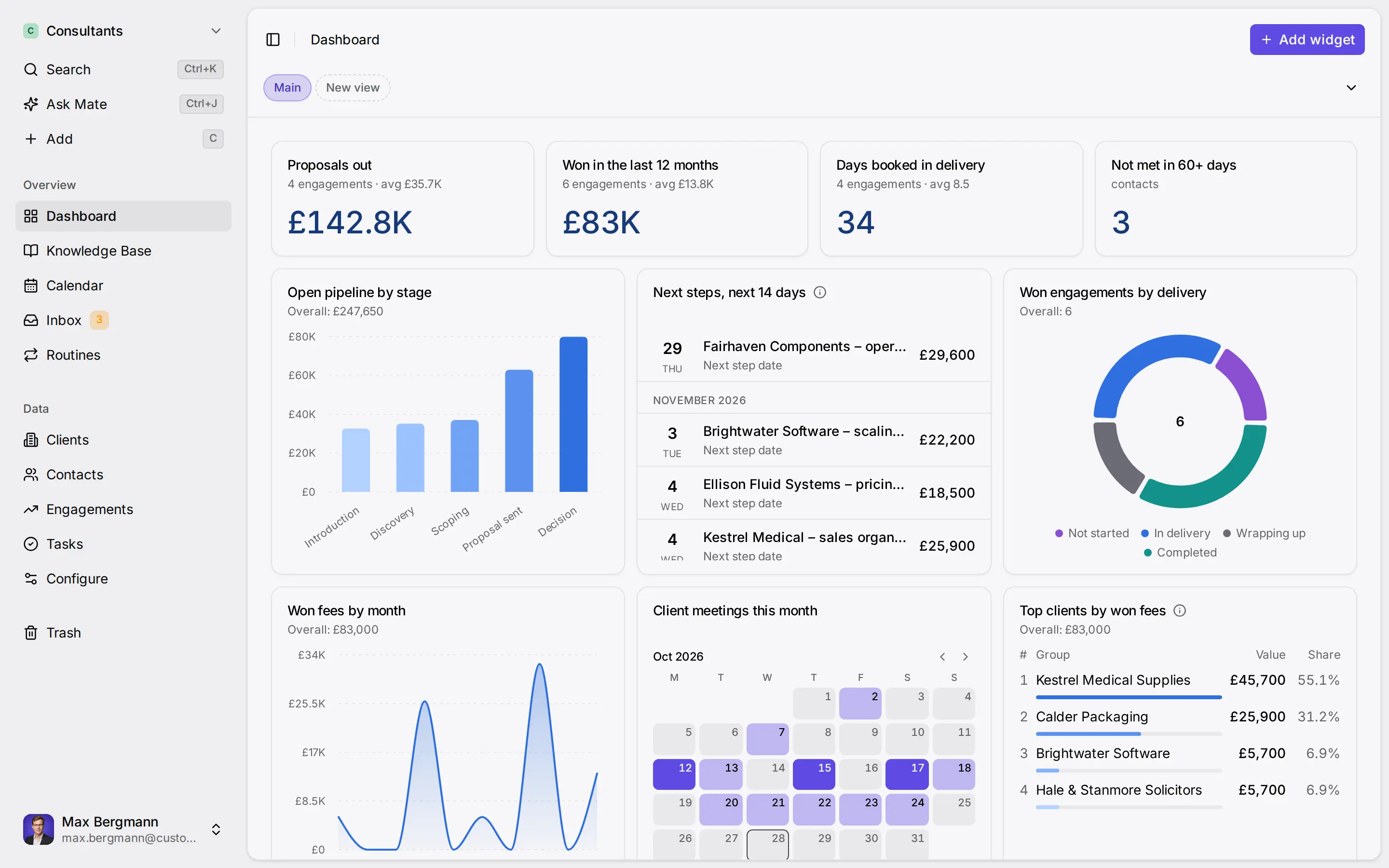
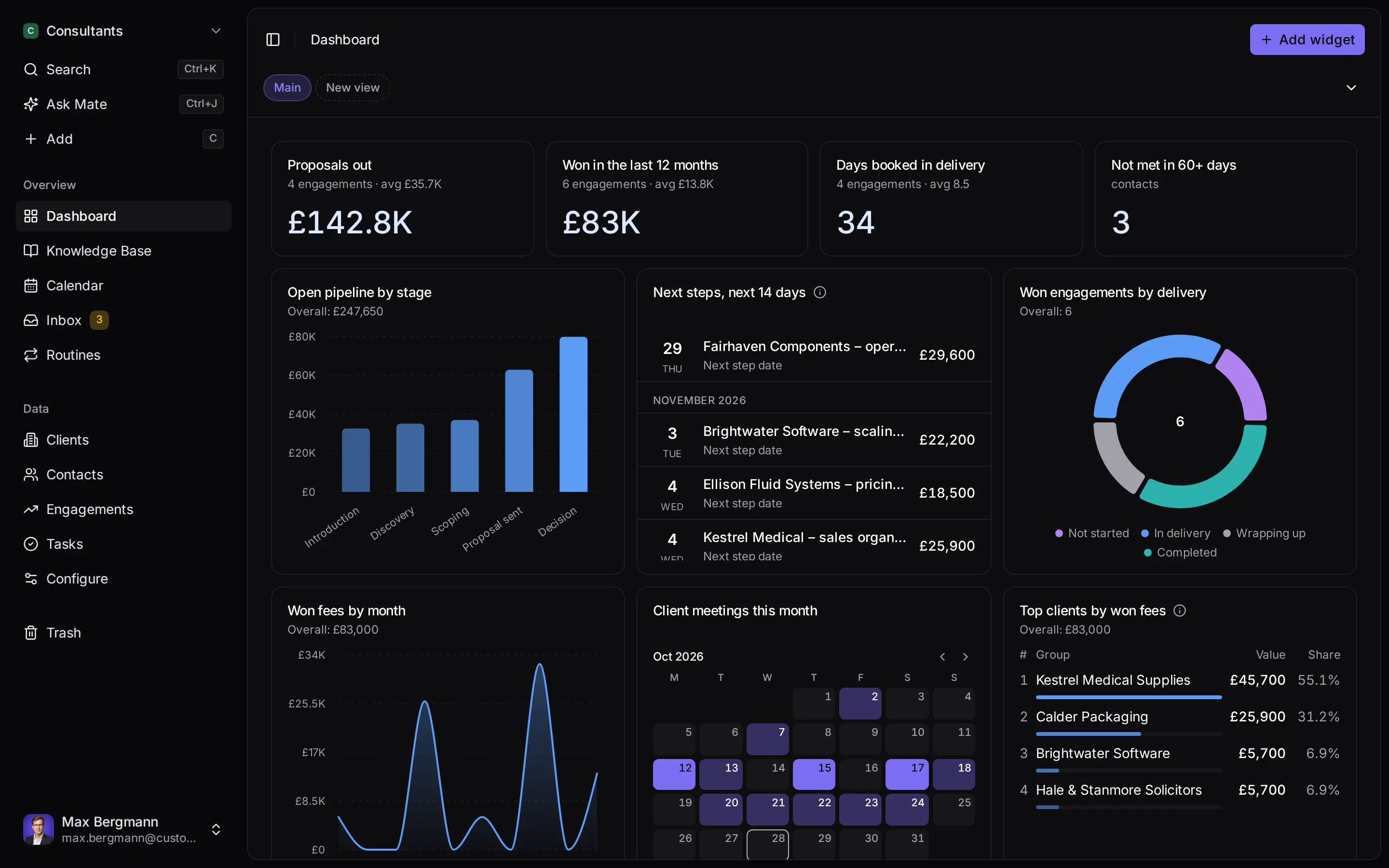
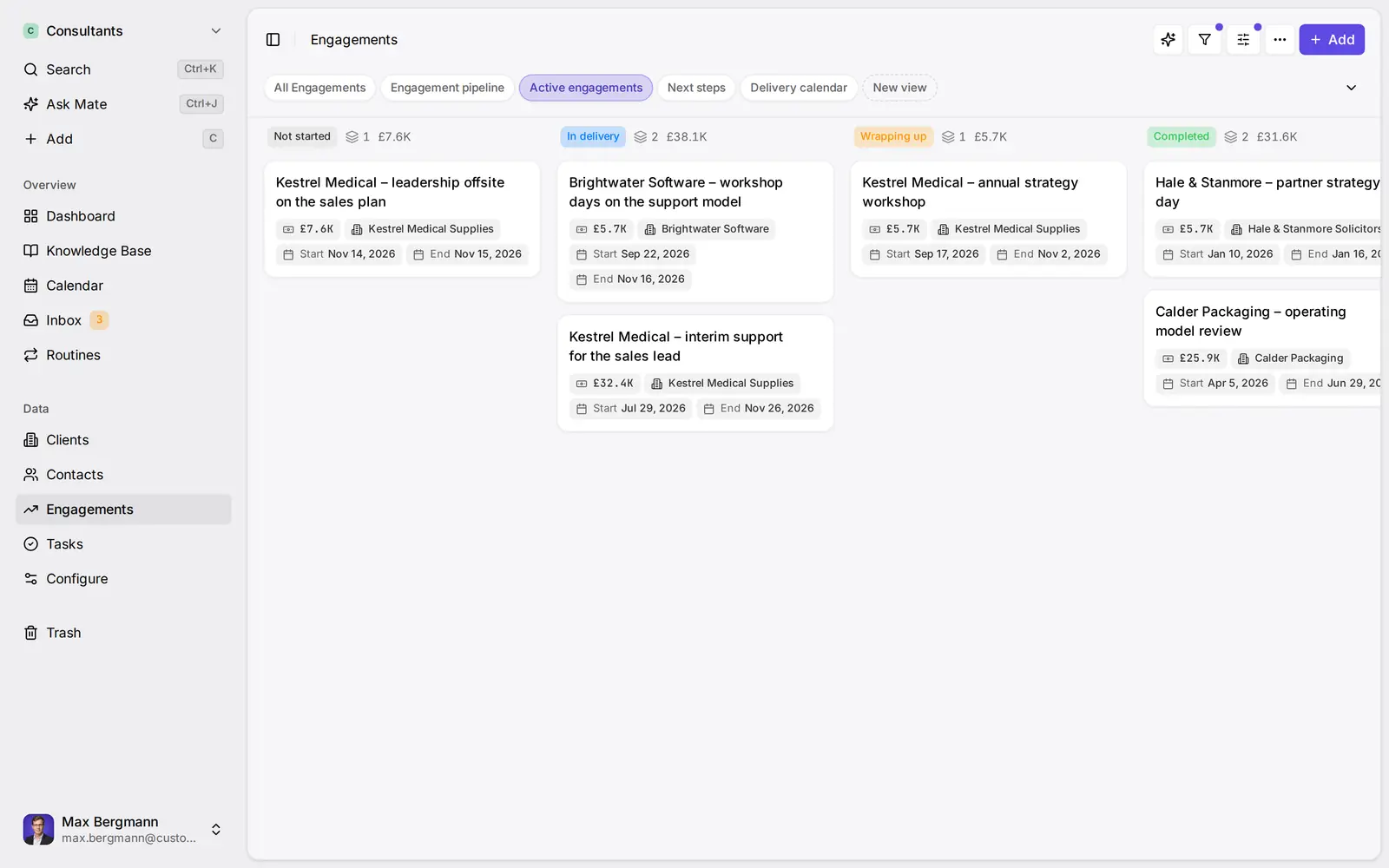
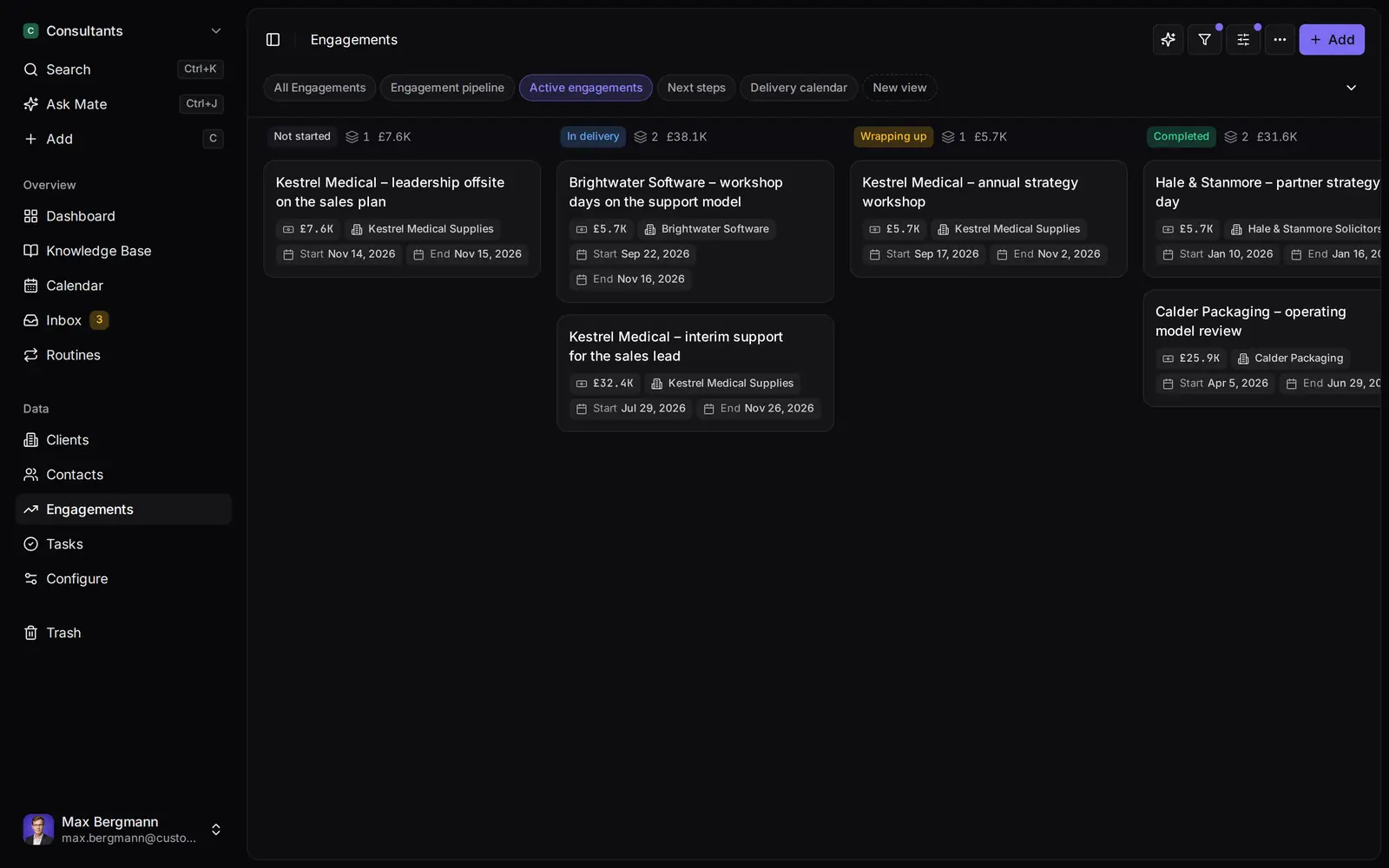
Widgets built from the workspace's own lists and fields
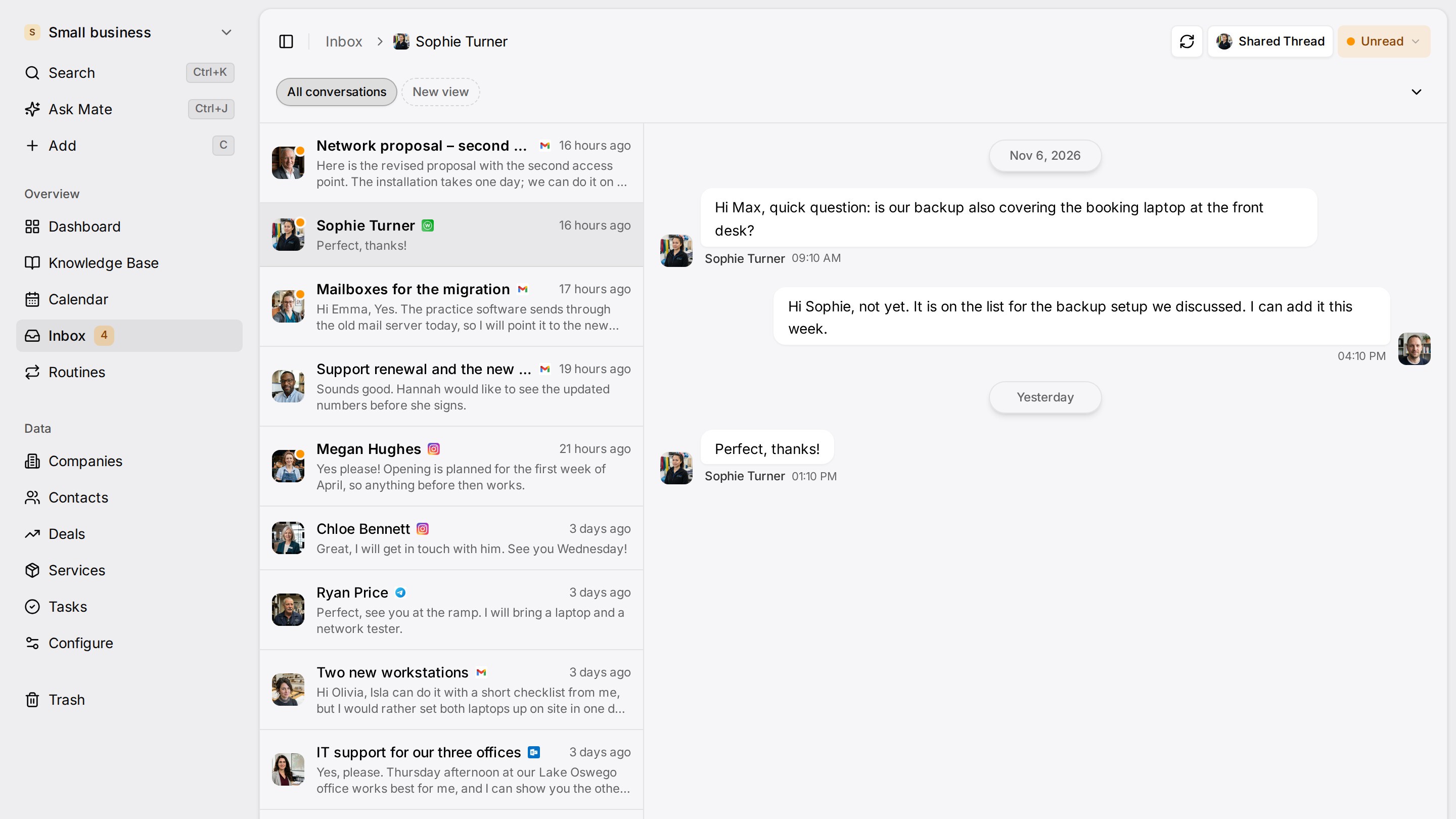
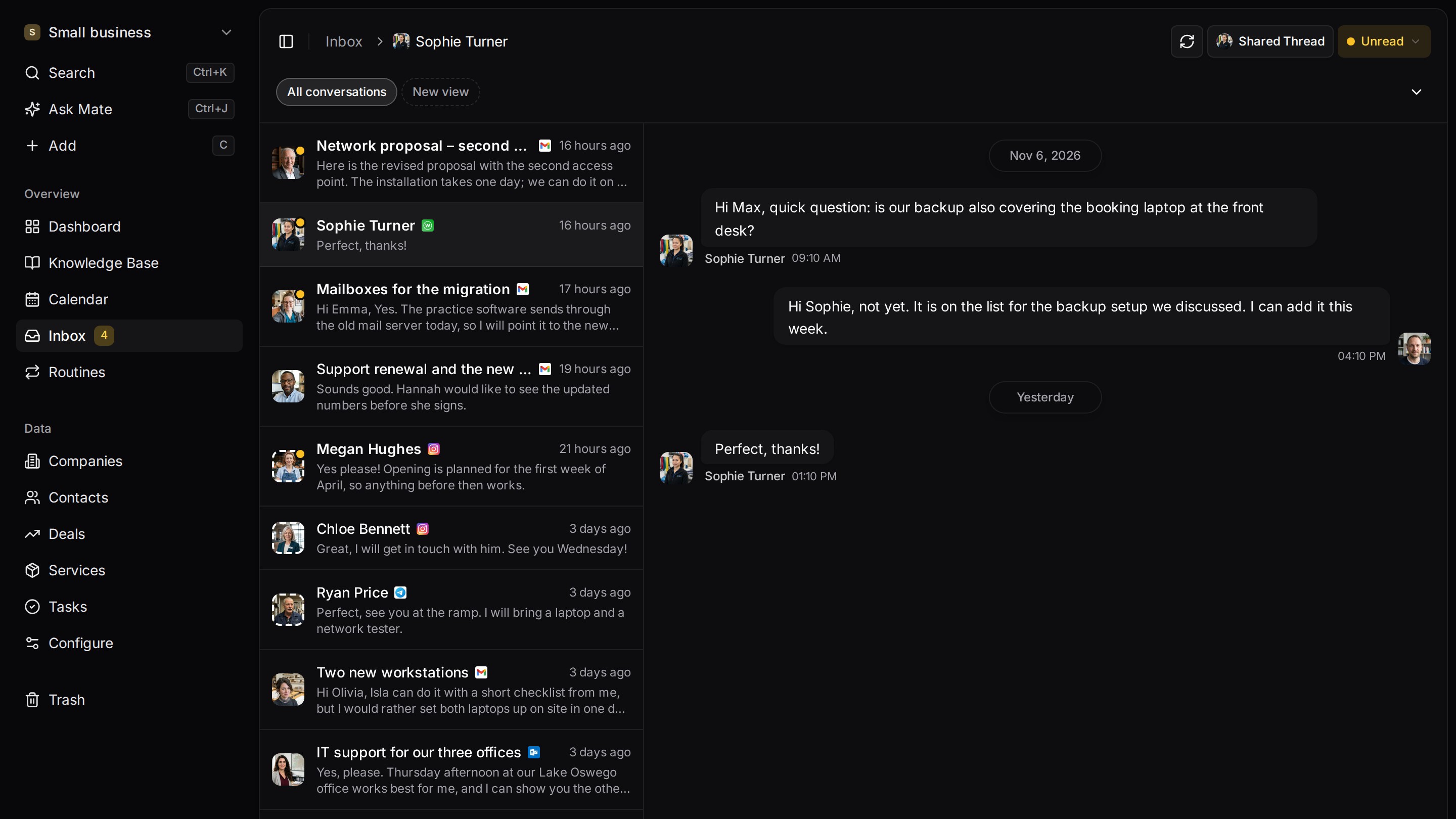
Every client conversation from email, LinkedIn and WhatsApp in one place. Mate sets up your workspace and drafts the follow-up, you review and send. Works with Claude, ChatGPT or any agent that speaks MCP.
Related pages
Claude CRM: How to Connect Claude to Your CRM
Claude CRM guide: seven CRMs compared by what Claude can read and write over MCP, with plan, setup steps and vendor sources, checked 10 November 2026.
Claude Connectors: What They Are, Plans and Custom Setup
Claude connectors explained: directory vs custom, which plans allow them, tool permissions and a source-checked table for email, calendar, files and CRM.
Sales Follow Up Email After No Response: Templates
Follow up email after no response: ready sales templates for a proposal, a meeting recap and a gentle reminder, with a timing table and when to stop.
Client Follow-Up Software
Client follow-up software with LinkedIn and email on each client, a dated next step per conversation and Mate drafts you review and send. 14-day trial.
Customermates
Follow up on every client conversation
Start with one channel and one client on Customermates Cloud, or self-host the open-source core.
✓ No credit card required ✓ First 14 days free