

Existing Customers: Who They Are, Why They Matter and How to Look After Them
Who counts as an existing customer, how existing customers differ from new ones, what the often-quoted cost and profit figures really say, and a weekly routine for clients who went quiet, set up in a CRM.

 by Benjamin Wagner
Existing customers are the people and companies that have already bought from you and that you have not closed as lost. For a small B2B team they are often the cheaper place to find the next sale and the first place where a quiet problem shows up, so they need their own routine: a written rule for who counts, the date of the last real conversation, a dated next step and a short weekly list of customers who have heard nothing from you for 60 days.
This guide defines the term with a table of edge cases, compares existing and new customers, puts the often-quoted cost and profit figures next to their source and date, lists six habits for looking after customers and walks through a Monday list with made-up customers. The last section sets the routine up in Customermates, the open-source CRM that publishes this guide, and says plainly what it leaves to you: it sends no reminders. Retention rate, cohorts and renewal planning belong to the CRM strategy guide; this page is about the everyday care of customers you already have.
- An existing customer has bought from you and is not closed as lost. No threshold fits every business, so write down your own window, for example a purchase or an active contract in the last 12 months.
- You already know them and hold their history. The risk is not doubt but silence you do not notice.
- A Harvard Business Review article (29 October 2014) reports that winning a new customer costs five to 25 times more than keeping one, depending on study and industry. Read it as a direction, not a forecast for your business.
- An owner per customer, the date of the last real conversation, a dated next step and a weekly list of customers with no contact for 60 days.
- Organizations with Customer status, Last contact and Next step on as fields; notes, files and, on Customermates Cloud from Pro, the conversations on the record; a saved view and the Upcoming widget. No reminders are sent and there are no health scores.
Who counts as an existing customer?
An existing customer, also called a current or repeat customer depending on the business, is a person or company that has bought from you and that you still treat as a customer. There is no universal threshold: how often your customers normally need you decides it. A web agency with yearly retainers and a shop with weekly orders need different windows. Write your rule down once, so two people sorting the same list reach the same answer, and put the status on the company, with its people linked to it.
| Situation | Existing customer? | What to record |
|---|---|---|
| Bought once, delivered and paid | Yes | Active |
| Active contract, retainer or subscription | Yes | Active |
| Signed, but not yet delivered or paid | Yes, treat it as onboarding | Active, with a first-delivery step |
| Last purchase older than your window, nothing planned | Not active, but no stranger | Dormant |
| Quote sent, nothing signed | No, a prospect | Stays a deal, see the sales pipeline guide |
| Contract ended, or you ended the relationship | Former customer | Former, with the reason in the notes |
| Your contact left the customer's company | Yes, the company is still the customer | Active, find the new contact |
The dormant row is the one most teams skip. A customer who bought two years ago and has not heard from you since is neither a prospect nor an active customer, and a separate status keeps that group out of the weekly list without forgetting it.
What is the difference between existing and new customers?
| Question | New customers | Existing customers |
|---|---|---|
| What do you know? | Little: needs, budget and decision makers are assumptions | History, what they bought, who decided, what went well or badly |
| Trust | Built from nothing, every claim needs proof | Earned, and easy to lose through silence or a missed promise |
| Typical goal | A first order | A healthy relationship, the next order, an introduction |
| First step | Research, outreach, a discovery call (see the customer acquisition guide) | A check-in that is not a pitch |
| Main risk | No reply | Silence you do not notice until a competitor or a budget cut ends it |
| Where the data lives | Lead lists and the pipeline | The customer's record: people, notes, files, deals, conversations |
Neither replaces the other. A business without new customers shrinks as some leave, and a business that only chases new ones pays to replace customers it could have kept. For a small team the practical question is how much of the week each deserves. A simple start is a fixed slot, for example 30 minutes on Monday, for existing customers, before the new pipeline gets the rest of the week.
Why do existing customers matter?
Two figures appear in almost every article on this topic. Both come from a Harvard Business Review article by Amy Gallo, published on 29 October 2014. It says that, depending on which study you believe and what industry you are in, acquiring a new customer is anywhere from five to 25 times more expensive than retaining an existing one. Citing research by Frederick Reichheld of Bain & Company, it also says that increasing customer retention rates by 5 percent increases profits by 25 to 95 percent. Checked on 11 November 2026; the source is at the end.
Three ways to read those numbers without overclaiming:
- The ranges are wide on purpose. The article itself ties the first one to the study and the industry. They are a reason to measure, not a forecast for your company.
- They describe economics, not appetite. A customer who has everything they need from you is a reference and a source of introductions, not an upsell target.
- Your own records answer it better. How many of last year's orders came from customers who had bought before? How many customers have not heard from you in 60 days? How many new customers were introduced by an existing one? Count these three once from your invoices or deals and you know where your time pays off.
How do you look after existing customers?
Six habits cover most of it. None needs a tool, but each needs a date or a name that somebody keeps current.
- Give every customer an owner. One named person, so "someone will call" does not mean nobody does.
- Record the last real conversation. A date and one line on what was discussed or promised. "Real" means a two-way exchange, not a newsletter or an automatic invoice mail.
- Always leave a dated next step. A call, a check-in message or a renewal date. A customer without a next step is left to chance.
- Check in without selling. Ask how the delivered work is going, share a result or something useful, then stop. A check-in that ends in a pitch teaches the customer to ignore the next one.
- Ask at the natural moments. After a delivery, after praise and at renewal, ask what comes next and whether they know someone with the same need.
- Treat silence as the signal. A customer who has not heard from you for a set time goes on a list that you read every week. The worked example below shows one.
How often to check in depends on the customer. The rhythms below are starting points, not standards: set them by how often a customer normally needs you and adjust after a quarter. The groups can come from the customer segmentation guide.
| Customer group | Check-in rhythm | Notes |
|---|---|---|
| A handful of the most important customers | A planned touchpoint each month, a review each quarter | Run them like key accounts, see the key account management guide |
| Regular customers | A real conversation every two to three months | The weekly list catches the ones that slip |
| Small or one-off customers | Twice a year, or when a project ends | If nothing comes of it after a year, mark them Dormant |
Worked example: a Monday list of customers gone quiet
Illustrative example with made-up customers, not a customer case. A five-person consultancy has 30 customers. On Monday 9 November its saved view lists Active customers whose Last contact is older than 60 days, oldest first. Five show up.
| Customer (made up) | Last contact | Next step on | Decision on Monday |
|---|---|---|---|
| Logistics company | 12 August | none | The contact left. Find the new person through the organization's other people, then send a short message |
| Design studio | 17 July | none | One project last year. Set the status to Dormant and Next step on to 15 January |
| Food importer | 30 August | none | Call this week and ask about the follow-up project from the August call |
| Dental group | 28 August | 20 November | Nothing to do now, the step is set. It stays on the list until the call happens and Last contact is updated |
| Law firm | 3 September | none | Send a short check-in; if there is no reply in two weeks, call |
Three things show why the list works. Five names fit into one Monday slot; if the list showed fifteen, either the threshold is shorter than your customers' real rhythm or follow-up has slipped, and both are worth knowing. The dental group stays on the list although a step is planned, on purpose: the date of the last conversation, not the plan, measures silence. And every row ends in one of three decisions: contact, set a dated step, or move to Dormant. A list that never gets shorter means something is wrong.
How do you set this up in Customermates?
Customermates is our product, an open-source CRM. It keeps each customer company, its people, its deals, notes, files and history on linked records and, on Customermates Cloud from Pro, the email, LinkedIn, WhatsApp, Instagram and Telegram conversations too. Nobody is reminded automatically: you keep a few date fields, a saved view and a dashboard widget, and they show what needs attention when you open them. The contact and client management page shows the underlying features and the follow-up page the idea behind them.
Mark your customers on the Organizations list
Customermates works with configurable lists; a new workspace starts without lists, and on Customermates Cloud the AI-guided setup can propose Contacts, Organizations and Deals. In Data model, open Organizations, choose Add, then Field, and create a Single choice field "Customer status" (Active, Dormant, Former), a Date field "Last contact", a Date field "Next step on" and a Member field "Customer owner". Already have your customers in a spreadsheet? The list toolbar imports an Excel or CSV file through a column-mapping wizard, one list at a time. Link each person to their organization.Write what you know on the record
Add a Formatted text field "Notes" for what was promised, what the customer cares about and who decides, and a File field for contracts and reports. A file field holds up to 20 files, and the text of documents with a text layer or in office formats is searchable; scanned pages are stored but not read. After every real conversation, set Last contact and add one line to the notes.Keep the conversations with the customer
On Customermates Cloud from the Pro plan, the unified inbox matches email (Gmail, Outlook or IMAP), LinkedIn, WhatsApp, Instagram and Telegram conversations to your contacts. If the relationship between Contacts and Organizations has Show their messages on Organizations switched on in its drawer (the AI-guided setup does this), the organization shows its people's conversations, so the evidence for Last contact sits on the same record. Free, Starter and self-hosted installations have no inbox: set Last contact by hand and keep a line in the notes.Save the weekly list
Open Filters on Organizations, choose Customer status is Active, add Last contact with Older than… and 60 days, sort by Last contact with the oldest first and use Save as view. Name it "No contact for 60 days". Filters combine with AND. A customer whose Last contact is still empty has nothing to compare, so list those with a second saved view: Last contact is empty. Choose Share… in the view's menu to show the view to everyone in the workspace or to selected roles.Put what is due on the dashboard
Press Add widget (the CRM reporting page lists the styles), choose Upcoming, pick Organizations and the date field "Next step on". It lists the records due in the next 14 days by default, up to 90, and has an Overdue section for earlier dates. Filter on Customer status is Active so that dormant customers do not count as overdue. Nobody gets a notification; the widget shows what is due when you open the dashboard.Let Mate or your own AI client draft the check-ins
On Customermates Cloud, Mate can read your records and save a check-in as a draft when you ask, or on a routine you set up, using hosted AI credits. Your own AI client reads the same data through the MCP server. You review, edit and send.
List the organizations where Customer status is Active and Last contact is older than 60 days. For each, summarize the last conversation in one sentence and save a short check-in email to the main contact as a draft. Do not send anything.
Mate saves the emails as drafts for you to check and send. Fields, relationships, notes, files, history and charts are part of every plan, including the Free plan for 1 person and 250 records, with paid plans from Starter at €12 per user per month, billed monthly, and of the self-hosted edition; Mate and the unified inbox are Customermates Cloud features and not on Free, and the inbox starts with Pro at €29 per user per month.
To try it with your own customers, start your 14-day trial: Pro, no credit card. Import your customer list, add Last contact and save the 60-day view.
FAQ
What are existing customers?
Existing customers are people or companies that have already bought from you and that you have not closed as lost. No threshold fits every business, so write down your own window, for example a purchase or an active contract in the last 12 months, and record customers outside it as dormant.
What is the difference between an existing customer and a new customer?
A new customer has not bought from you yet or has just made a first order, so you work with assumptions. With an existing customer you hold history: what they bought, who decided and what you promised. The goal shifts from winning a first order to keeping the relationship healthy and finding the next need.
Is it really cheaper to keep an existing customer than to win a new one?
A Harvard Business Review article of 29 October 2014 reports a range of five to 25 times, depending on the study and the industry. That is a wide range from an older article, so treat it as a direction. Count how many of last year's orders came from customers who had bought before to see what it means for you.
How often should you contact existing customers?
There is no standard. A starting point is a planned touchpoint each month and a review each quarter for a handful of top customers, a real conversation every two to three months for regular customers and twice a year for small or one-off customers. Adjust to how often a customer normally needs you.
How do you find existing customers who have gone quiet?
Keep the date of the last real conversation on every customer, then list the customers whose date is older than your threshold, oldest first. In Customermates this is a saved view on Organizations with Customer status Active and Last contact Older than 60 days.
Can Customermates remind me to contact customers?
No. Customermates sends no reminders or notifications. A saved view and the Upcoming widget on a Next step on date show what is due when you open them, and Mate or your own AI client can draft the message, which you review and send.
Where do retention rate and renewals fit in?
They are the numbers on top of this routine. Retention rate, cohorts and renewal planning are covered in the CRM strategy guide; this page is about the weekly habit that keeps the underlying data honest.
Third-party facts checked on 11 November 2026: Harvard Business Review, The Value of Keeping the Right Customers, Amy Gallo, 29 October 2014.
Start from one description
One description. A workspace your agent built.
This is what setup builds from one sentence. Sample data, the real product.
Describe your business
One sentence about your team, your clients and how you sell.
Mate builds it
It asks a few questions, then creates the lists, pipeline, dashboard and playbook.
Work in it
Connect LinkedIn and email. Click through a finished example below.
We're a four-person strategy consultancy. Track clients, engagements and proposals, and help us follow up with prospects on LinkedIn.
- Mate
- Claude
- ChatGPT
- Cursor

 Mate
 Claude
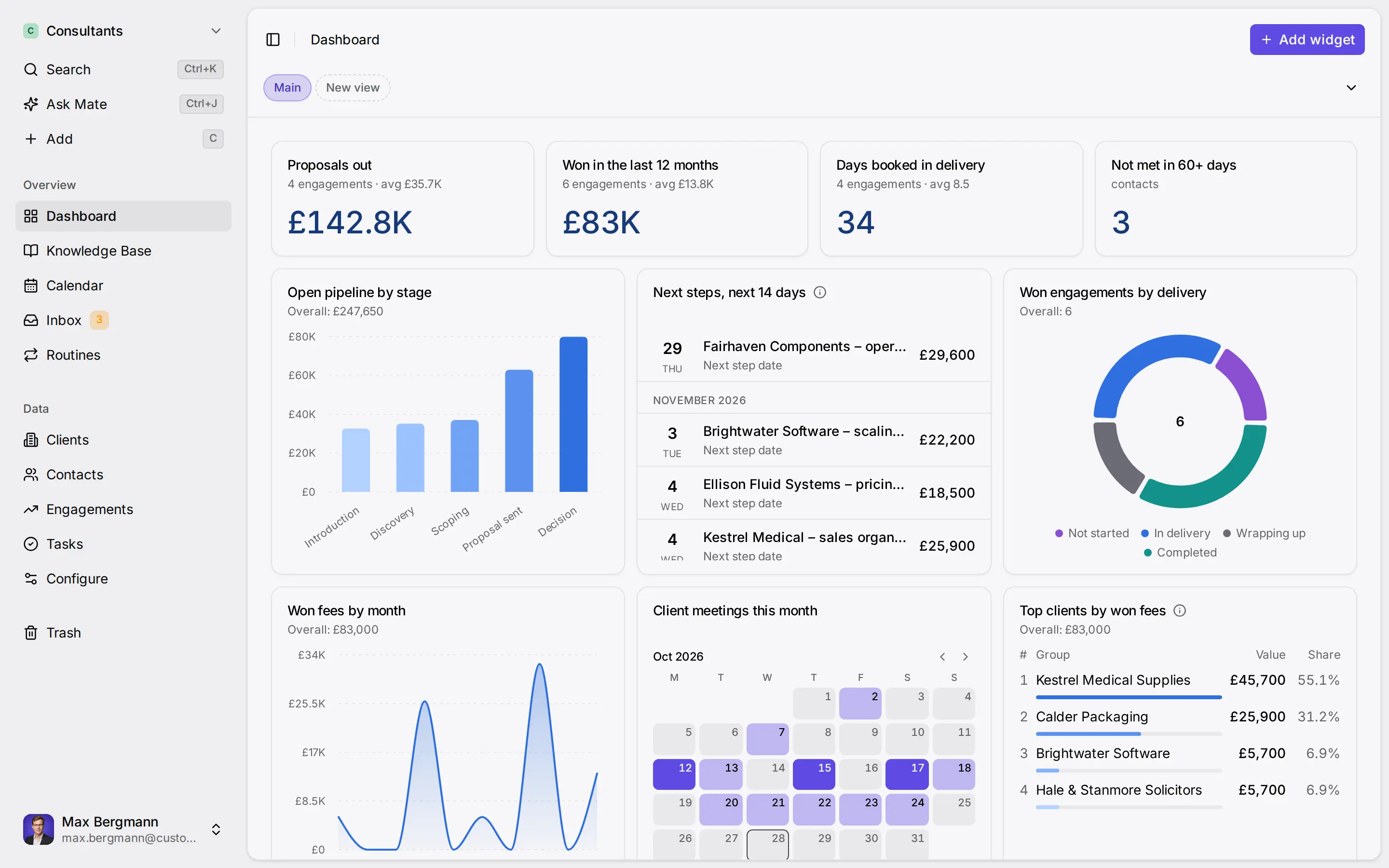
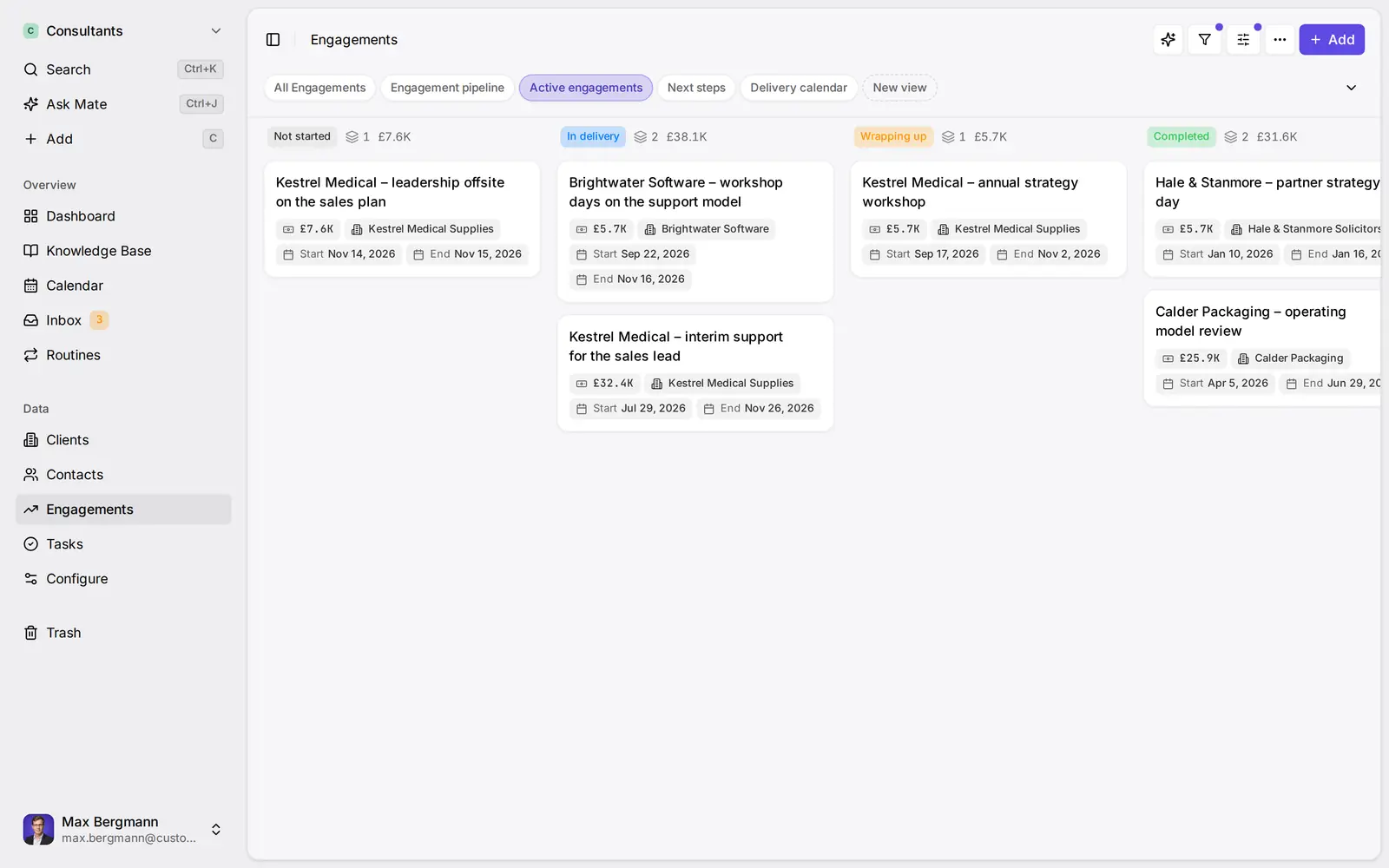
Widgets built from the workspace's own lists and fields
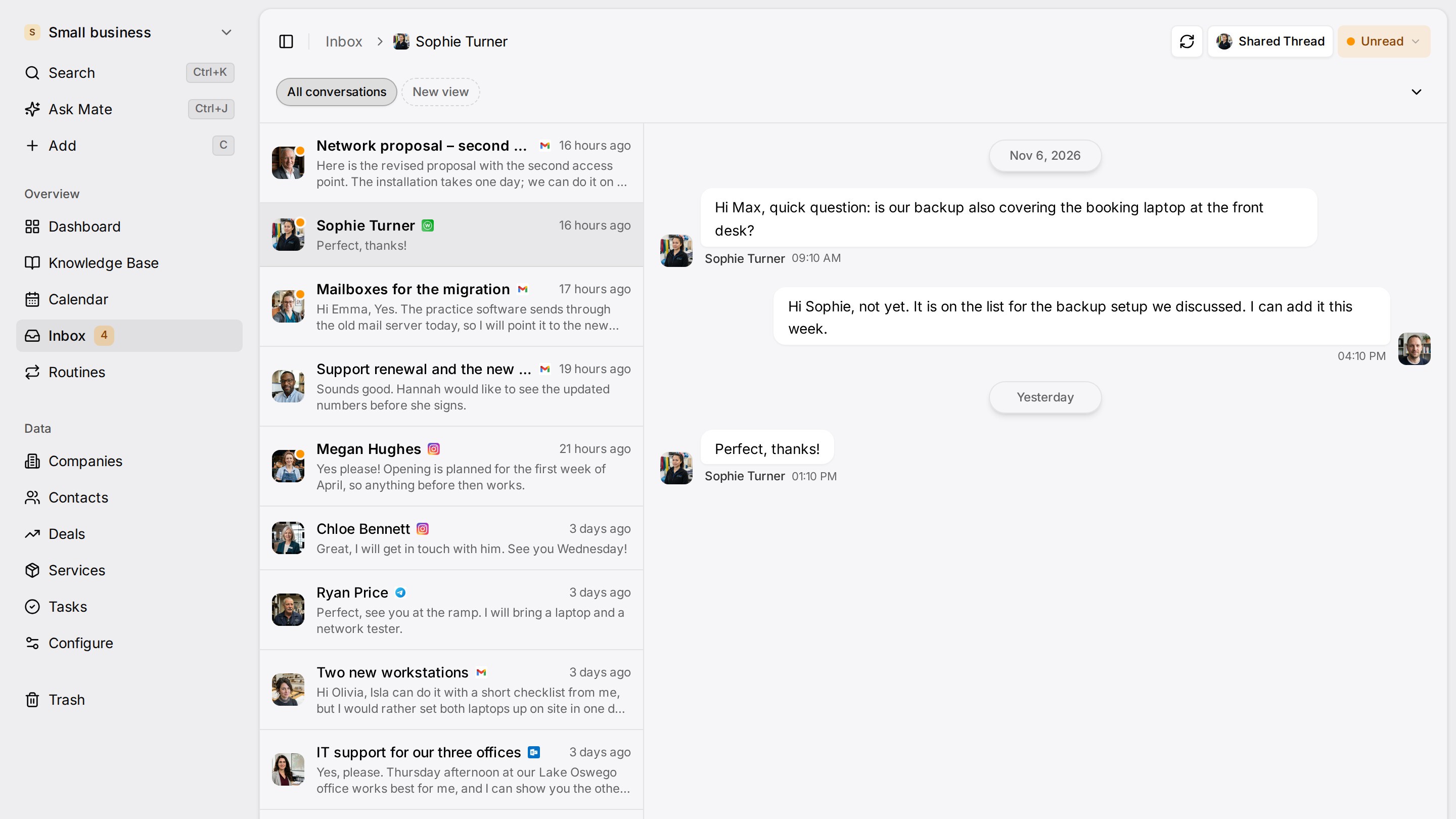
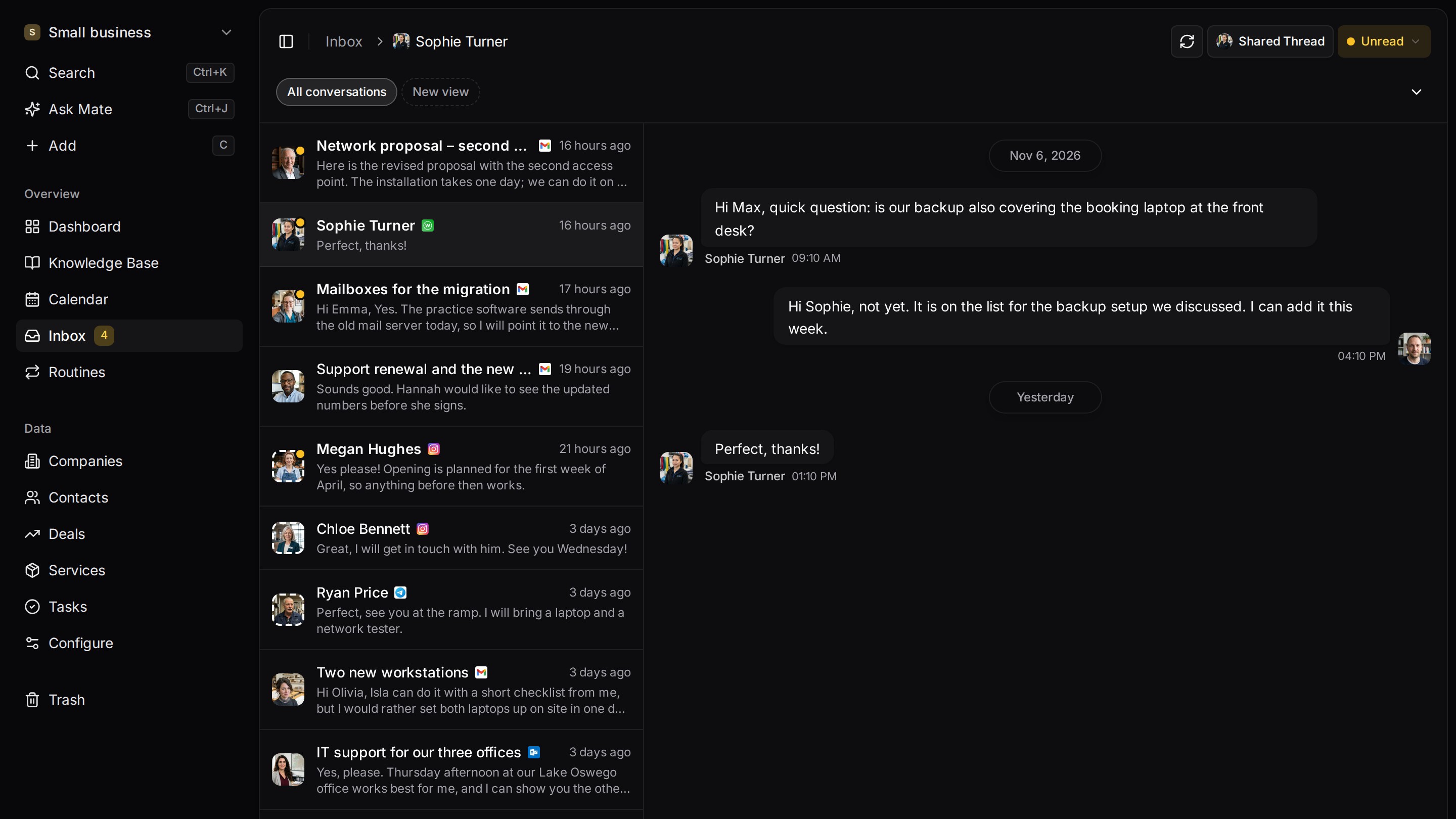
Every client conversation from email, LinkedIn and WhatsApp in one place. Mate sets up your workspace and drafts the follow-up, you review and send. Works with Claude, ChatGPT or any agent that speaks MCP.
Related pages
What Is Key Account Management? Process, Plan, Examples
What is key account management? Choose key accounts with a scoring table, write an account plan, map stakeholders, set a review rhythm and track KPIs.
CRM Strategy: A One-Page Framework for Small Teams
A CRM strategy fits on one page: seven decisions, a worked example for a consulting team, retention metrics and a review rhythm that keeps data honest.
Customer Segmentation: Types, Examples and Setup
Customer segmentation explained: the four types with B2B examples, ABC analysis by revenue, RFM and a worked setup with fields, views and charts in a CRM.
Client Follow-Up Software
Client follow-up software with LinkedIn and email on each client, a dated next step per conversation and Mate drafts you review and send. 14-day trial.
Customermates
Follow up on every client conversation
Start with one channel and one client on Customermates Cloud, or self-host the open-source core.
✓ No credit card required ✓ First 14 days free