Loading...
Report & Statistics
Learn how dashboards, widgets, and grouped CRM views turn record data into reporting, analytics, and operational visibility.
Overview
Customermates turns CRM records into a visual reporting surface. Instead of scanning lists one by one, users can combine widgets and grouped views to track volume, commercial signals, segments, and trends from a single page.
This makes reporting feel like part of everyday CRM work rather than a separate BI workflow. Teams can monitor pipeline activity, distribution by stage, or filtered record sets without leaving the product.
This area is best understood as operational reporting, not as a disconnected BI warehouse. The focus is on fast visibility directly inside the CRM.
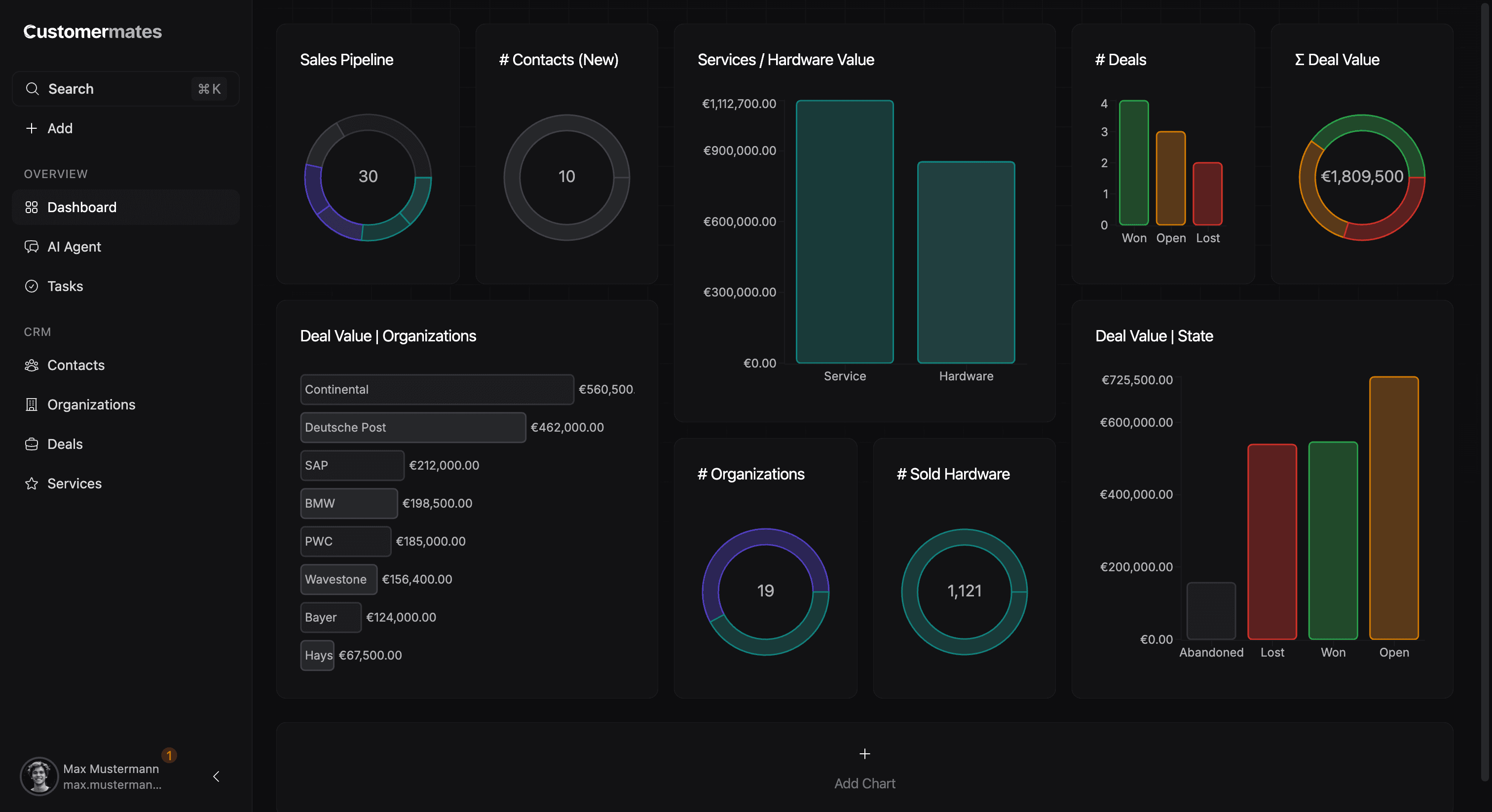
Widgets and grouped views
When a team creates a widget, the setup typically starts in a modal. That flow is where the reporting logic is actually defined: the user chooses the entity, decides whether the result should count records or summarize commercial values, narrows the dataset with filters, and then chooses how the output should be shown.
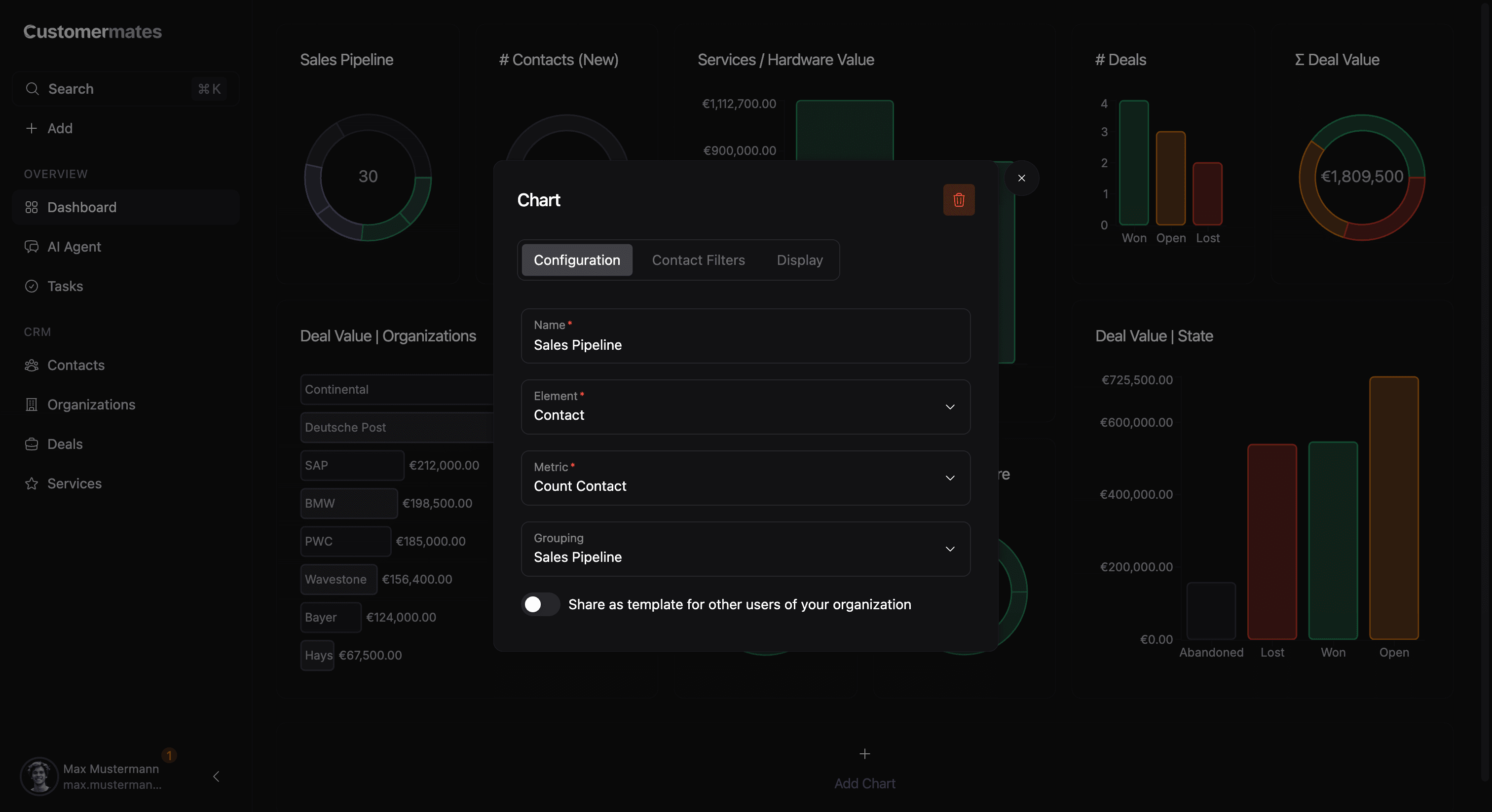
The setup usually works best in this order:
- Start with the entity type that carries the question.
- Choose the aggregation that matches the result you want to see.
- Add a grouping only if the chart should be broken down into segments.
- Narrow the dataset with filters once the base logic is right.
- Finish with display options so the result is easy to read.
That order matters because the first decisions define the meaning of the widget, while the later ones refine how that meaning is shown.
What the modal options mean
The main fields in the widget modal each shape the result in a different way:
| Option | What it controls |
|---|---|
| Name | The label users see on the dashboard |
| Entity type | Which records the widget is built from |
| Aggregation | Whether the widget counts records or summarizes commercial values |
| Grouping | Whether the result is split into categories |
| Filters | Which records are included in the calculation |
| Display options | How the result is rendered visually |
In practice, the most important distinction is between aggregation and grouping. Aggregation decides what is being measured, while grouping decides how that measurement is split. Once those two choices are clear, the rest of the setup usually becomes straightforward.
Grouped views complement that setup from the other side. They are less about a single chart and more about arranging records into a perspective that is useful in the moment. Together, widgets and grouped views separate meaning from presentation: the filters decide what belongs to the result, and the display layer decides how that result is read.
How teams use it
Most teams do not begin with chart type. They begin with a question. They want to understand where pipeline volume sits, how workload is distributed, which segment is growing, or what changed across a filtered slice of data. From there, the setup becomes much clearer: choose the record type that carries the question, add the grouping that gives the result shape, and only then refine the display.
That is also why custom columns become so important in reporting. Once a team introduces process-specific structure, the reporting layer becomes much more expressive because those same fields can be reused as grouping dimensions. In practice, teams use this area for both operational tracking and management visibility: pipeline movement, segment-based review, assigned work, and commercial totals can all be understood without leaving the product.
The practical advantage is speed. Teams do not have to export records first, reshape them elsewhere, and then translate the result back into CRM actions. They can see a pattern and act on it in the same workspace.
A useful report is usually narrow and decision-oriented. Start with one question per widget instead of trying to make a single chart explain everything at once.
If you want to understand the fields that power many of those groupings, continue with Custom Columns. If you want to manage records in a more operational way, continue with Table & Kanban View.