Loading...
Permissions & Roles
Understand how workspace access control works and how roles define what users can see and manage in Customermates.
Overview
Permissions and roles define what users can see and what they are allowed to manage inside the workspace. Instead of assigning access rule by rule to each person, Customermates groups permissions into roles and assigns one role to each user.
This creates a clearer access model for growing teams. The role defines the boundaries, and user management applies that role to the right people.
This feature matters most once multiple people, departments, or responsibility levels share the same workspace.
How roles work
Each role combines permissions across the main workspace areas, including contacts, organizations, deals, services, tasks, users, API access, and audit-related controls.
For each area, a role can define both:
- read access, which controls what a user can see
- management access, which controls whether a user can create, change, or remove data
That distinction matters because visibility and administration are not always the same thing. A role can allow broad read access while still limiting who can manage records.
Typical role design goals
The setup flow usually lives inside a role modal. That is where teams work through the practical access model of the workspace, section by section, and decide what each role should be allowed to read or manage.
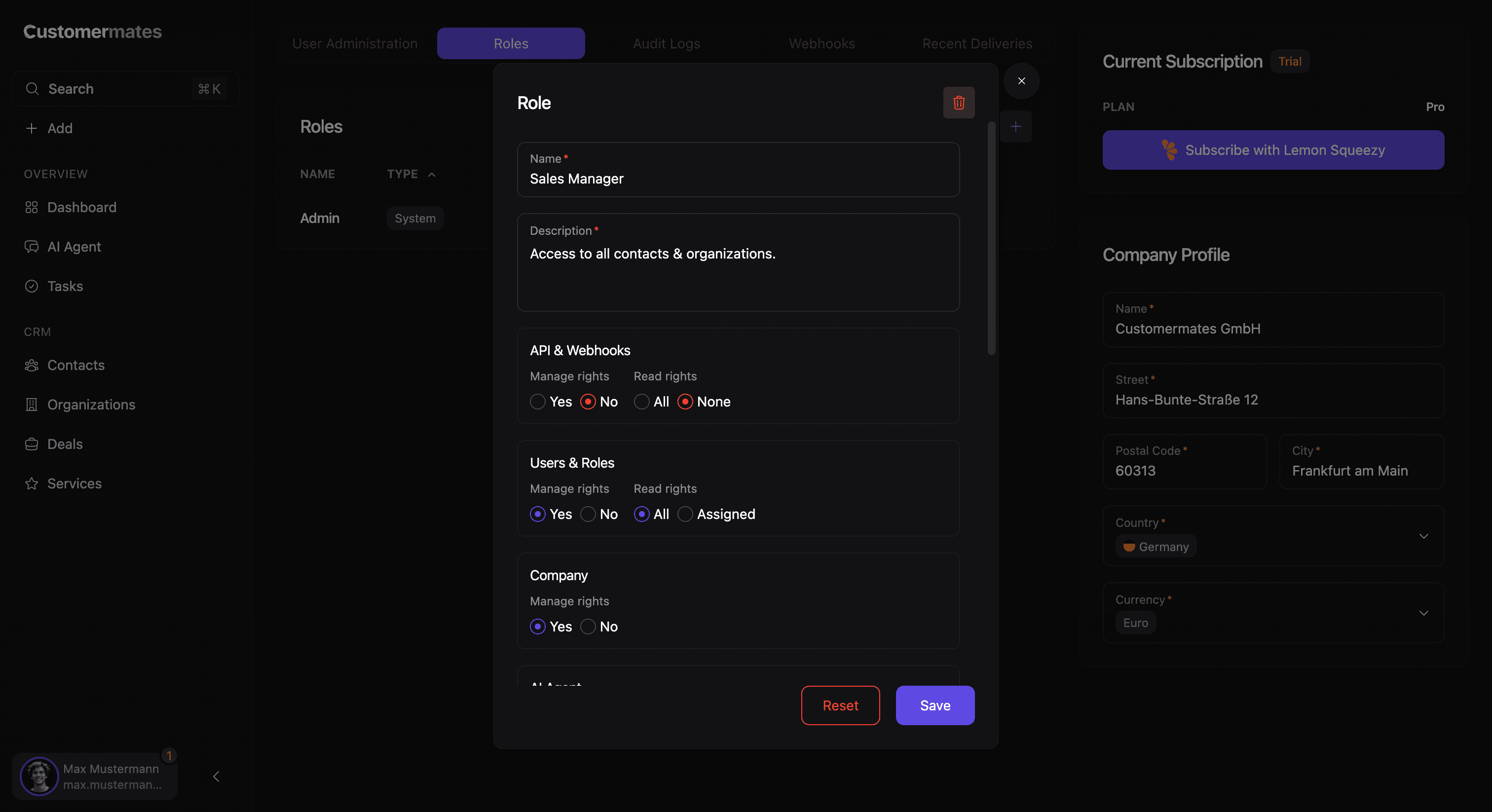
Teams usually design roles to keep broad visibility where collaboration matters, while still limiting edit rights or administrative access where mistakes would be costly. In many workspaces, that means separating operational roles from more sensitive company-level or system-level control.
Assigning roles in practice
Roles are applied through user management in the workspace. When a user record is updated, the assigned role becomes part of that person’s operating profile inside Customermates.
Some roles are treated as protected system roles so the workspace keeps a stable administrative path. At the same time, teams can still create additional roles for their own structure and day-to-day needs. When defining roles, it usually helps to start from real operating responsibilities instead of theoretical permission combinations. Smaller role sets are easier to understand and much easier to maintain. In practice, the clearest setups are usually the ones where visibility questions and management questions are thought through separately, and where administrative roles are reviewed with extra care because they influence both product access and operational risk.
A good access model is understandable by managers and operators, not only by the person who configured it.
If you want to understand how administrative activity can later be reviewed, continue with Audit Logging. If you want to understand the event side of administrative operations, continue with Webhooks & Events.