Loading...
Custom Columns
Understand how custom columns extend CRM entities for filtering, grouping, reporting, and integrations without complicating the base model.
Overview
Custom columns extend the standard CRM model with structured information that matters to a team’s process. They are available across contacts, organizations, deals, services, and tasks, so additional data can live directly in the existing product surfaces instead of being pushed into side systems or free-text workarounds.
Because these columns are typed, they do more than store extra values. Their configuration also shapes how data is entered, displayed, filtered, and reused in other parts of the product.
Custom columns are the main extension layer when the base CRM model is right, but the team still needs workflow-specific structure.
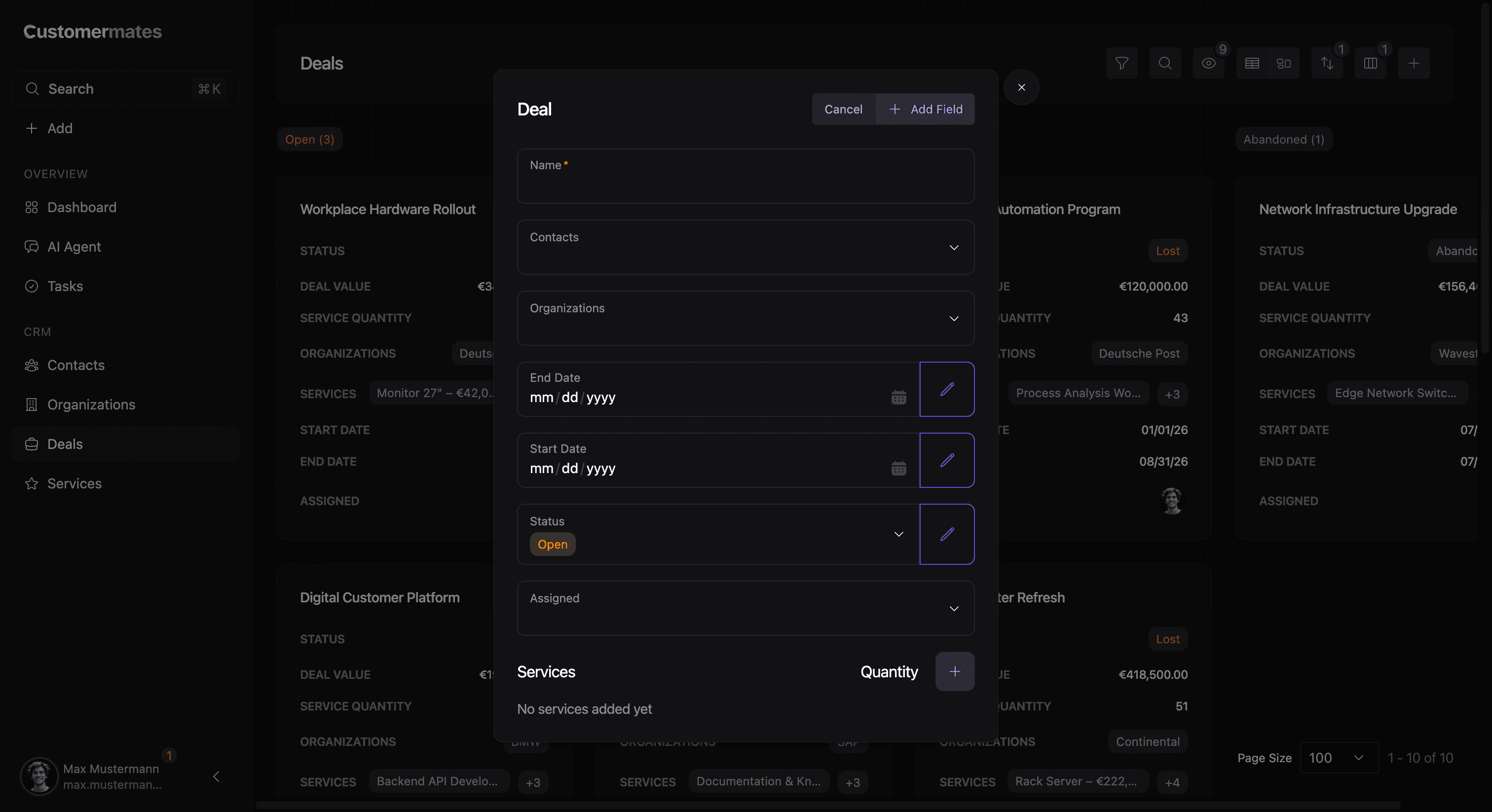
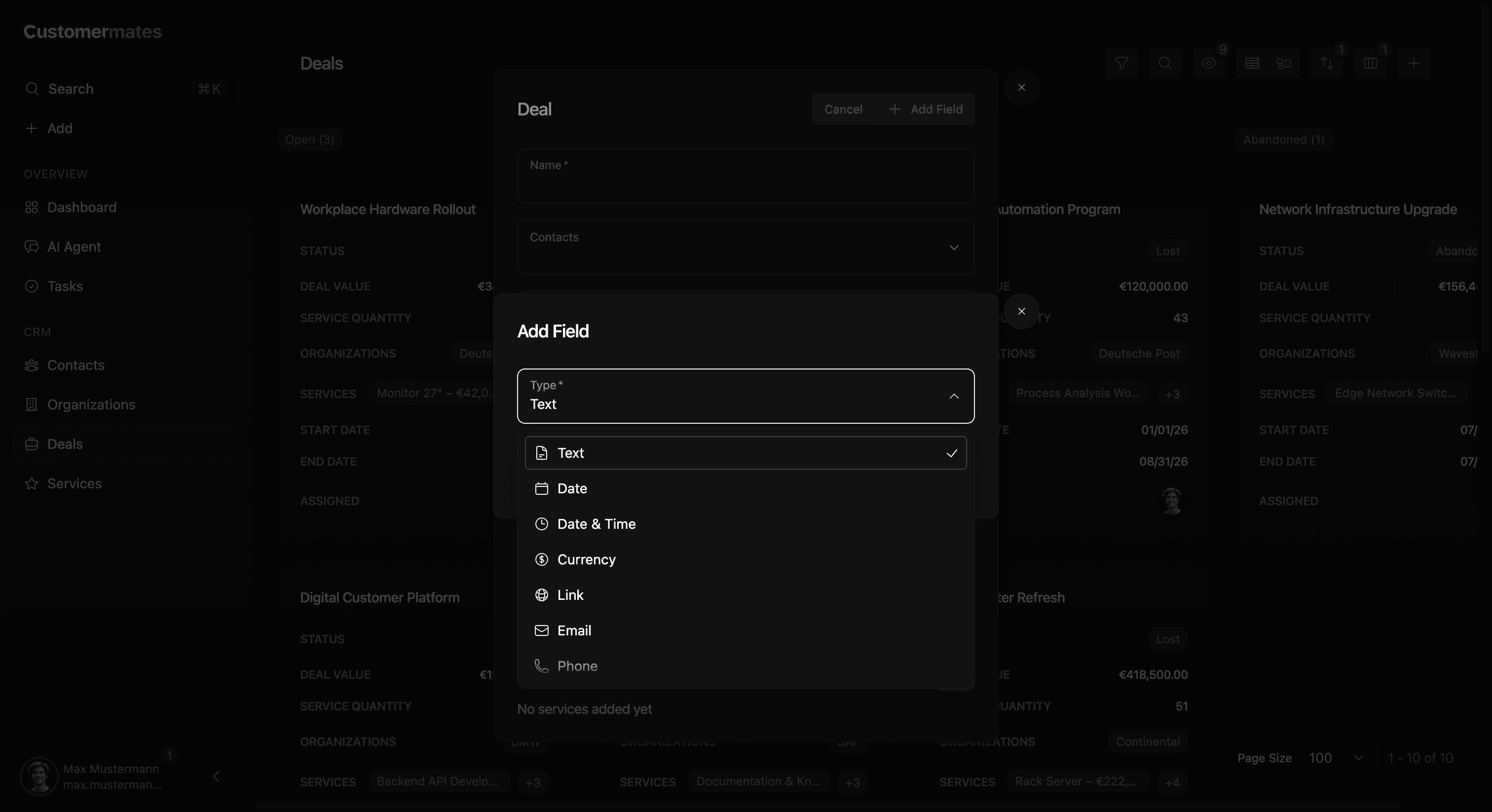
The setup itself usually happens in a modal. That modal is where the team decides what kind of value is being introduced into the CRM: whether the field should behave like text, a selection, a date, a money value, or another typed structure.
Supported use cases
Custom columns are especially useful when teams need to capture process-specific information without changing the overall CRM structure. In practice, they become the layer that adapts a standard CRM model to the way a specific business actually works. One team might use them to classify deals more precisely, another to mark operational readiness, and another to make filtering and grouping possible around internal workflow stages that do not belong in the base product model.
Available column types
The product currently supports these custom column types:
| Column type | Typical usage |
|---|---|
| Plain text | Short structured notes, identifiers, labels, or process-specific values that should stay easy to scan in forms and table views |
| Date | Deadlines, renewal dates, launch dates, or any value that should be filtered and compared as a calendar date |
| Date & time | Appointments, handoff times, reminders, or operational events where the exact timestamp matters |
| Currency | Budget, estimated value, implementation cost, or other commercial amounts that should stay numerically consistent |
| Single select | Workflow stages, internal classifications, segments, or status-like values that should support filtering, grouping, and Kanban organization |
| Link | Reference URLs to external systems, documents, tickets, or related resources |
| Contact-specific email fields that should stay validated and easy to reuse | |
| Phone | Contact-specific phone values that should stay validated and operationally accessible |
Why typed fields matter
Typed columns create more reliable operational behavior than generic free text. Once a value is structured, the rest of the product can do something meaningful with it. Filters become more trustworthy, grouped views become more useful, reports can reuse the same dimensions, and integrations receive data that is easier to interpret consistently.
Where they appear
Once a custom column exists, it becomes part of the normal record experience. Values can appear in edit flows, lists, tables, grouped views, and reporting surfaces. Single-select fields are especially important because they often become the grouping layer for Kanban-style organization and reporting widgets.
That visibility is what makes the feature powerful. A custom column is not just an attribute attached to a record. It becomes part of how teams scan lists, move records across boards, segment data, and explain the state of work to each other. In most cases, the best custom columns are the ones that clearly affect workflow. They are not added because a team wants one more place to type something. They are added because the same value should later influence filtering, grouping, reporting, or downstream automation.
A field is most valuable when it changes how the team can work, not just when it stores one more piece of information.
For broader analysis, continue with Report & Statistics. For day-to-day record handling, continue with Table & Kanban View.