Loading...
Roles, Permissions & Access Control
Overview
Roles and permissions define what users can see and what they are allowed to manage inside the workspace. Instead of assigning access rule by rule to each person, Customermates groups permissions into roles and then assigns one role to each user.
This creates a clearer access model for growing teams. The role defines the boundaries, and user management applies that role to the right people.
How roles work
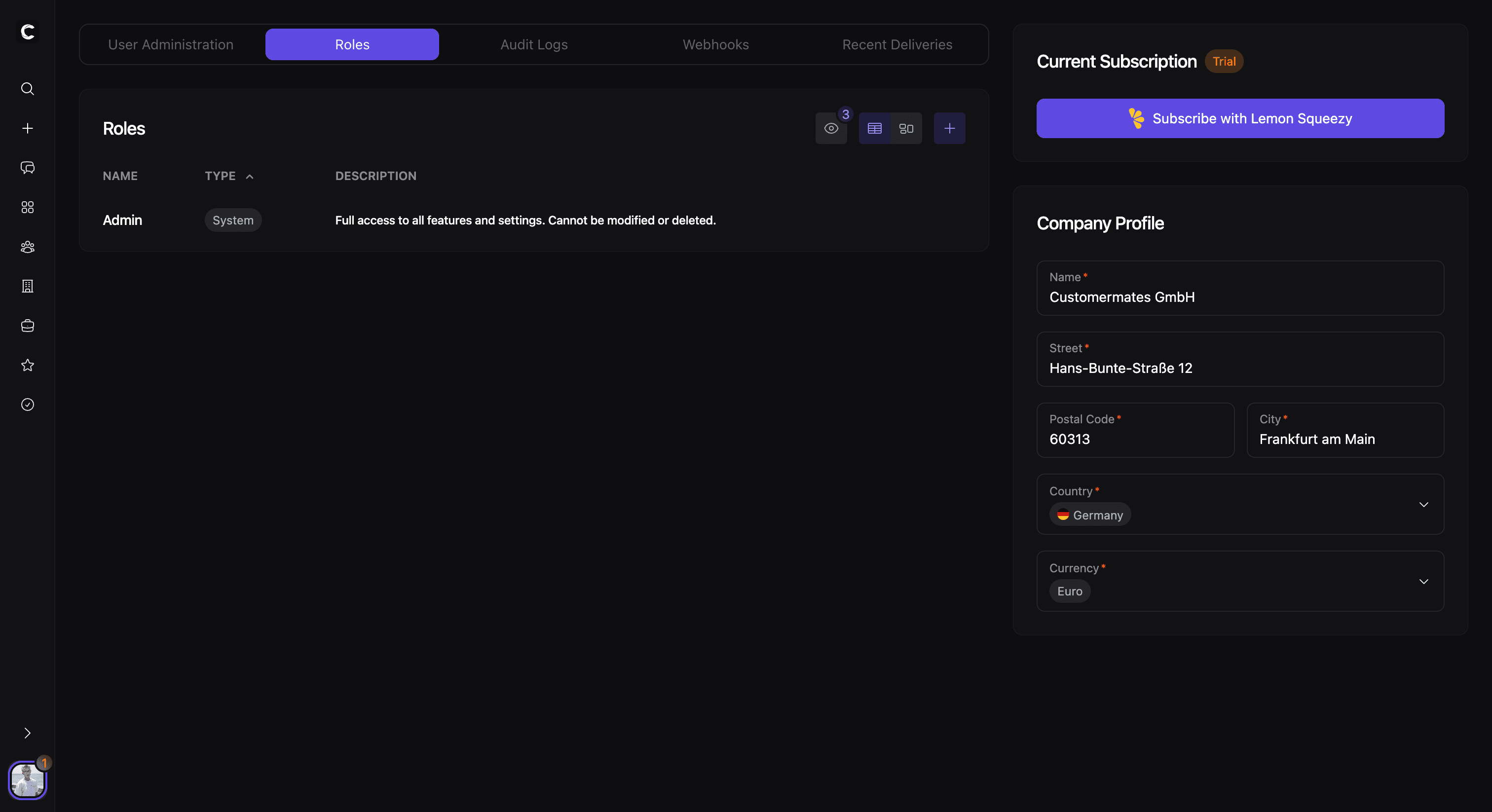
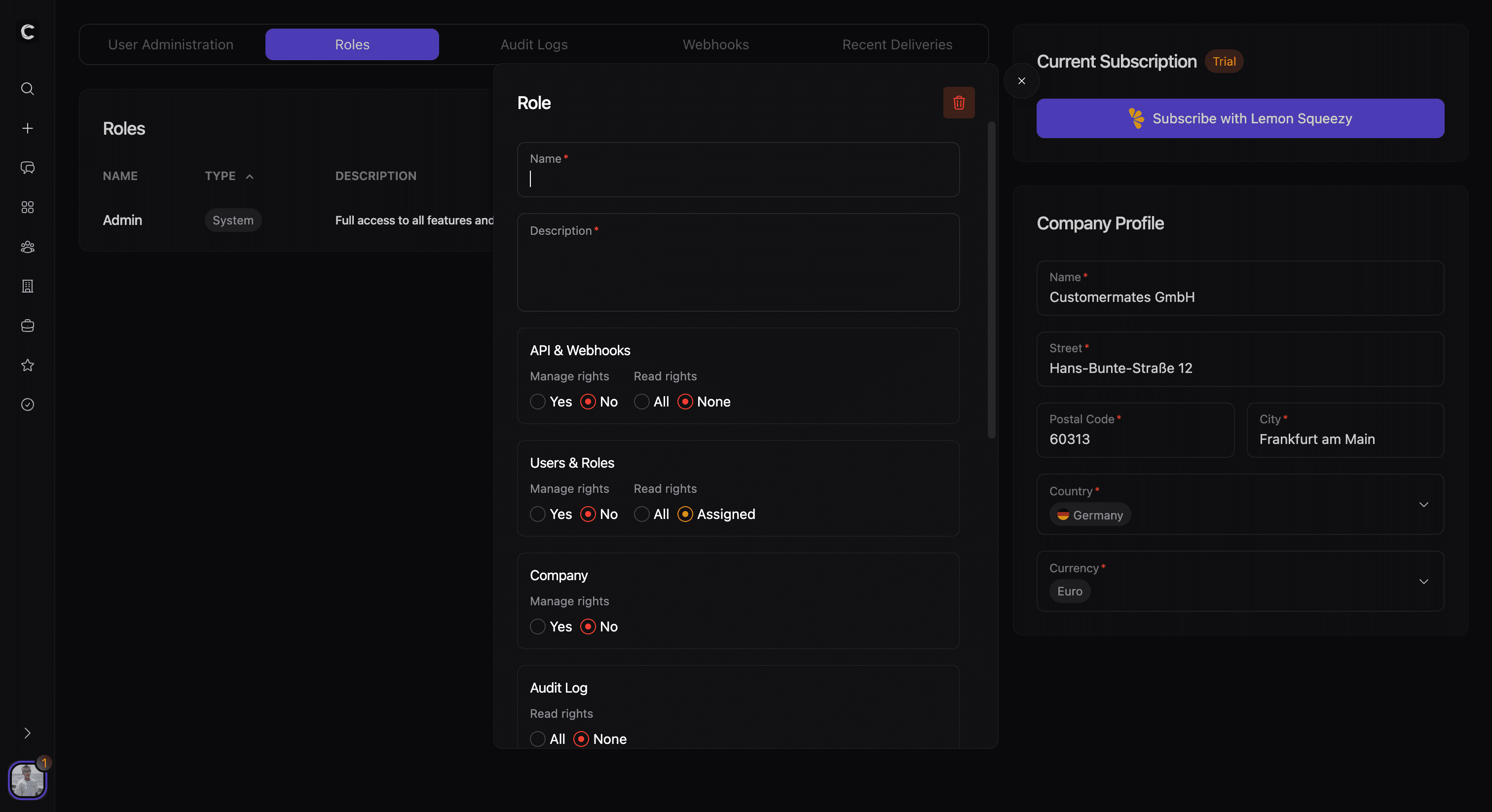
Each role combines permissions across the main workspace areas, including contacts, organizations, deals, services, tasks, users, company settings, API access, and audit logs.
For each area, a role can define whether users are allowed to manage data and what level of read access they have. Depending on the area, this can mean full access, access only to their own records, or no visibility at all.
Read access and management access
Permissions are split into two ideas:
- Read access, which controls what a user can see
- Management access, which controls whether a user can create, change, or remove data
This distinction matters because visibility and administration are not always the same thing. A role can allow someone to read records broadly while still limiting who can manage them.
In many business areas, read access can be limited to records that are assigned to the current user. This makes it possible to keep teams focused on their own work without hiding the structure of the permission model itself.
Assigning roles to users
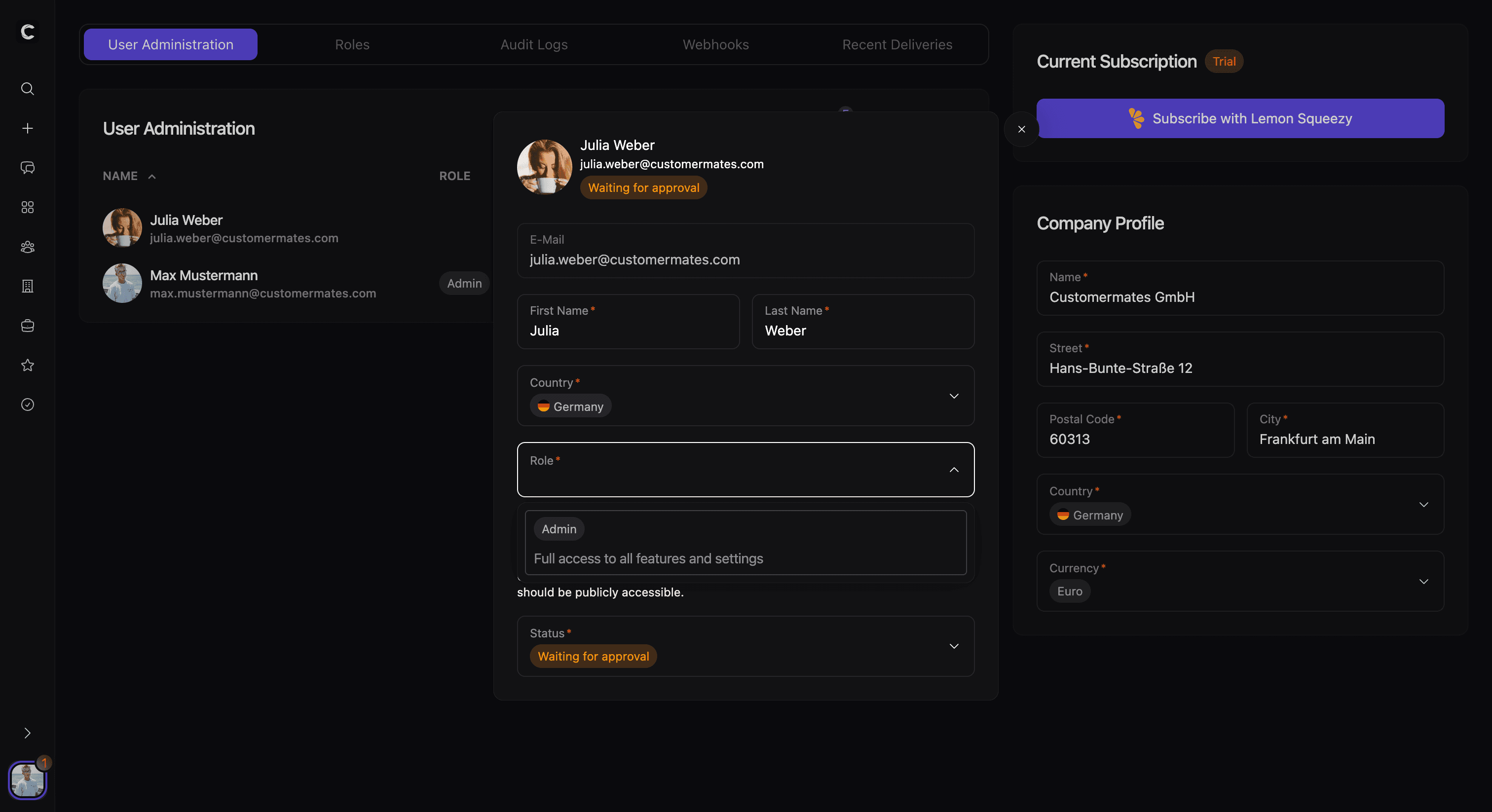
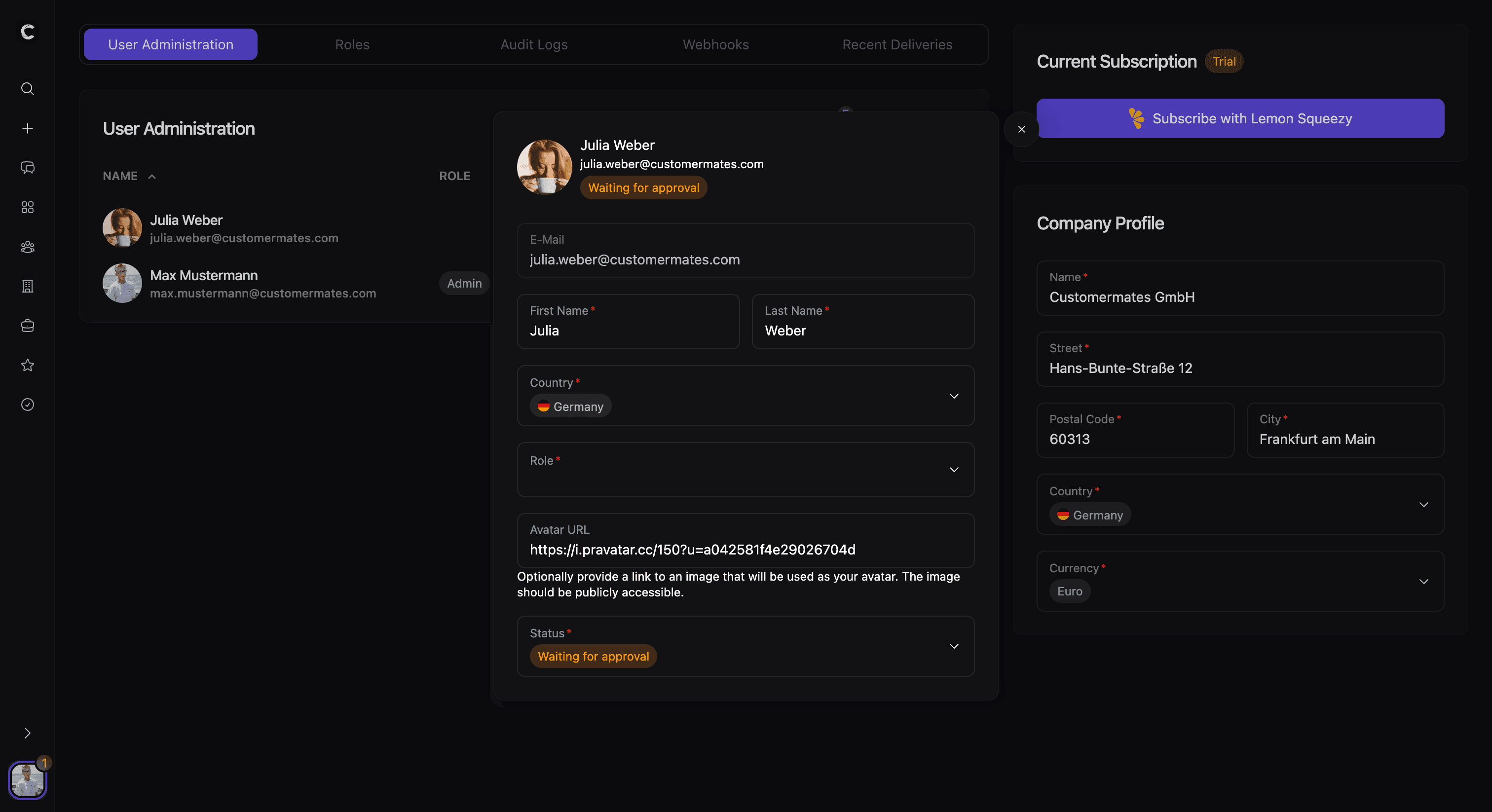
Roles are applied through user management in the company area. When a user record is opened, the assigned role becomes part of that person’s workspace access profile.
This means role design and user administration work together. Roles define the access rules, and the user list is where those rules are applied to individual team members. The operational side of that workflow lives in Company Settings.
Built-in administrative protection
Some roles are treated as protected system roles. These provide the administrative foundation for the workspace and are not handled like ordinary editable roles.
This helps protect access continuity. It prevents the workspace from losing its core administrative path while still allowing teams to create and use additional roles for their own operational structure.