Loading...
Entities & Relationships
Overview
Customermates keeps the CRM model intentionally compact. Instead of scattering information across many object types, the product centers on a handful of records that can be connected to each other in different ways. That makes it easier to understand a customer, see the commercial context around them, and move from one related record to another without losing orientation. This page explains the CRM data model that sits underneath lists, detail views, assignments, and reporting.
One important distinction is the difference between an organization and a company. An organization is a CRM record inside your workspace. The company is the workspace or tenant itself. This page is about CRM records, not the tenant layer behind them.
Core entities
The main business records in Customermates are:
- Contacts for individual people
- Organizations for customer companies or accounts
- Deals for commercial opportunities and sales work
- Services for the items or deliverables connected to a deal
- Tasks for actionable follow-ups and internal work
Users are also part of the relationship model because contacts, organizations, deals, services, and tasks can all be assigned to one or more users.
Relationship model
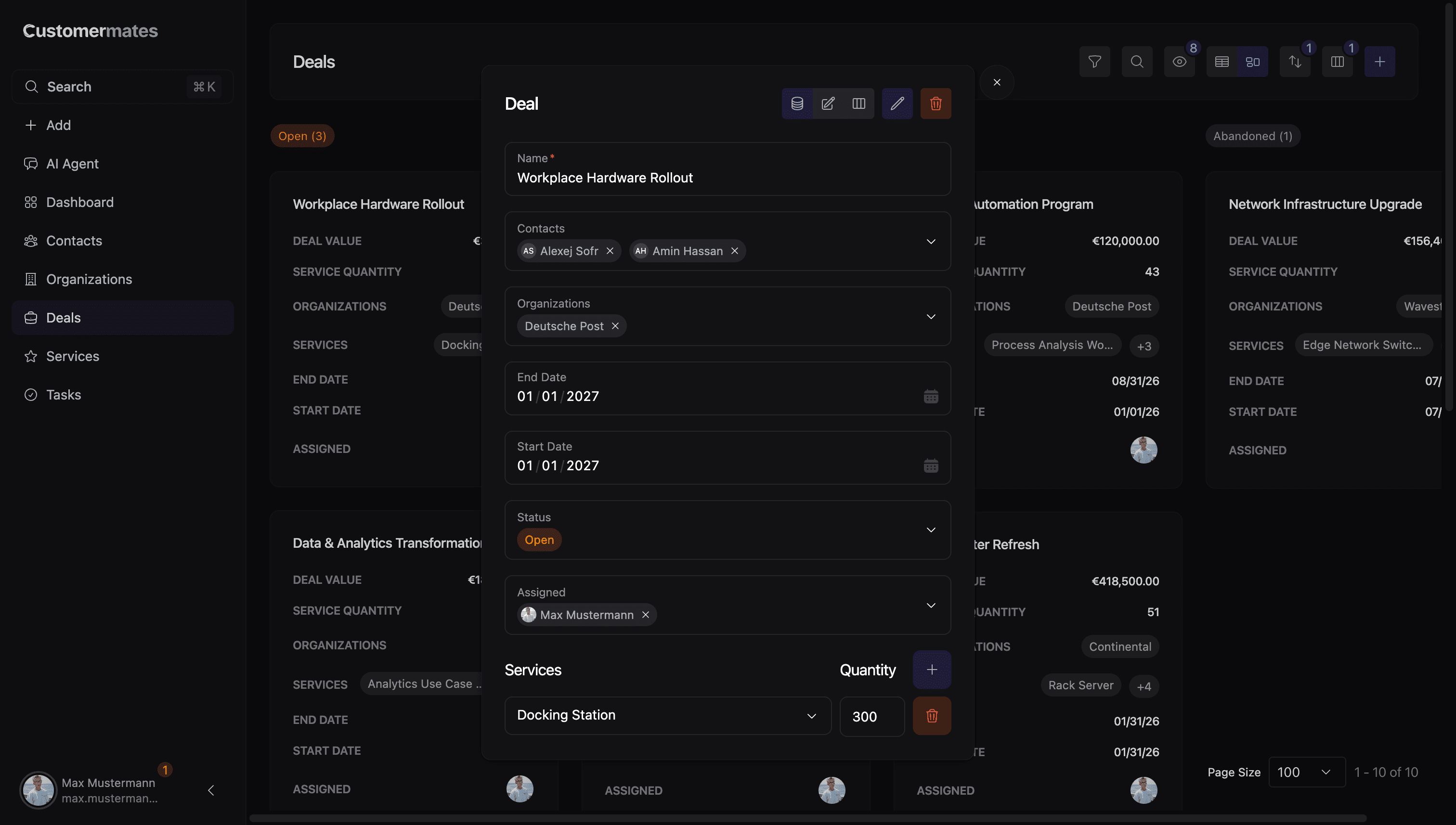
Most of these connections are many-to-many relationships. A contact can belong to several organizations, appear on multiple deals, and be assigned to multiple users. The same is true for organizations and deals. Services are connected to deals, and users can also be assigned to services. Tasks are the exception: in the product model they are assigned to users, but they are not the general relationship hub for contacts, organizations, deals, and services.
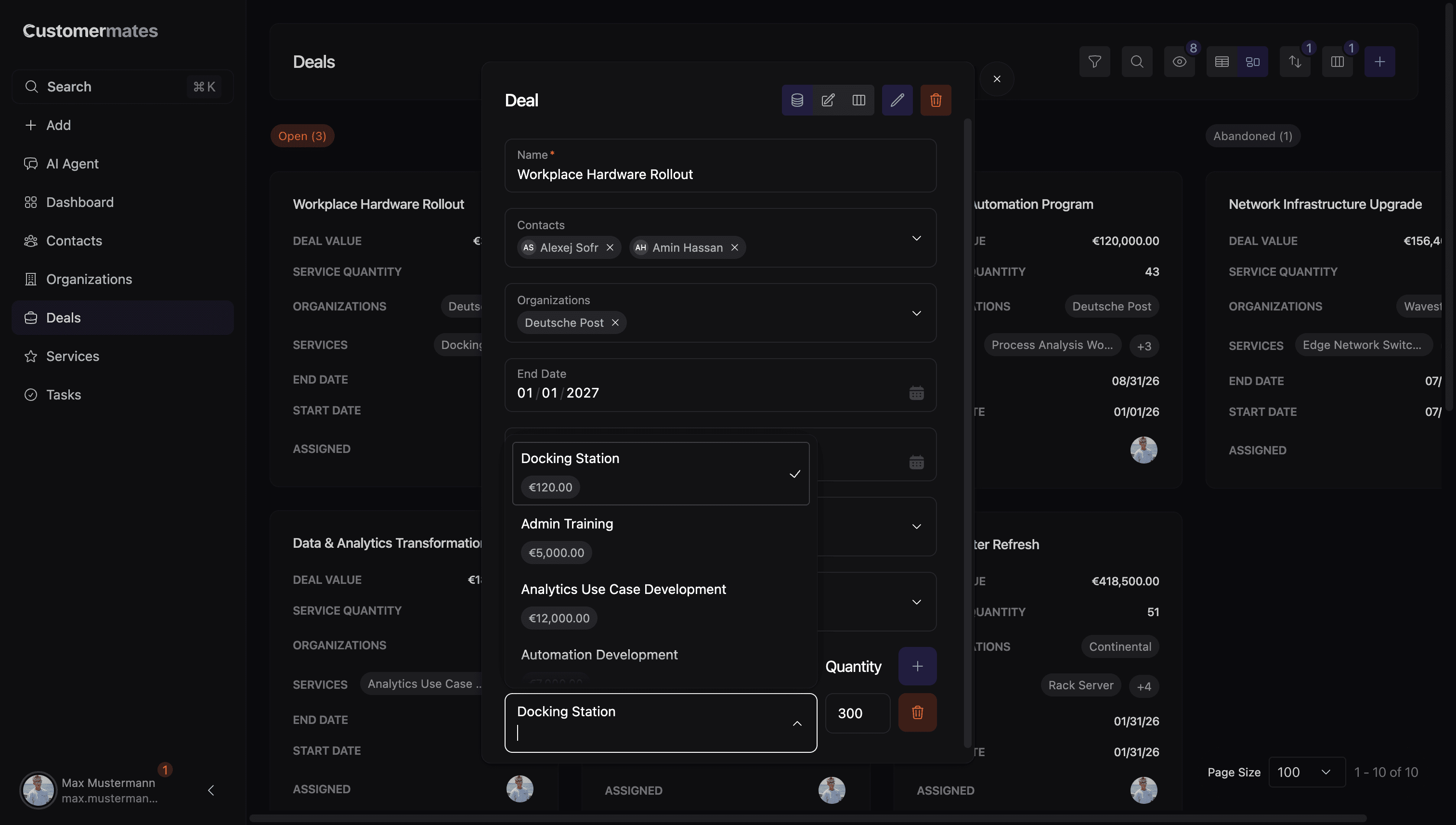
Another important detail is that the service relationship is not only a link. On the deal side, services also carry quantity information, so the connection between a deal and a service can influence totals and commercial summaries.
Where relationships appear in the product
Relationships are visible in the places where users create, edit, and review records:
- Contact records let users connect organizations, deals, and assignees.
- Organization records let users connect contacts, deals, and assignees.
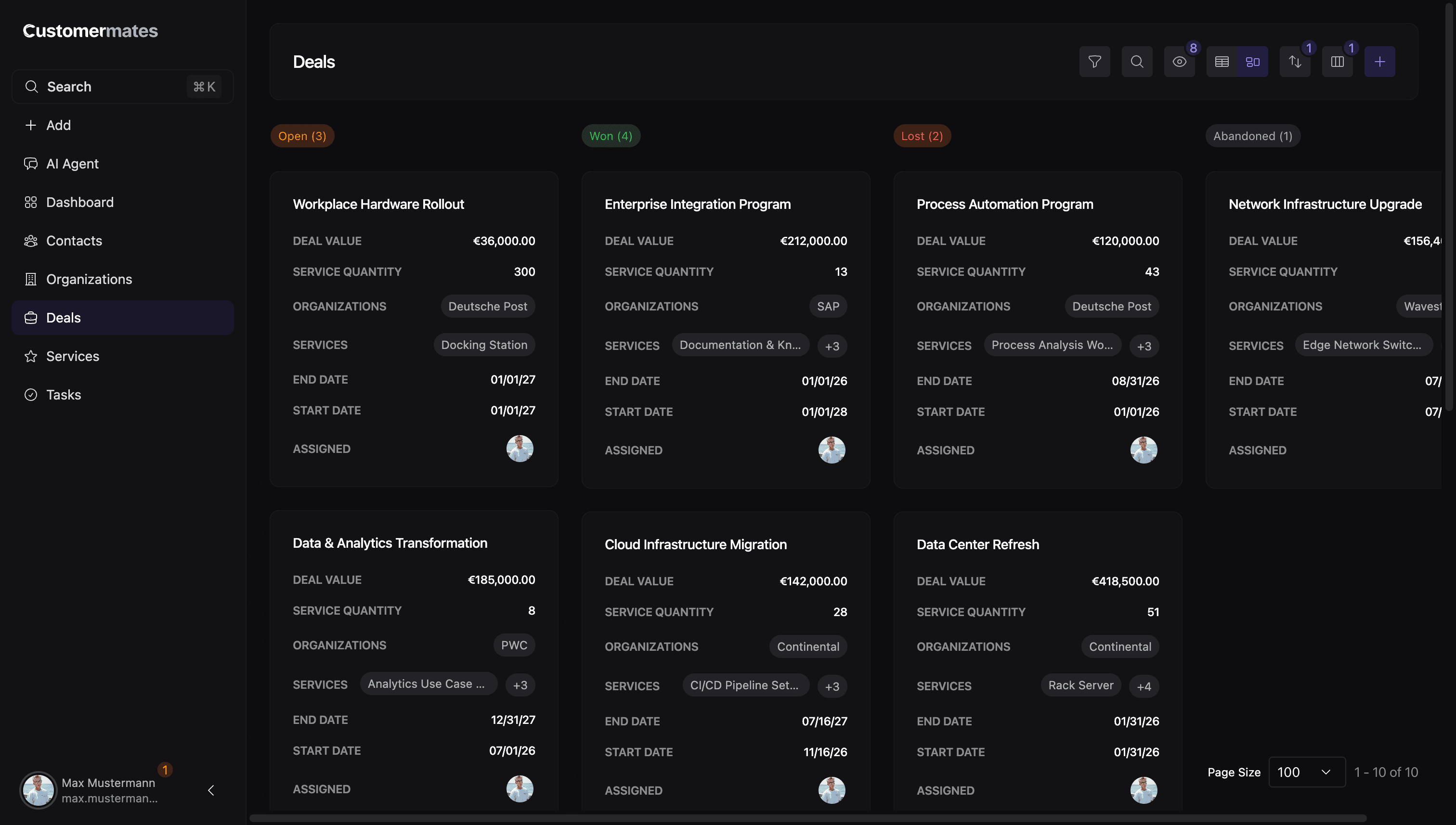
- Deal records let users connect contacts, organizations, assignees, and services.
- Service records let users connect deals and assignees.
- Task records focus on assignees.
These links do not only appear in edit forms. They also show up in list cards, overview sections, chips, avatar stacks, and filterable data views. That means the same connection can usually be understood from more than one angle. For example, a deal can show its organizations and services, while an organization view can surface its related deals.
How to read the model in practice
When reading the CRM model, it helps to think of contacts and organizations as the context layer, deals as the commercial layer, services as the deliverable or line-item layer, and tasks as the action layer. Users sit across all of those layers as assignees. This is why moving through linked records gives a fuller picture than looking at any one record in isolation. If you want to extend the model, continue with Custom Columns. If you want to expose these records to external systems, continue with CRM Integrations.