Loading...
Custom Columns
Overview
Custom columns let you extend the standard CRM model with structured fields that are specific to your process. They are available on contacts, organizations, deals, services, and tasks, which means the same product surfaces can be adapted without introducing separate object types or side systems.
Because custom columns are typed, they do more than store extra text. The field definition affects how a value is entered, how it is displayed, where it can be filtered, and whether it can be reused in other parts of the product.
Supported field types
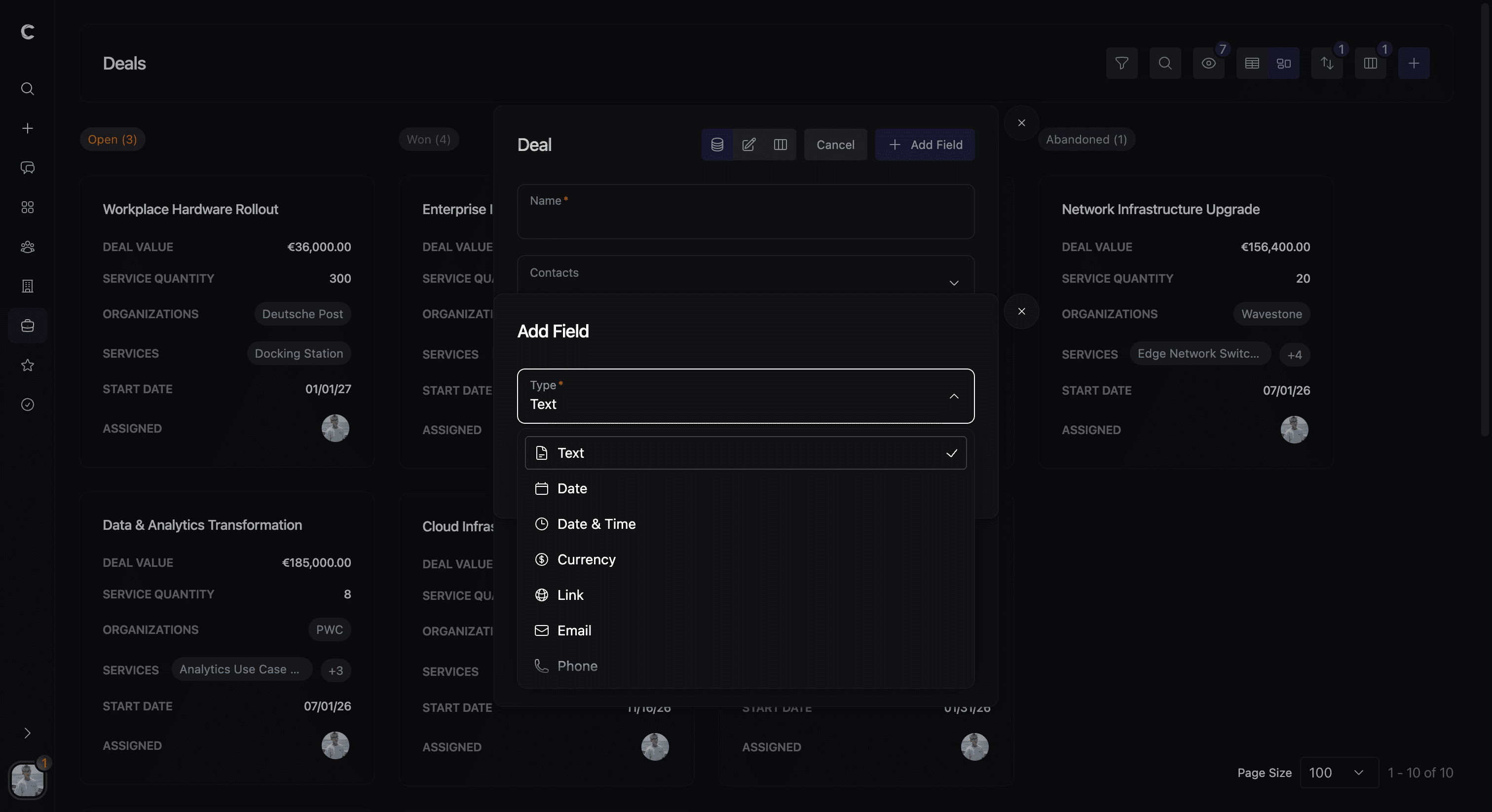
Customermates supports the following custom-column types:
- Plain for free text
- Date for calendar values
- Date and time for timestamped values
- Currency for monetary amounts
- Link for URLs
- Email for email addresses
- Phone for phone numbers
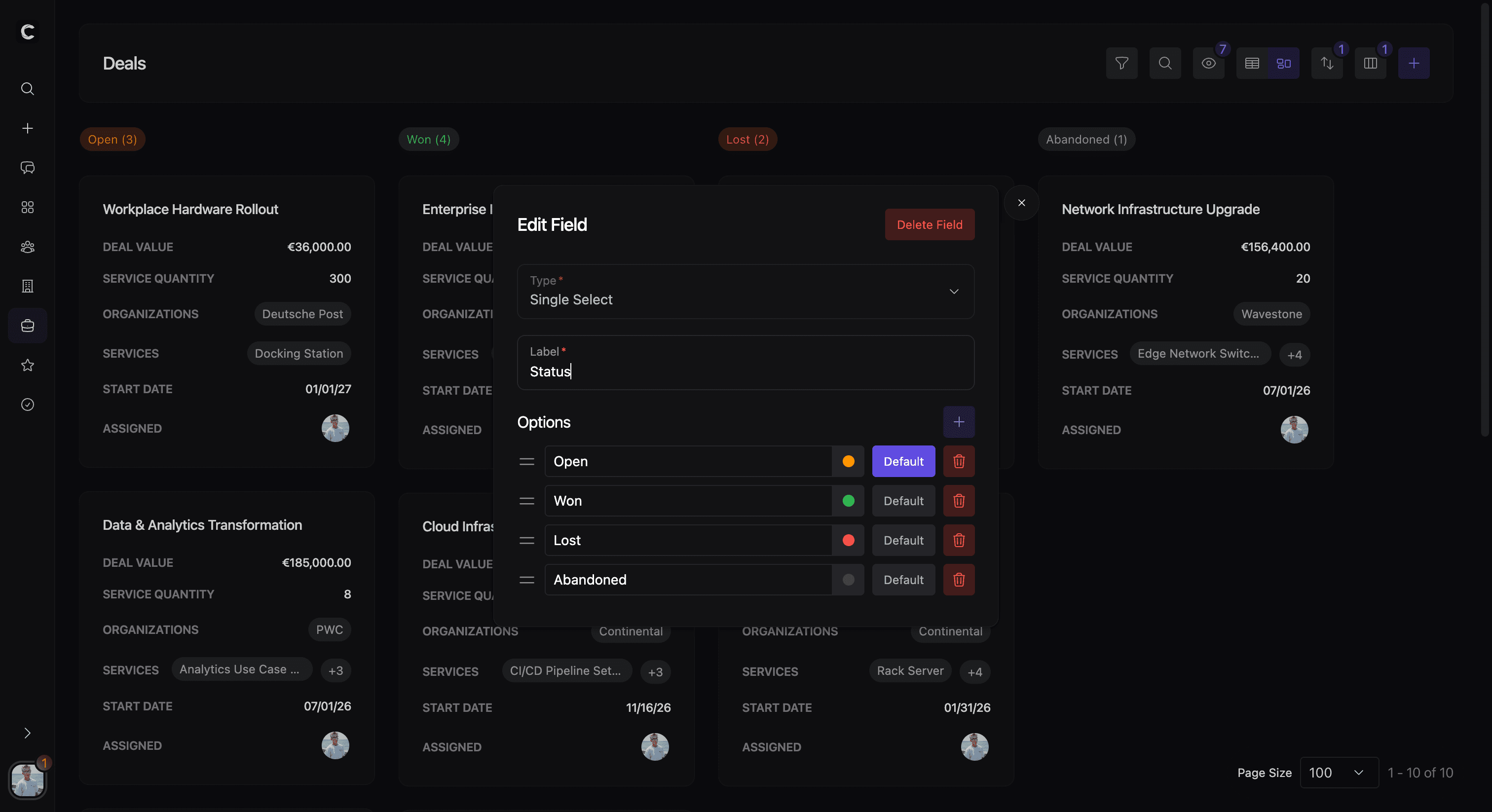
- Single select for controlled option lists
Some types add extra options. Date and date-time fields can define a display format. Currency fields store a configured currency. Link, email, and phone fields can be configured for multiple values and chip styling. Single-select fields define ordered options and can mark defaults.
Where custom columns are created
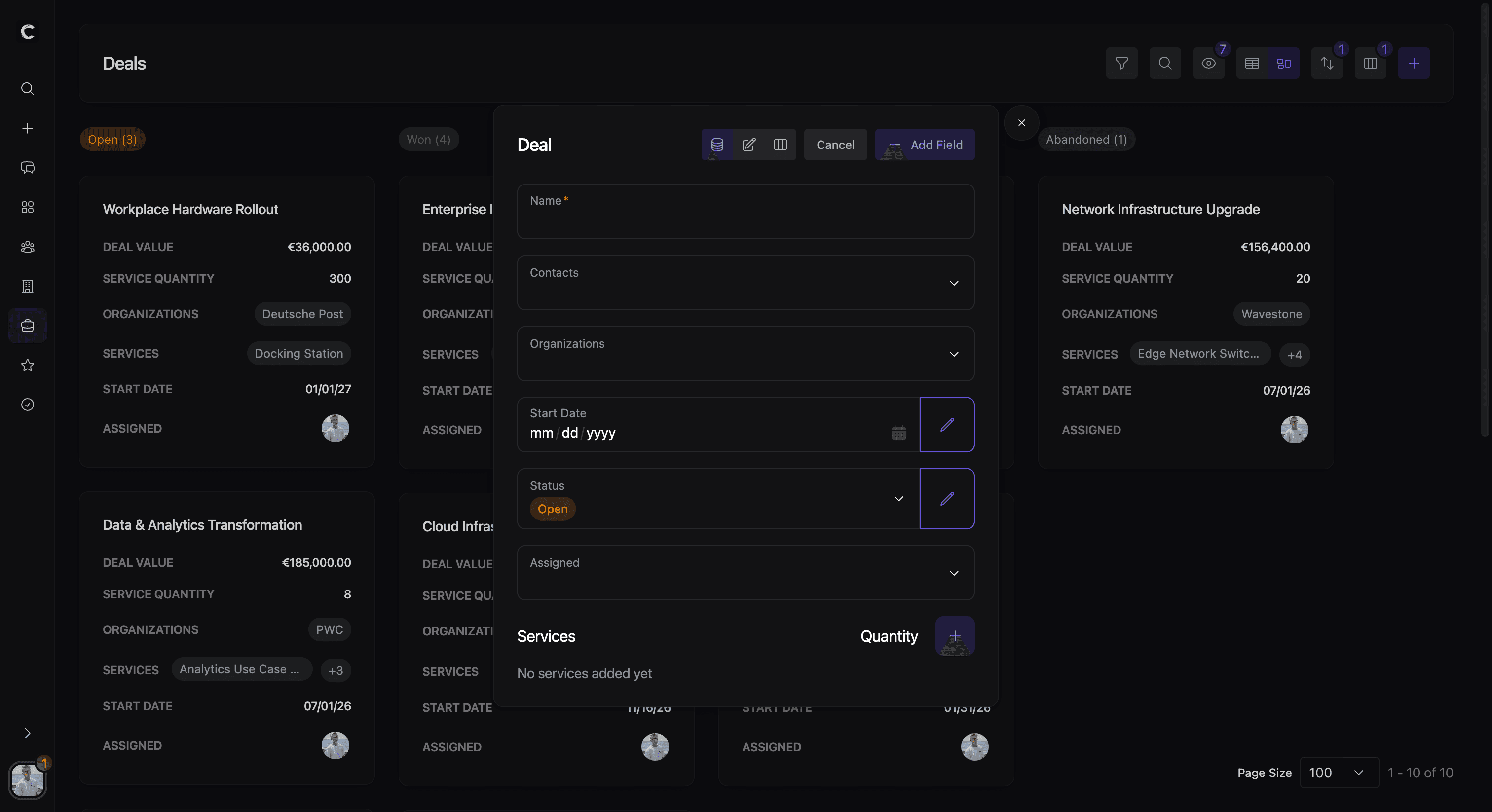
Custom columns are created from the entity modals themselves. In practice, users open a contact, organization, deal, service, or task modal, switch into custom-field editing, and then use the add-custom-field flow. The values for those fields are then edited directly inside the same entity modals.
This keeps schema extension close to the record type where it is actually needed. It also means custom columns feel like part of the normal editing experience rather than a separate admin-only setup area.
Where values appear
Once created, custom columns become part of the record surface for that entity type. They can appear in record details, list and table views, and shared value renderers across the product. Single-select values are especially visible because they can be shown and updated as chips in some list contexts.
This matters for readability. A well-named field does not only help on the edit form. It also affects how clearly records can be scanned in overviews and how consistently teams interpret the data.
Filters, grouping, and downstream usage
Custom columns also shape how data can be organized. Most field types are available in filters and data views, which makes them useful for segmentation and operational slicing. One exception is currency: it is stored and displayed normally, but it is not currently available as a filterable custom field.
Single-select custom columns have an especially important role because they can be reused for grouping. They can drive Kanban-style grouping and can also be used as grouping inputs for dashboard widgets.
Custom-column values also travel into integration surfaces. They are part of record payloads, appear in update events, and are available to API, MCP, and automation flows that work with those entities. For reporting use cases, pair this with Dashboard & Widgets. For external workflows, continue with CRM Integrations.
