Loading...
Dashboard & Widgets
Overview
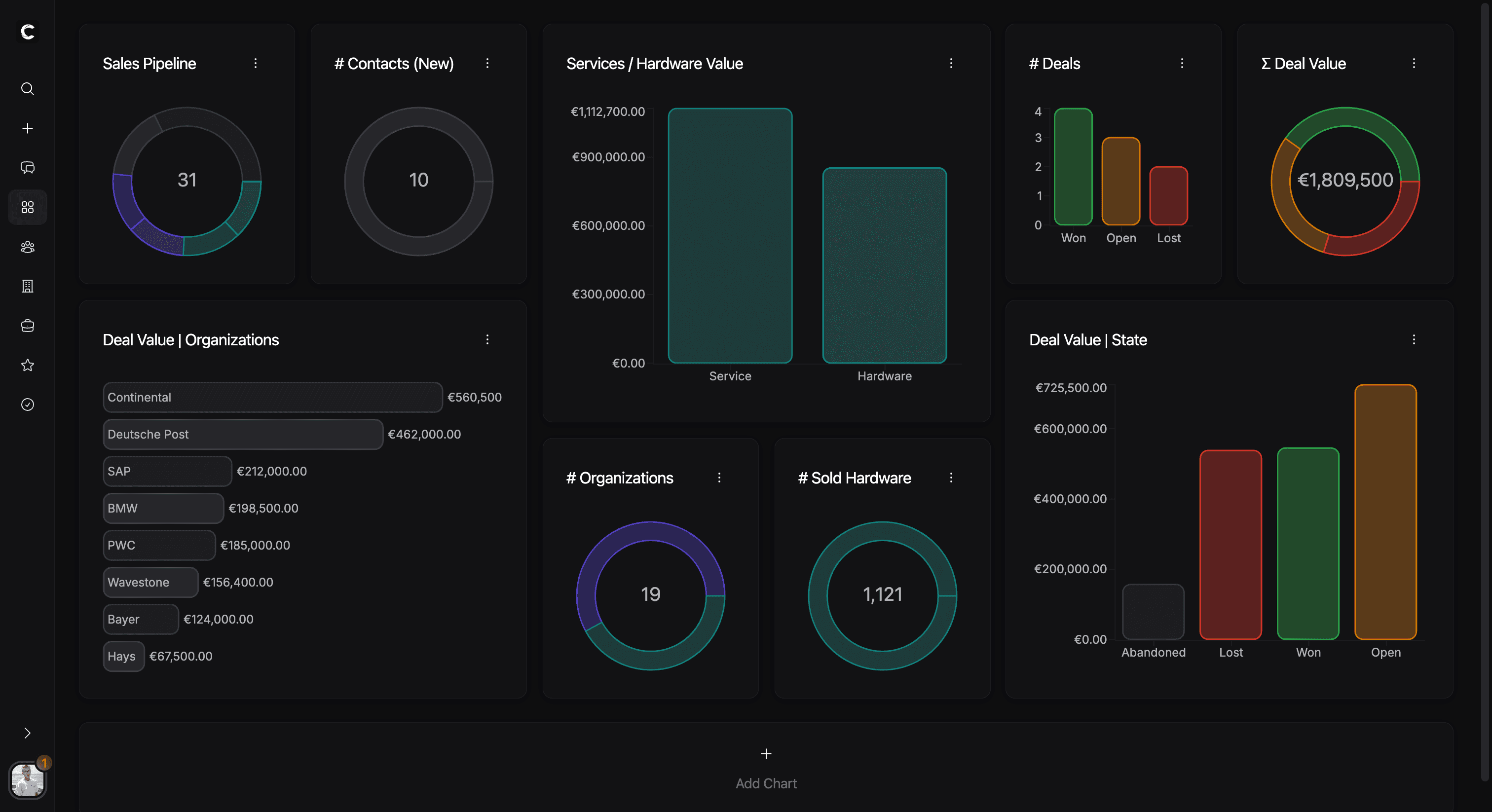
Dashboards turn CRM records into a visual working surface. Instead of scanning lists one by one, users can combine widgets to track volume, commercial signals, segments, and grouped distributions from a single page.
A widget combines a saved configuration with calculated chart data. Widgets belong to a user inside a company, and they can also be saved as templates for reuse.
What a widget can be configured with
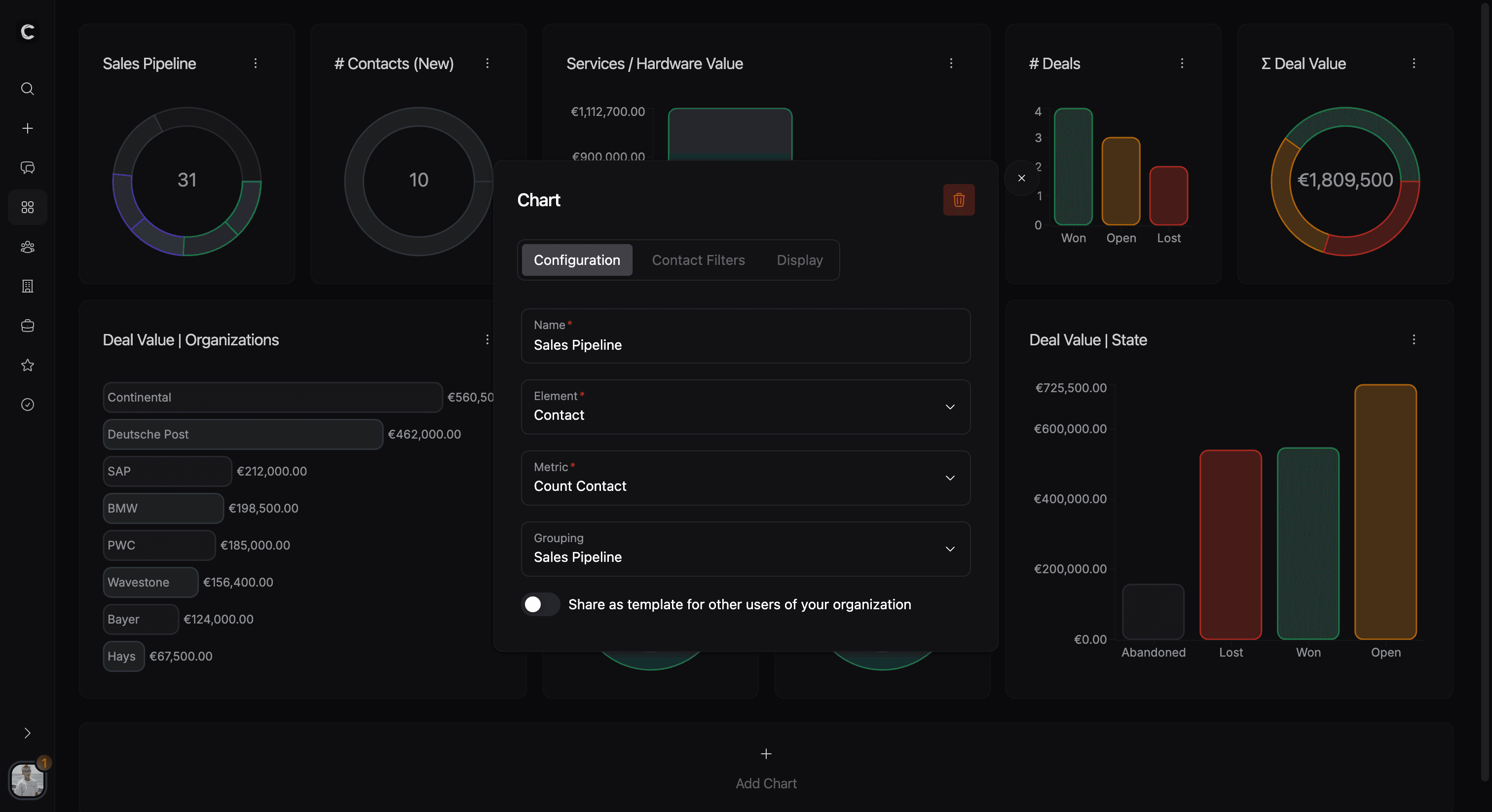
Each widget is built from a small number of decisions that shape the final chart:
- a name
- an entity type: contact, organization, deal, service, or task
- an aggregation type
- an optional grouping
- entity filters
- in some cases separate deal filters
- display options such as chart type, colors, and axis direction
- an optional template flag
This makes a widget less like a fixed report and more like a saved analytical view.
Aggregation and grouping
Widgets support three aggregation modes:
- Count to count matching records
- Deal value for commercial value-based summaries
- Deal quantity, which is only available for service-based widgets
Grouping can be set to none, to the selected entity type itself, or to a compatible custom field. In practice, single-select custom columns are the most important custom grouping source. There are also a few guardrails:
- task widgets cannot use deal-based aggregations
- task widgets can only group by nothing or by a custom column
- deal filters are only used where deal-based calculations make sense outside direct deal widgets
If you want to understand how those grouping fields are modeled, continue with Custom Columns.
Filters and display options
Widgets can be narrowed with entity filters, which lets the same entity type support very different operational views. Some widget types also expose a separate deal-filter layer so commercial calculations can be constrained more precisely.
The display tab controls how the result is shown. Current chart types include vertical and horizontal bar charts, bar charts with labels, doughnut charts, and radar charts. For non-circular chart types, the axes can also be reversed.
Together, filters and display options separate meaning from presentation: the filters decide which data is included, and the display options decide how that result is visualized.

Templates and day-to-day usage
Widgets are rendered on the dashboard page inside a responsive grid. New widgets can be created from scratch, and they can also start from company-level templates. This is useful when teams want a shared starting point but still allow users to maintain their own dashboard layouts.